Loading…


KnowledgeBase
Field Layouts and Required Fields: Organise Your CRM Forms
Why layout matters#
The order of fields on a record form directly affects how quickly your team can fill it in. Putting the most important fields at the top (name, email, phone, lead source) means your team captures critical data even when they are in a hurry and stop halfway down the form.
How to reorder fields#
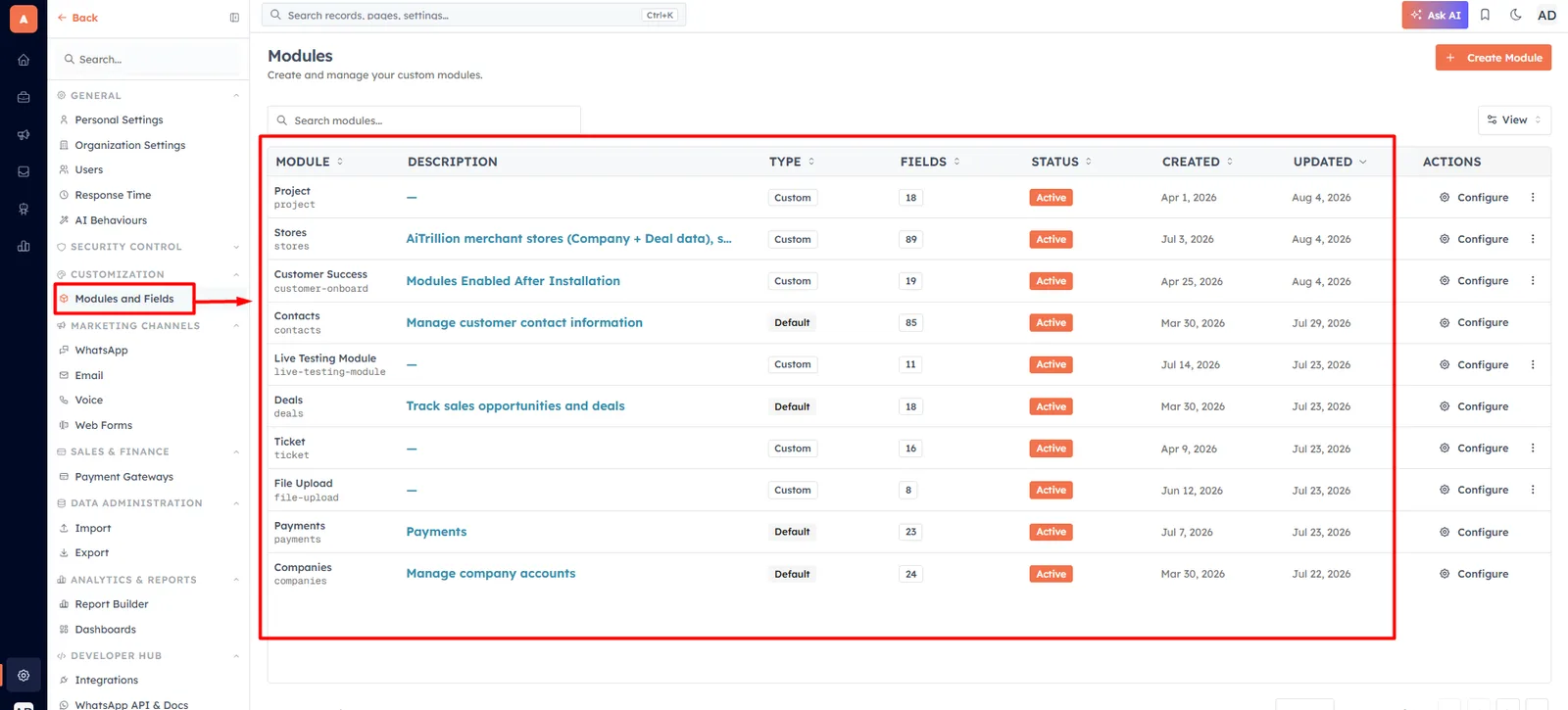
In the module field editor (Settings → Modules and Fields → select a module), drag fields up or down using the drag handle on the left side of each field row. Drop them in the order you want them to appear on the record creation form.
💡
Put fields in the order your team fills them in during a sales call — not alphabetically. If the first question is always "What is your company?" put Company high up, even if it is not technically a "required" field.
How to mark a field as Required#
Click the settings icon next to any field and toggle Required on. A required field shows a red asterisk (*) on the form and blocks saving the record until it is filled in.
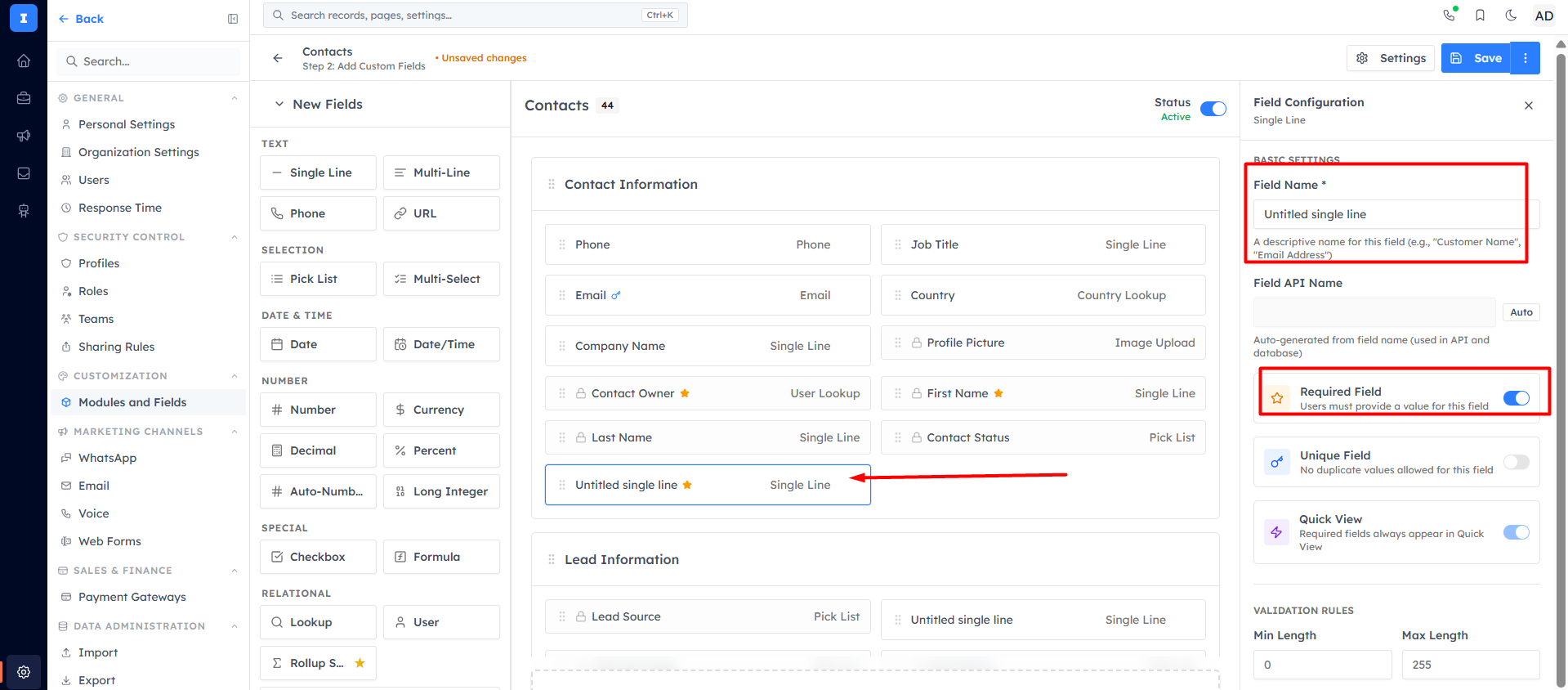
Mark as Required only fields you always need. Good candidates:
Email (for deduplication and campaigns)
Lead Source (for attribution reporting)
Company (for B2B teams)
Your most critical custom field (e.g. Industry or Product Interest)
💡
Do not mark too many fields as required. If your team has to fill in 15 required fields to save a contact, they will find workarounds (entering fake data) or avoid logging contacts altogether. 3–5 required fields is ideal.
How to hide a field#
Fields you do not use but cannot delete can be hidden from the form. Click the field settings icon and toggle Visible off. Hidden fields do not appear on the form but their data is still stored if it exists from an import. You can check the article - Adding & Configuring Web Form Fields.
💡
After configuring your field layout and required fields, your team will consistently capture the right data in the right format — making your reports and automations reliable.
Was this article helpful?
Ready to implement this?
OpenAI Engage and apply what you just learned to your own workspace.
Open AI Engage CRM