Loading…


KnowledgeBase
Pin Your Favorites: Sidebar Bookmarks
Bookmark what you use most#
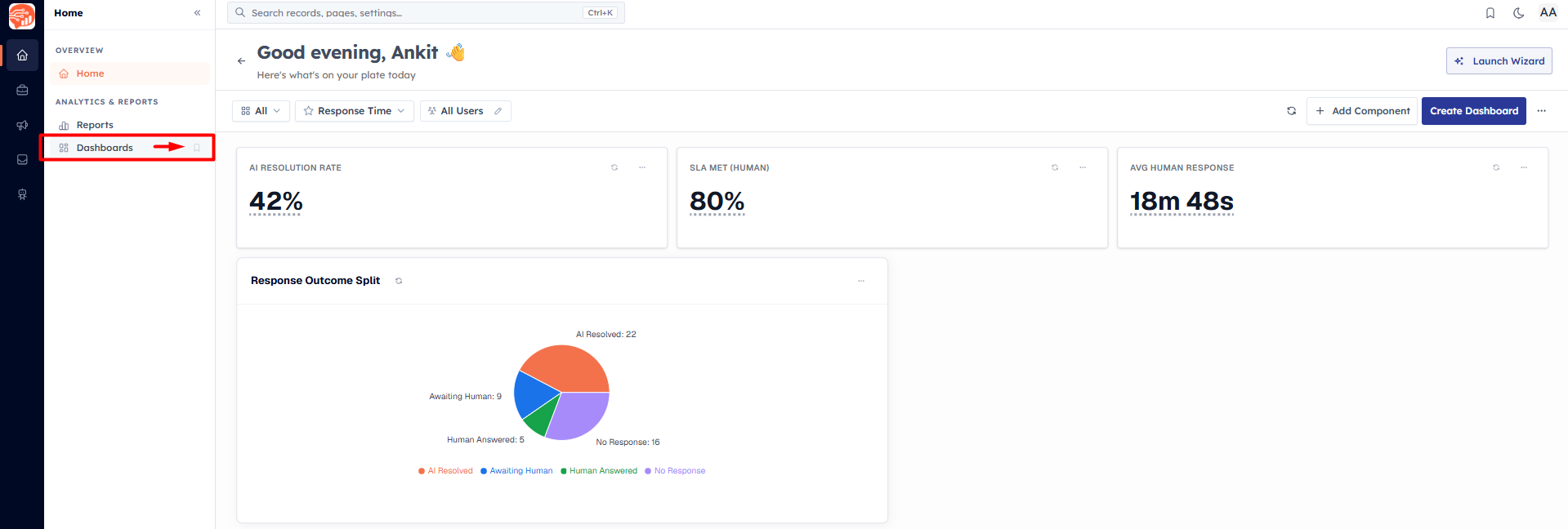
Any item in the left sidebar can be bookmarked so it's always within reach. Hover over a sidebar item and click the bookmark (star) icon. Bookmarked items show a filled orange bookmark; click it again to remove.
Where your bookmarks appear#
At the top of the sidebar section they belong to, as a quick-access Bookmarks list.
In a global Bookmarks popover you open from the bookmark icon in the top bar.
In the popover, bookmarks are grouped by area — Home, CRM, Marketing, Customer Hub, and Team Inbox — so a long list stays organized.
💡
Bookmarks are saved to your account, so they follow you across devices and browsers. If you haven’t added any yet, the popover shows "No bookmarks yet. Star items in any sidebar section to pin them here."
Was this article helpful?
Ready to implement this?
OpenAI Engage and apply what you just learned to your own workspace.
Open AI Engage CRM