Loading…


KnowledgeBase
Introduction to Settings & Administration
The Setup page: your control center#
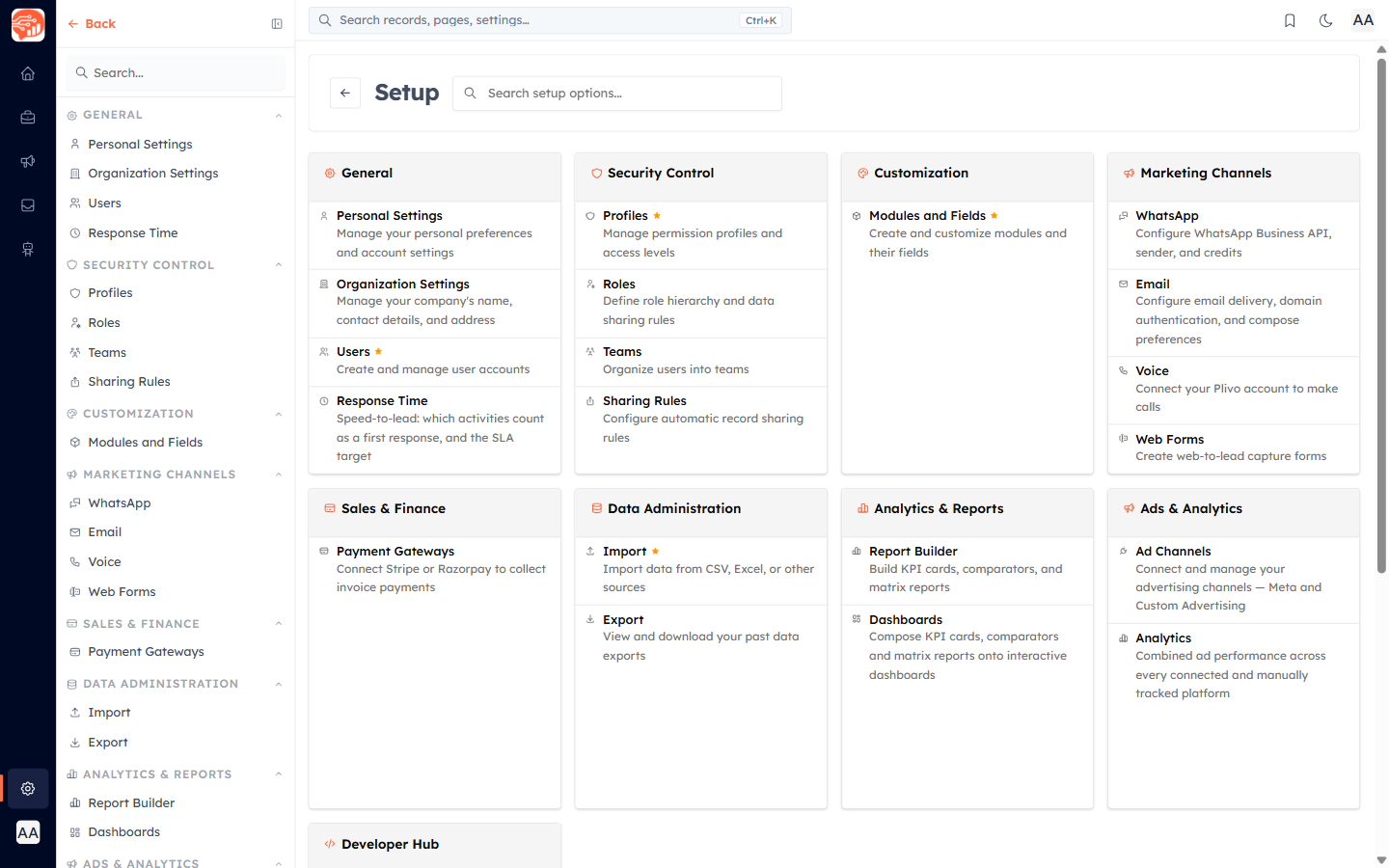
Almost everything an administrator configures lives in one place. Open Setup (top of the sidebar under Settings) to reach every settings area, grouped by purpose. Use the search box at the top to jump straight to any setting.
Find the right guide#
Many of these areas are covered step-by-step in Getting Started and other collections — use the links below. The admin-only settings unique to this collection are covered in their own articles.
- General — Personal Settings, Organization Settings, Users, and Speed-to-Lead: Response-Time Tracking & Business Hours.
- Security Control — Profiles (and creating one), Roles (and building your hierarchy), Teams, and Sharing Rules (why / how).
- Customization — Modules & Fields: create a module and add custom fields & layouts.
- Marketing Channels — WhatsApp, Email, Voice, and Web Forms.
- Sales & Finance — Payment Gateways: connect Stripe or Razorpay to collect invoice payments.
- Data Administration — Import and Export.
- Analytics & Reports — Report Builder, Dashboards, and Speed-to-Lead: Response-Time Tracking & Business Hours.
- Developer Hub — Integrations and API Keys.
- Account — Billing & Subscription.
ℹ️
Each settings area only appears if your profile has permission for it. If you can’t see a setting, ask an administrator to grant the matching permission on your profile.
Was this article helpful?
Ready to implement this?
OpenAI Engage and apply what you just learned to your own workspace.
Open AI Engage CRM