Loading…


KnowledgeBase
API Keys Step by Step: Generate, Use and Revoke a Personal Access Token to Build Custom Integrations
Introduction#
When the tool you use isn’t on the Integrations page, you can connect it yourself through the AiEngage CRM REST API. Your website, an automation tool such as Zapier or Make, a data warehouse or your own app can then read and write CRM records.
Every API call needs an API key (also called a Personal Access Token). The key proves who is calling and limits what that caller can do. This guide shows how to:
Open the API Keys page and read its list of keys.
Generate a key with a label, the right scopes and an expiry date.
Copy the key. It is shown only once.
Use the key to call the API.
Revoke a key you no longer need.
Each screenshot has a red ring and arrow on the part to look at, followed by a description of the whole screen. The key shown in this guide is an example, not a real token. Staff names are blurred.
Before You Begin#
You need access to Settings → Developer Hub → API Keys. The Generate API key button is only shown to people allowed to manage API access, usually administrators.
API access depends on your plan. If your plan doesn’t include it, the page shows an upgrade message instead of the tabs.
A key can never do more than the person who created it. It acts with its creator’s own record permissions. If that person can’t edit a Contact, the key can’t either, and the API answers 403. Create integration keys from an account with the right access.
Decide in advance what the integration needs. For example, a website form that creates leads needs Contacts: Write only.
Part 1: Open the API Keys Page#
Step 1: Go to Settings → API Keys#
Click the Settings gear at the bottom of the left rail, then scroll the Settings menu down to DEVELOPER HUB.
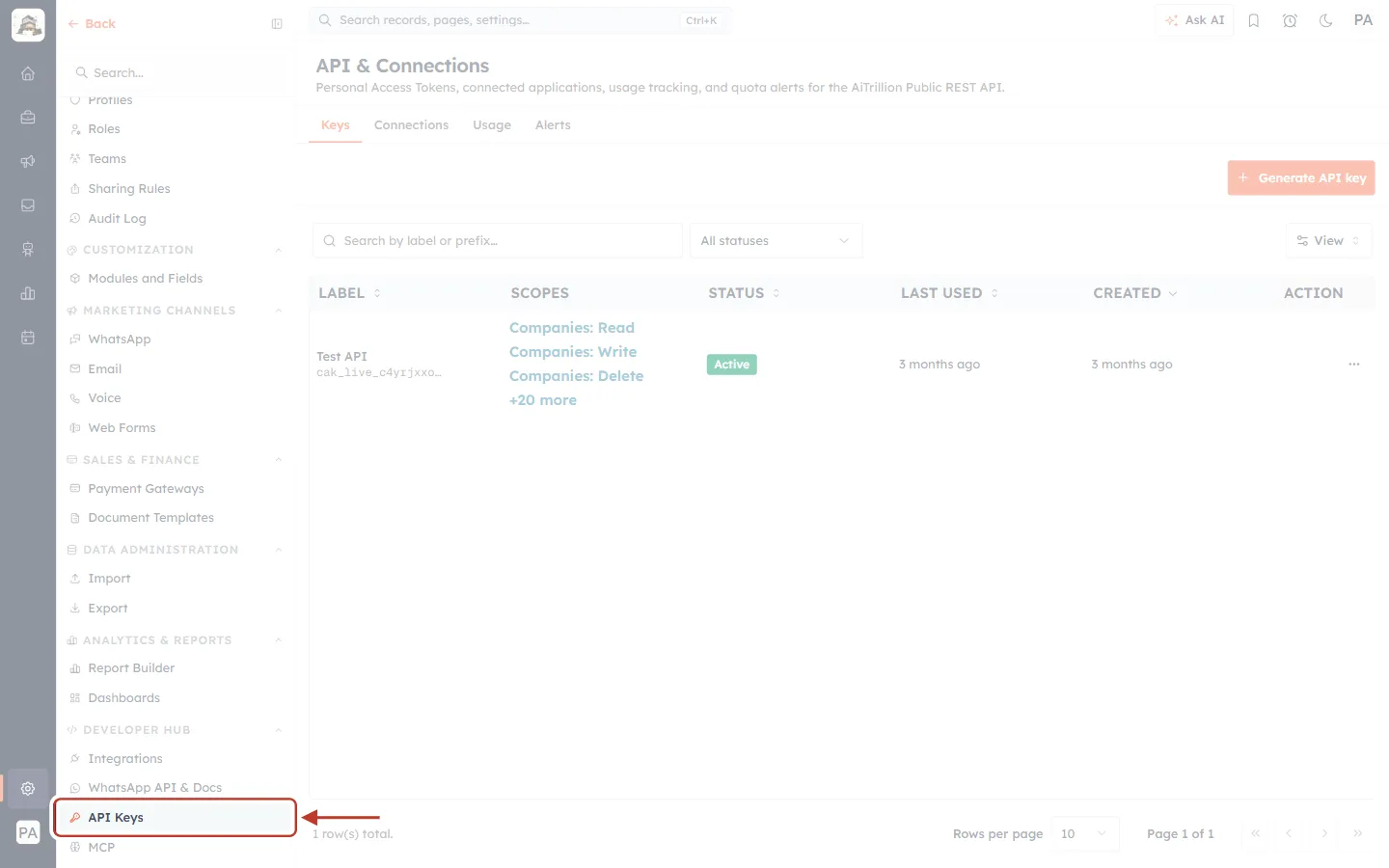
What this screenshot shows. API Keys is ringed under DEVELOPER HUB, below Integrations and WhatsApp API & Docs, and above MCP.
Click it to open the page.
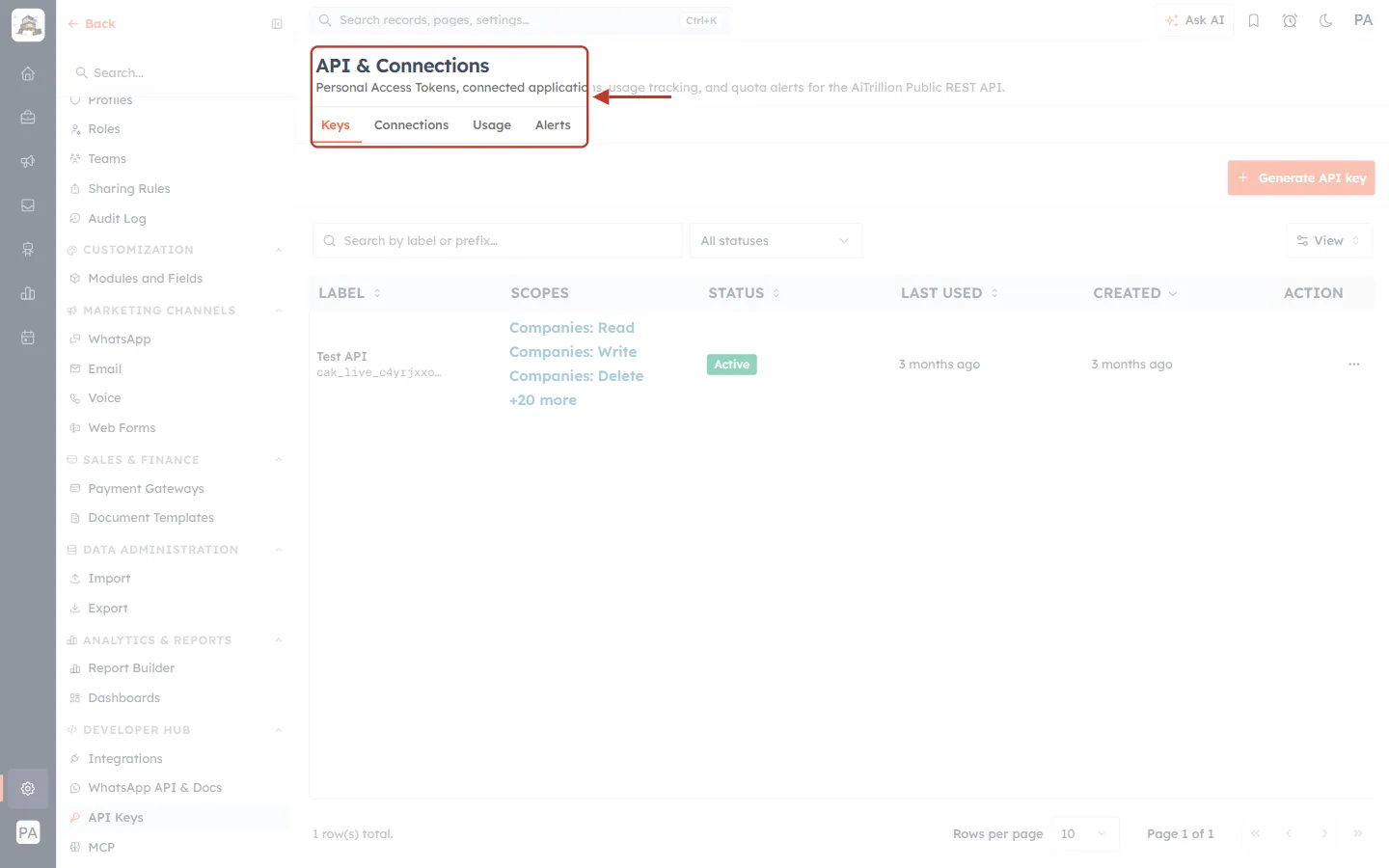
What this screenshot shows. The ringed header reads API & Connections, with four tabs underneath.
The description reads: Personal Access Tokens, connected applications, usage tracking, and quota alerts for the Public REST API.
Keys: your API keys. This guide covers this tab.
Connections: applications such as Claude that people have connected by signing in (Part 6).
Usage: how many API calls you’ve made against your plan’s quota. Alerts: emails before you reach the quota.
Step 2: Read the list of keys#
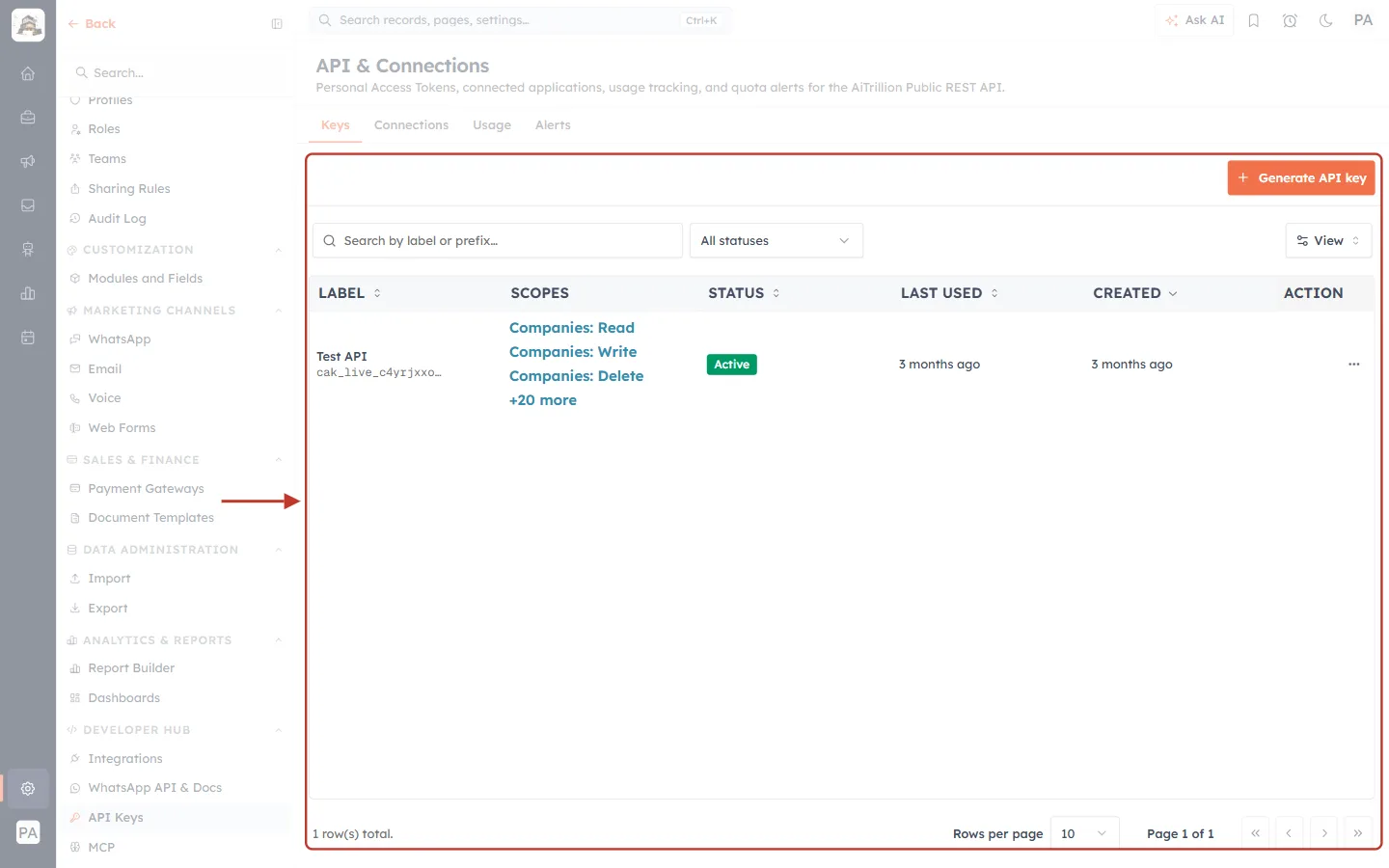
What this screenshot shows. The ringed Keys tab lists every API key in your organisation.
Generate API key (orange, top right) creates a new key (Part 2).
Below it: Search by label or prefix, the All statuses filter and View (choose columns).
Columns: LABEL, SCOPES, STATUS, LAST USED, CREATED and ACTION.
At the bottom: the number of keys (1 row(s) total), Rows per page and page controls.
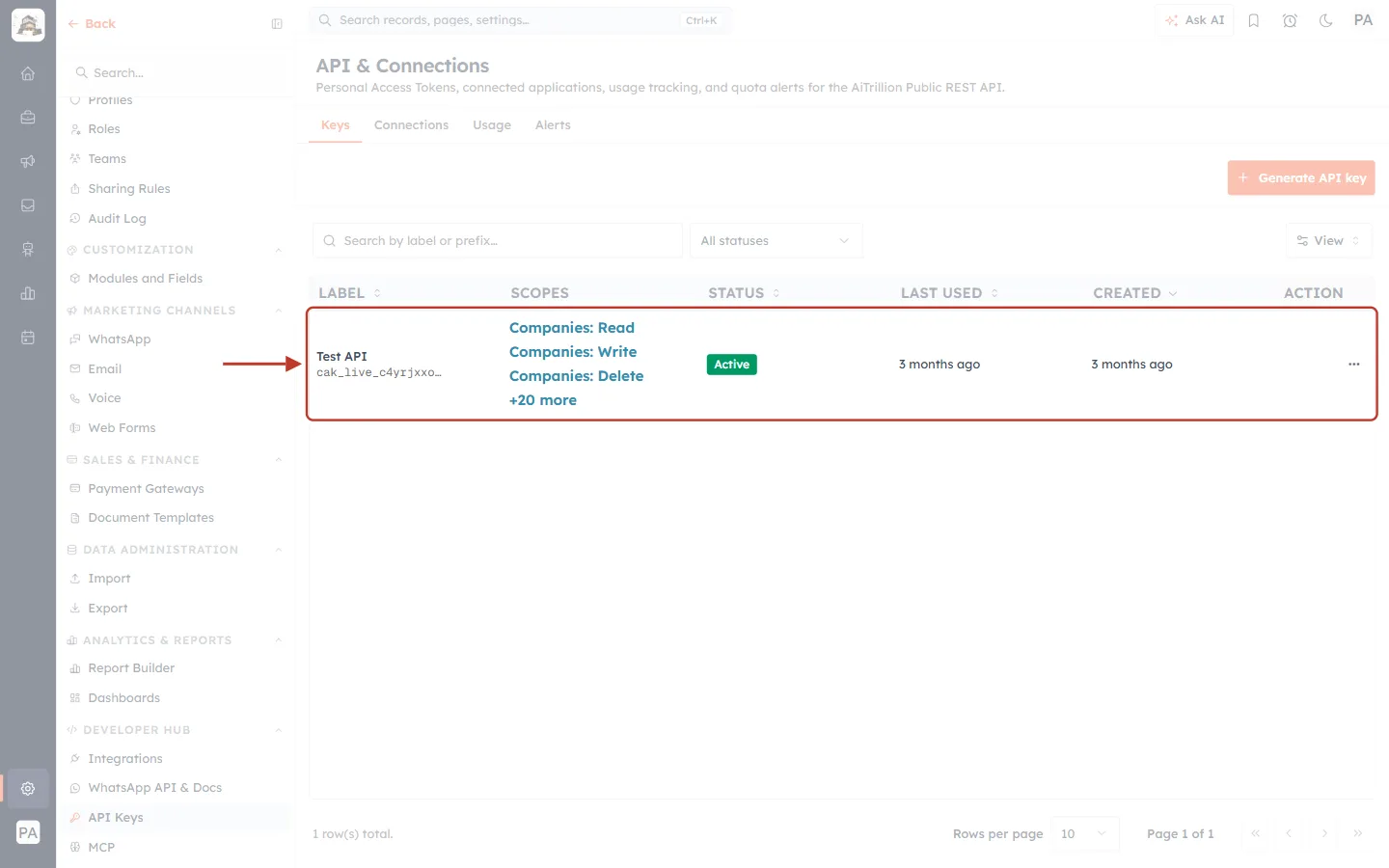
What this screenshot shows. The ringed row is one existing key.
LABEL: Test API. Under it is the key’s prefix (cak_live_c4yrjxxo…), the first characters of the token. Only the prefix is ever shown again, never the full key, so you can match a key to the service that uses it.
SCOPES: the first three permissions (Companies: Read, Companies: Write, Companies: Delete) and +20 more.
STATUS: Active. LAST USED and CREATED: 3 months ago. LAST USED shows whether an integration is still calling with this key.
The ⋯ button in ACTION holds Revoke (Part 5).
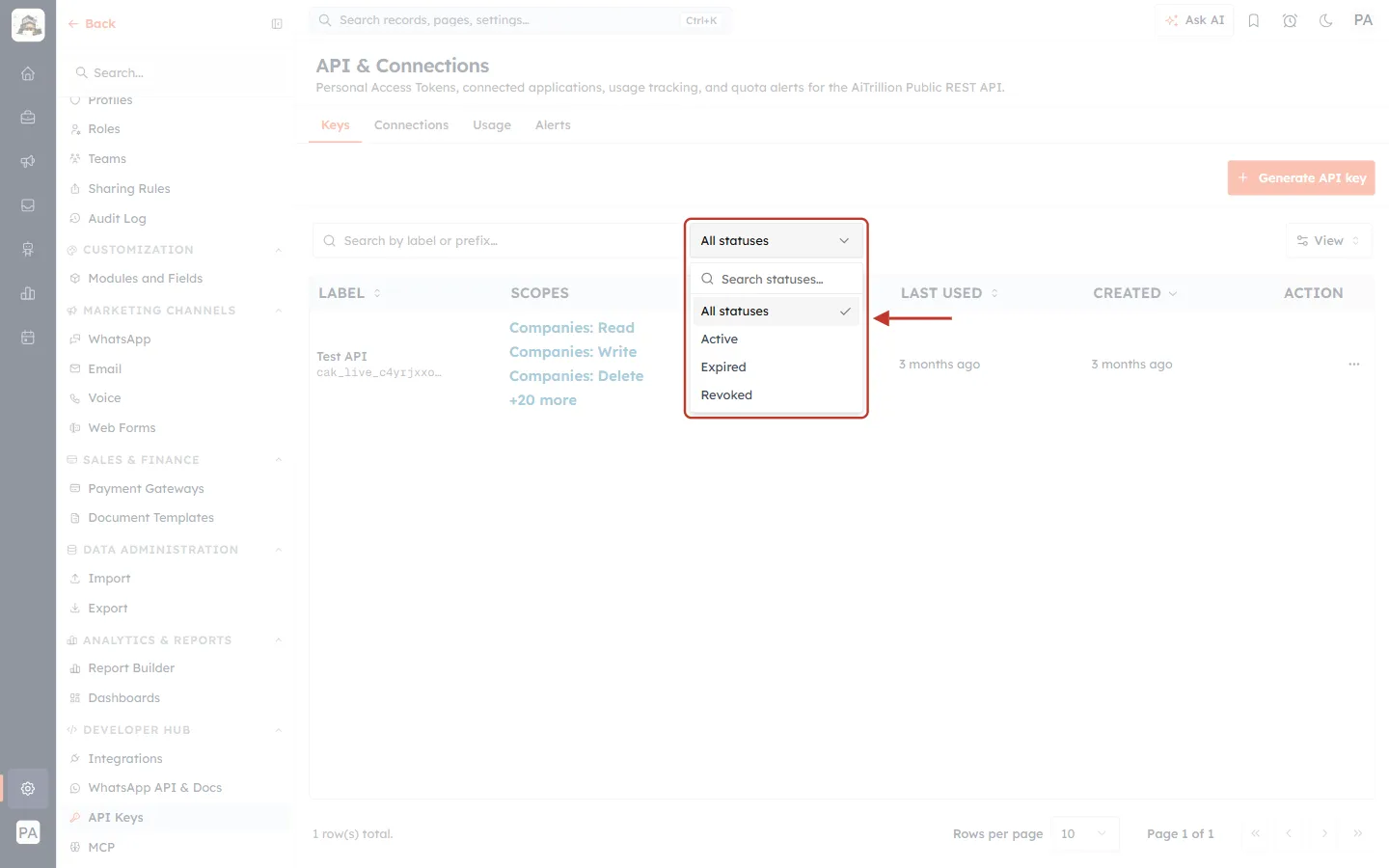
What this screenshot shows. The All statuses filter is open.
Active: the key works. Expired: it reached its expiry date and no longer works. Revoked: someone switched it off.
Pick one to show only those keys, for example Expired keys that need replacing.
Part 2: Generate an API Key#
Step 3: Click Generate API key#
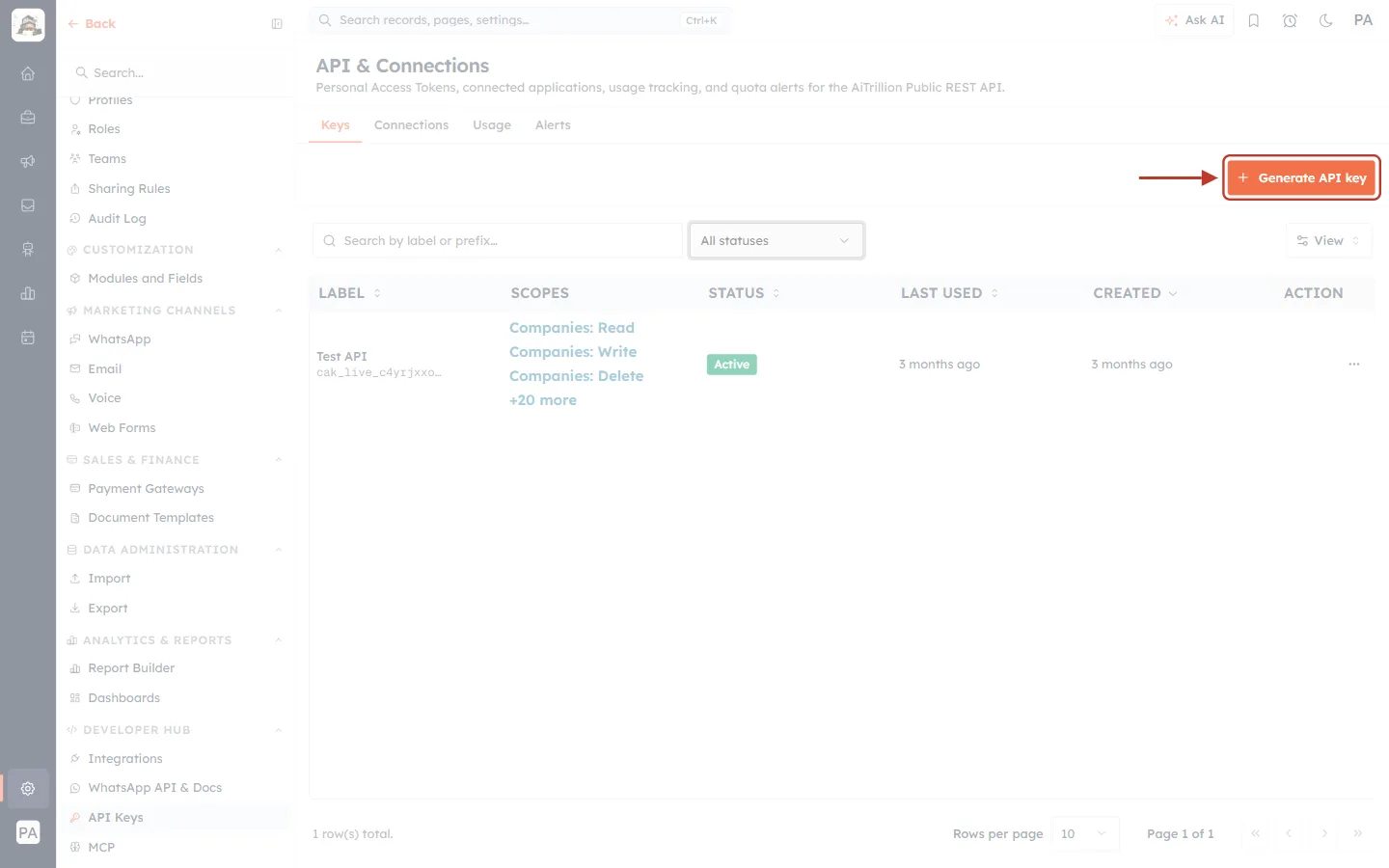
What this screenshot shows. Generate API key is ringed at the top right of the Keys tab.
If you don’t see it, your profile doesn’t allow managing API keys. Ask an administrator.
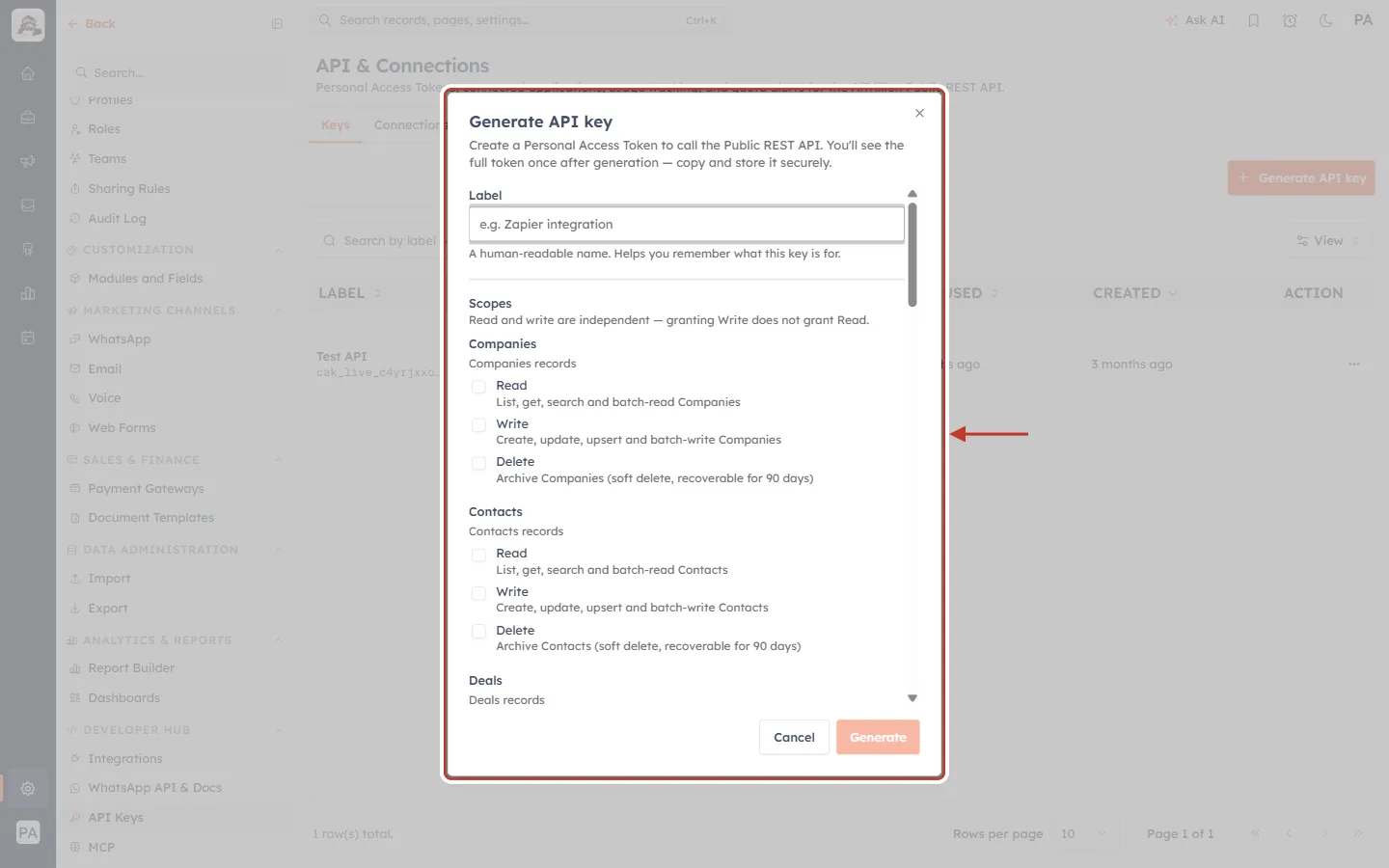
What this screenshot shows. The Generate API key window opens.
Create a Personal Access Token to call the Public REST API. You’ll see the full token once after generation — copy and store it securely.
It has three settings, top to bottom: Label, Scopes and Expires (scroll down inside the window to reach it).
Generate stays greyed out until you have entered a label and ticked at least one scope.
Step 4: Give the key a label#
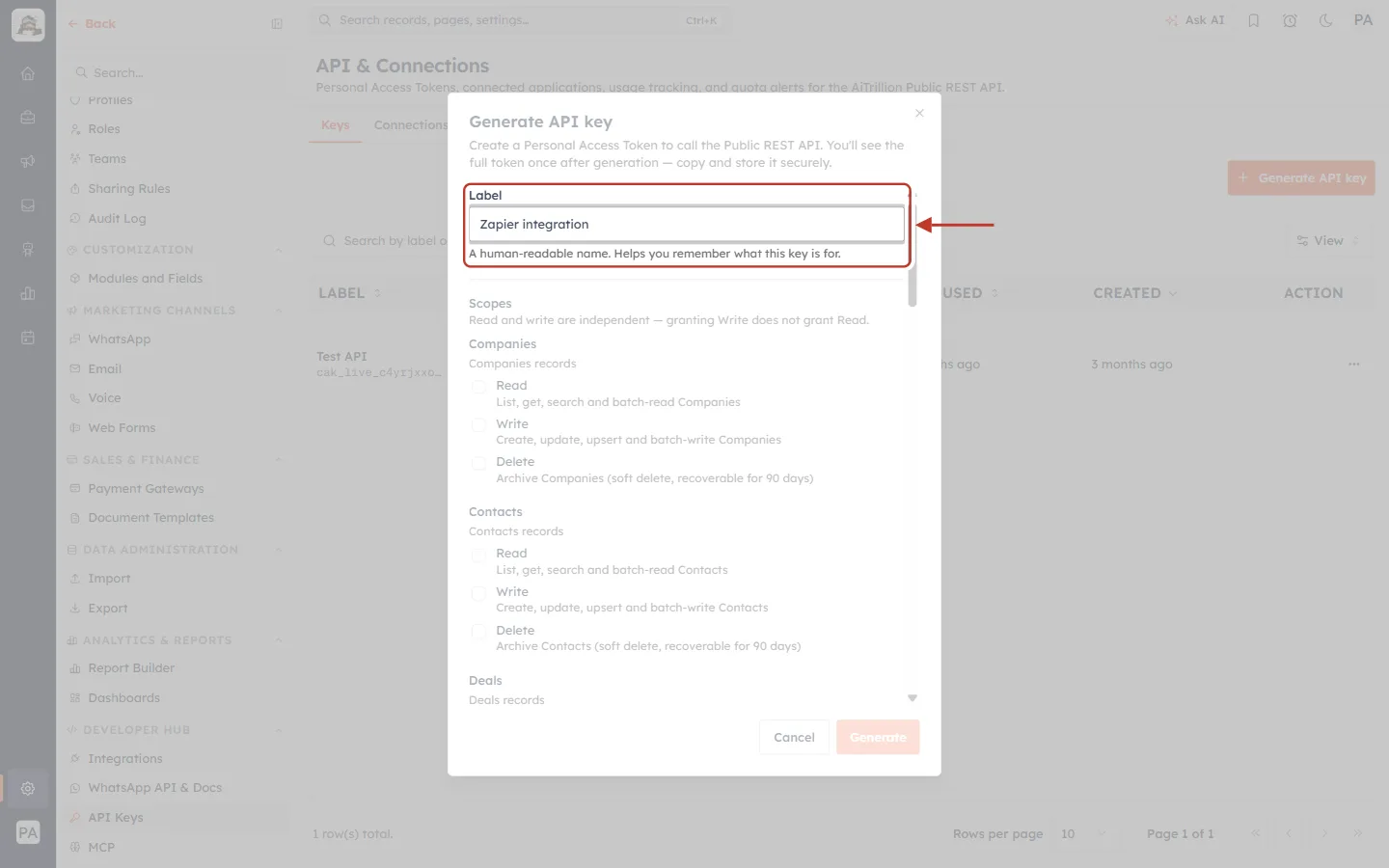
What this screenshot shows. The ringed Label field holds Zapier integration.
A human-readable name. Helps you remember what this key is for. (up to 100 characters).
Name it after the service or person using it, for example “Website lead form” or “Data warehouse sync”. When a key needs revoking, you will know which one.
Use one key per integration, so you can switch one off without breaking the others.
Step 5: Choose the scopes#
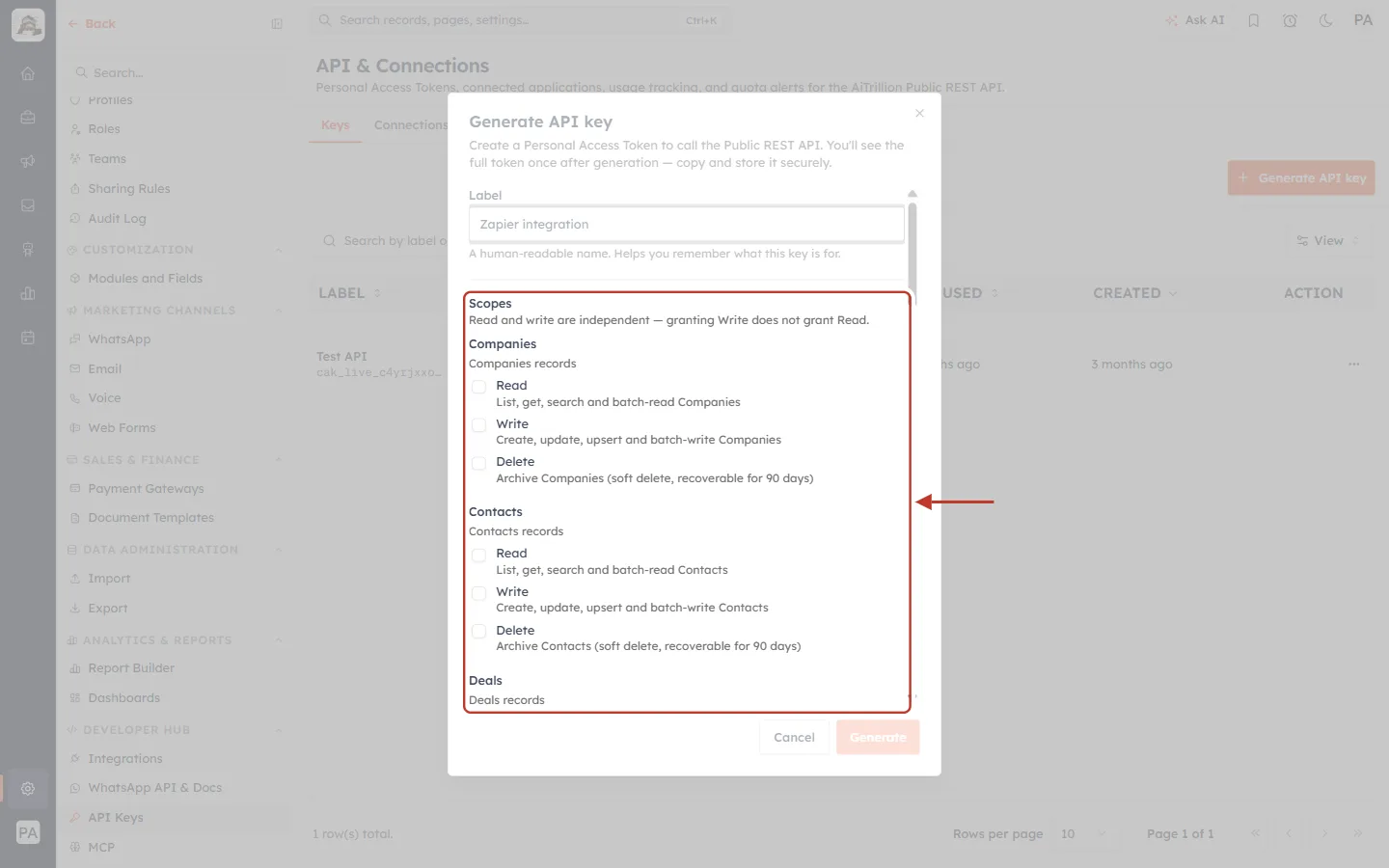
What this screenshot shows. The ringed Scopes section lists what the key may do, grouped by area.
Read and write are independent — granting Write does not grant Read.
Record modules (Companies, Contacts, Deals, Tasks) each have three boxes. Read: list, get, search and batch-read. Write: create, update, upsert and batch-write. Delete: archive (soft delete, recoverable for 90 days).
Further down are read-only areas: Schema, Reports, Analytics, Dashboards, Advertising, Campaigns, Segments, Contact Lists, Workflows, People, Teams, Web Forms, Telephony, Plan & Usage, Support and WhatsApp (read templates, and send).
Only the scopes your organisation can grant are listed.
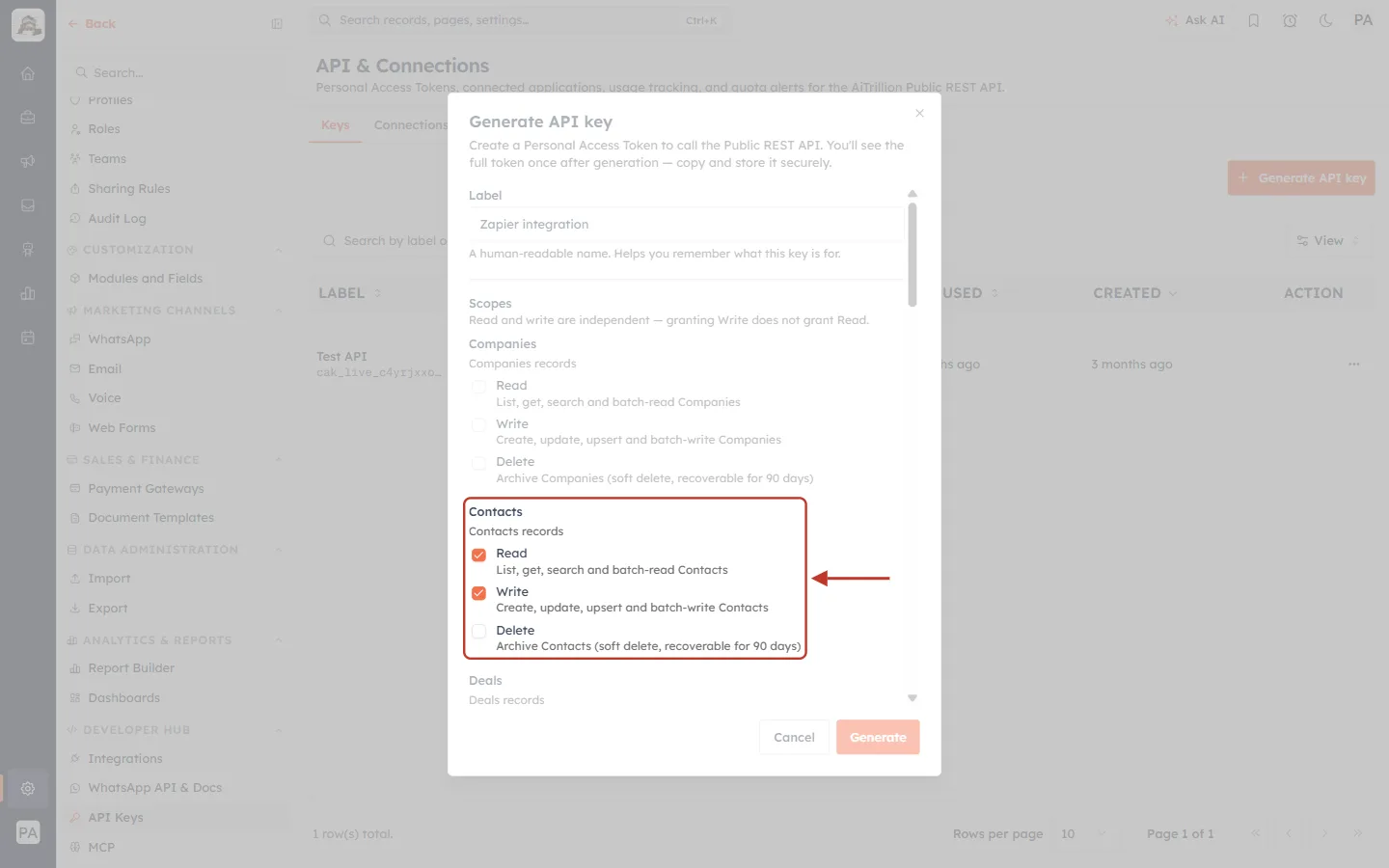
What this screenshot shows. In the ringed Contacts group, Read and Write are ticked and Delete is not.
This key can list, search, create and update Contacts, but can’t archive them or touch any other module.
Tick only what the integration needs. A key with fewer scopes does less damage if it ever leaks.
Each scope is explained in full in API Token Scopes & Permissions.
Step 6: Choose when the key expires#
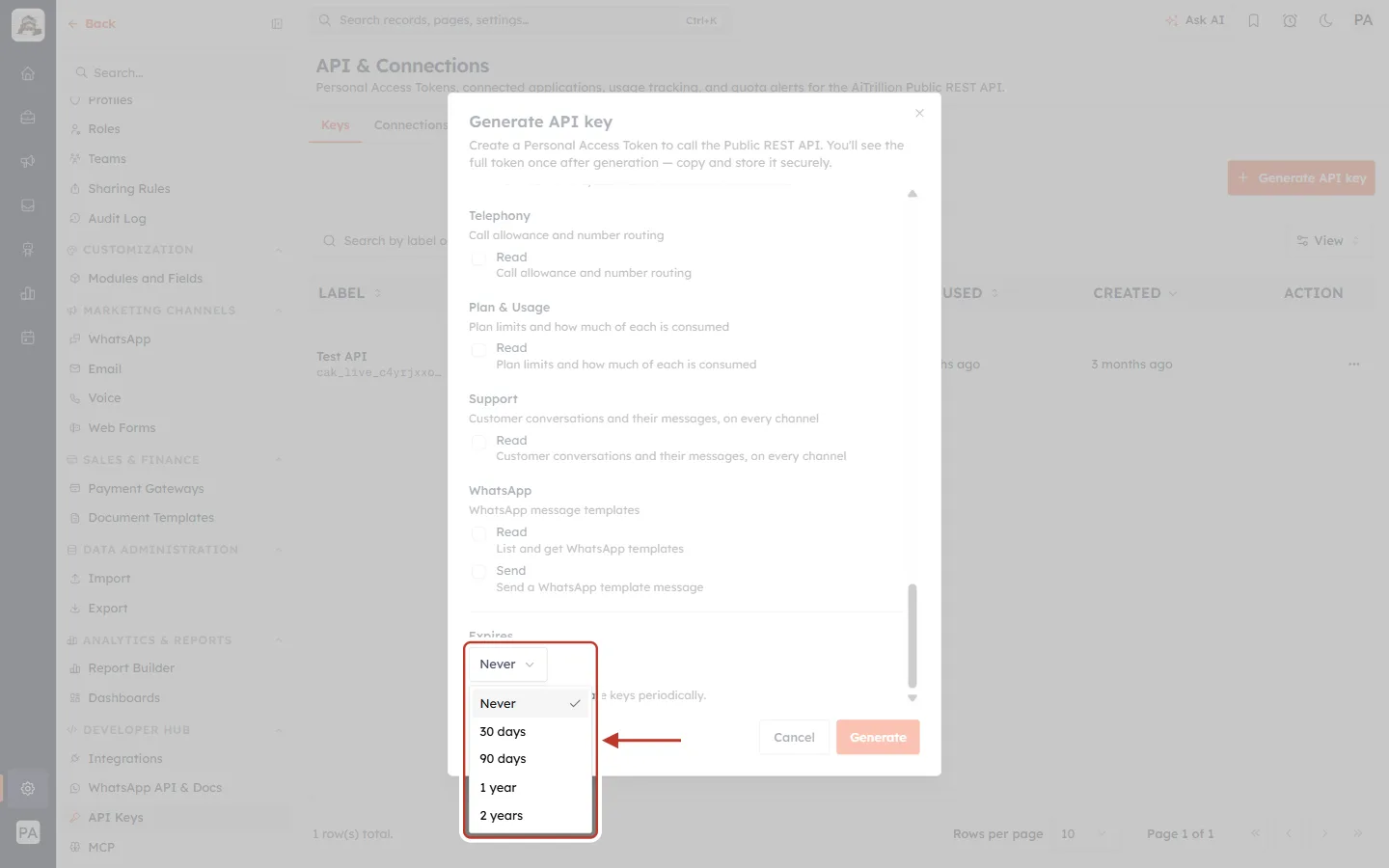
What this screenshot shows. The Expires list is open.
Never (the default), 30 days, 90 days, 1 year or 2 years.
After that date the key stops working and its status changes to Expired. Generate a new key before then and update the integration.
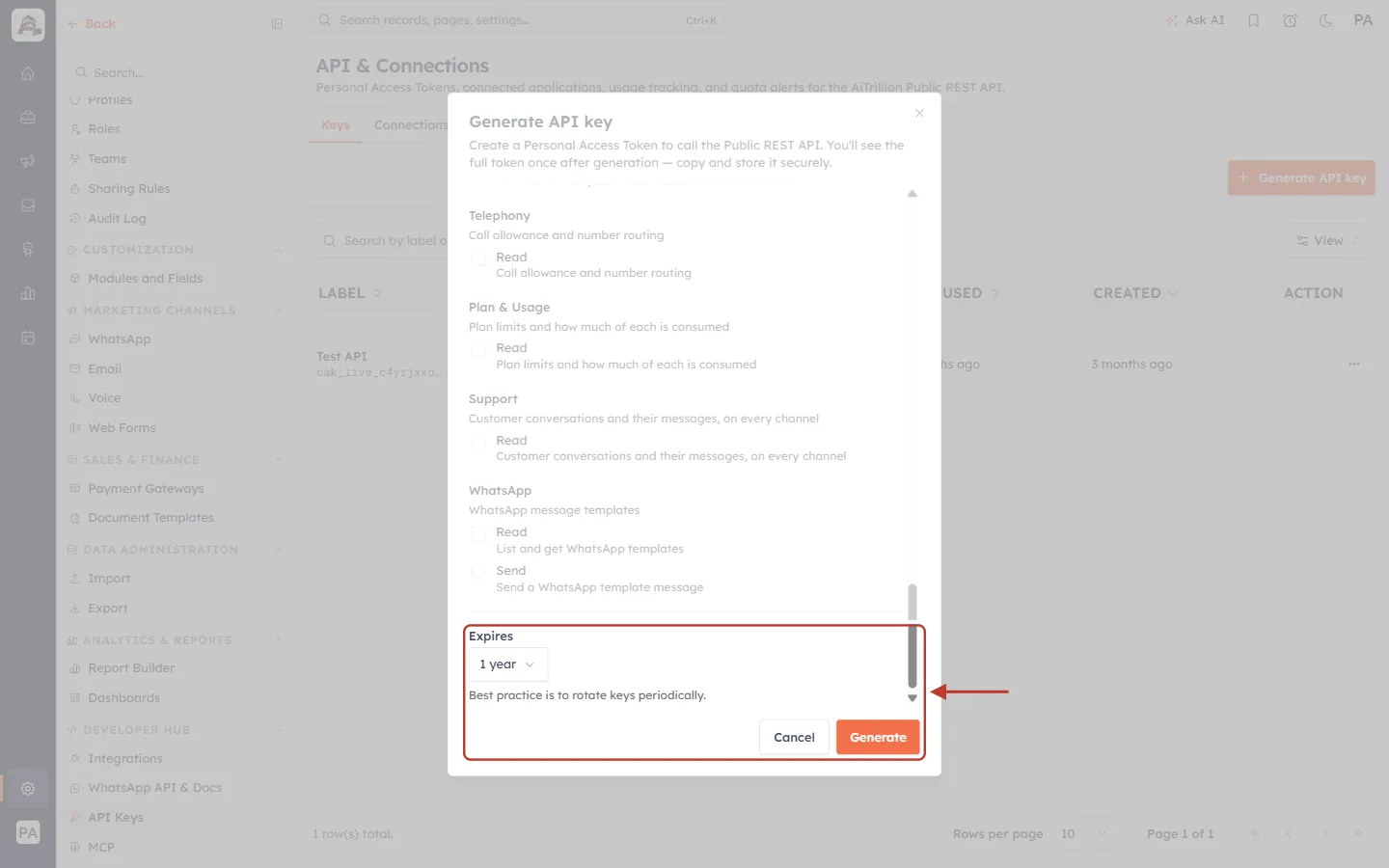
What this screenshot shows. Expires is set to 1 year, and Generate (bottom right) is now active.
Under the field: Best practice is to rotate keys periodically. A set expiry date makes you replace the key regularly.
Click Generate. Cancel closes the window without creating anything.
Part 3: Copy the Key (Shown Only Once)#
Step 7: Copy the token#
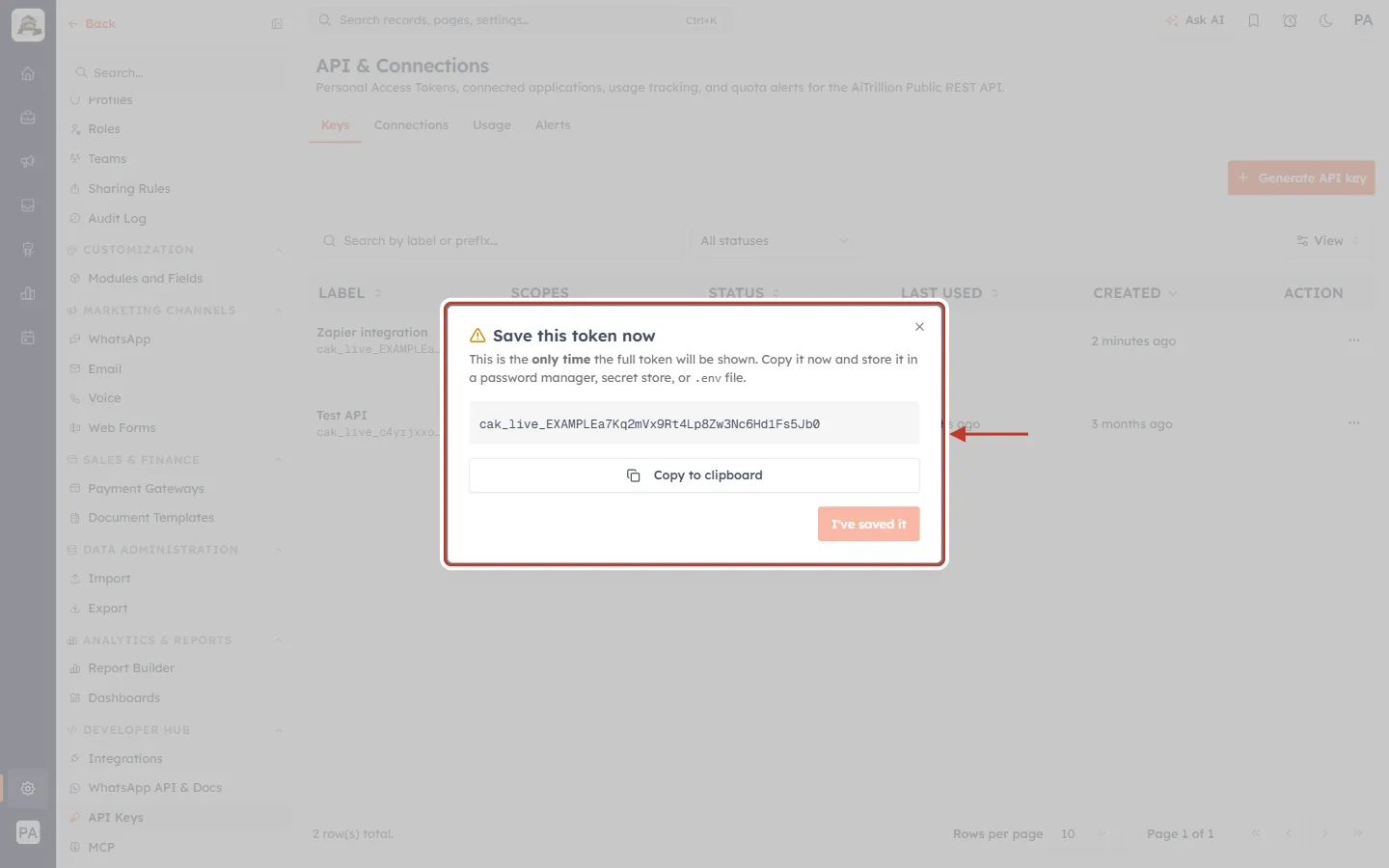
What this screenshot shows. The Save this token now window shows the full key.
This is the only time the full token will be shown. Copy it now and store it in a password manager, secret store, or .env file.
The grey box holds the whole key. AiEngage keys always start with cak_live_. (The key here is an example.)
Click Copy to clipboard.
The window can’t be closed by clicking outside it or pressing Esc until you have copied the key, so you can’t lose it by accident.
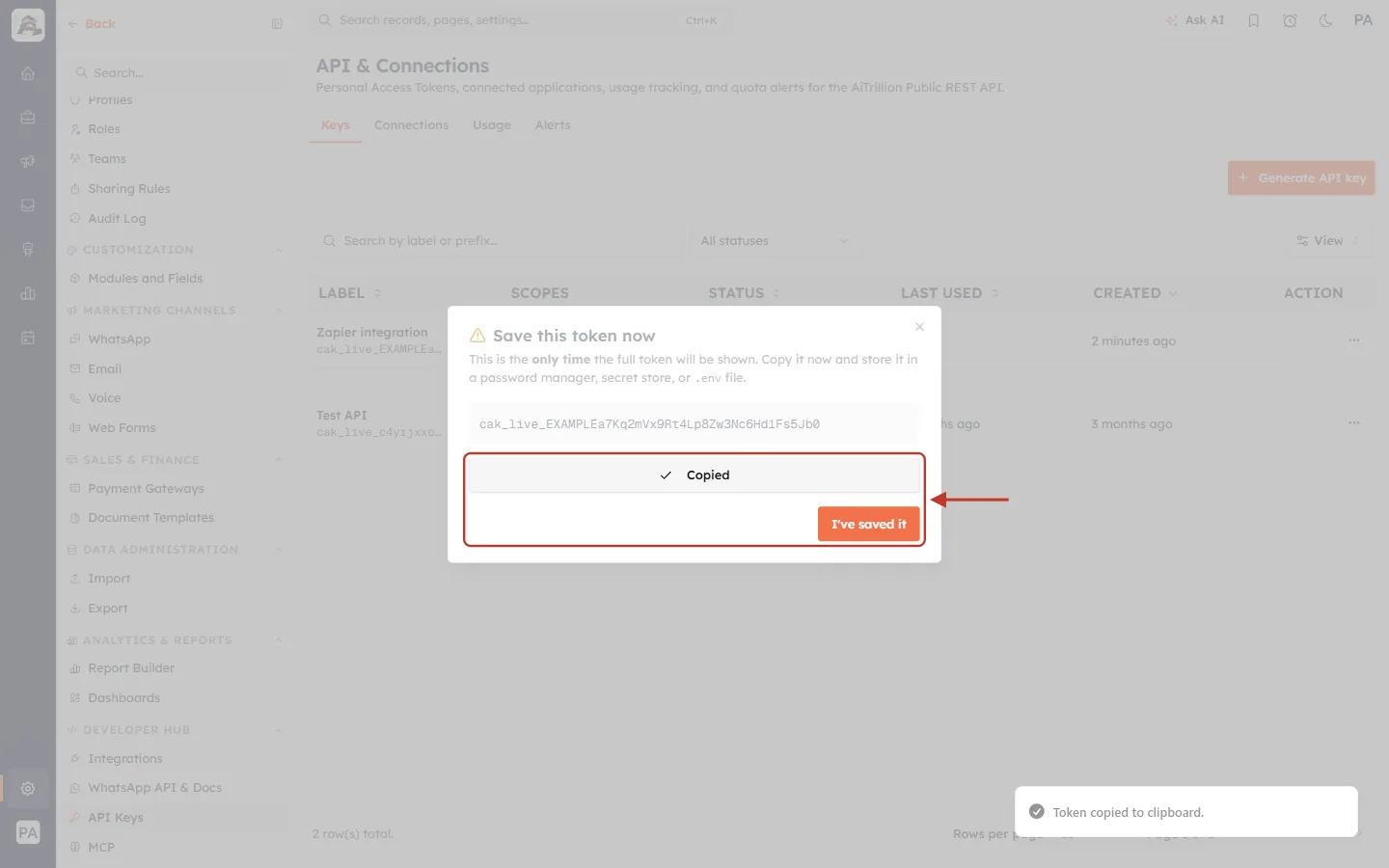
What this screenshot shows. The button now reads Copied, and I’ve saved it is active.
A message at the bottom right confirms Token copied to clipboard.
Paste the key where it will be kept (your password manager, or the integration’s settings) before clicking I’ve saved it.
If the copy fails, you see Could not copy. Select the token manually and copy. Select the text in the box and copy it yourself.
⚠️
After you close this window, nobody can see the full key again, including administrators and AiEngage support. If it is lost, revoke it and generate a new one.
Never paste a key into an email, chat, web page or shared document. Anyone holding it can use the API with its scopes.
Step 8: Check the new key#
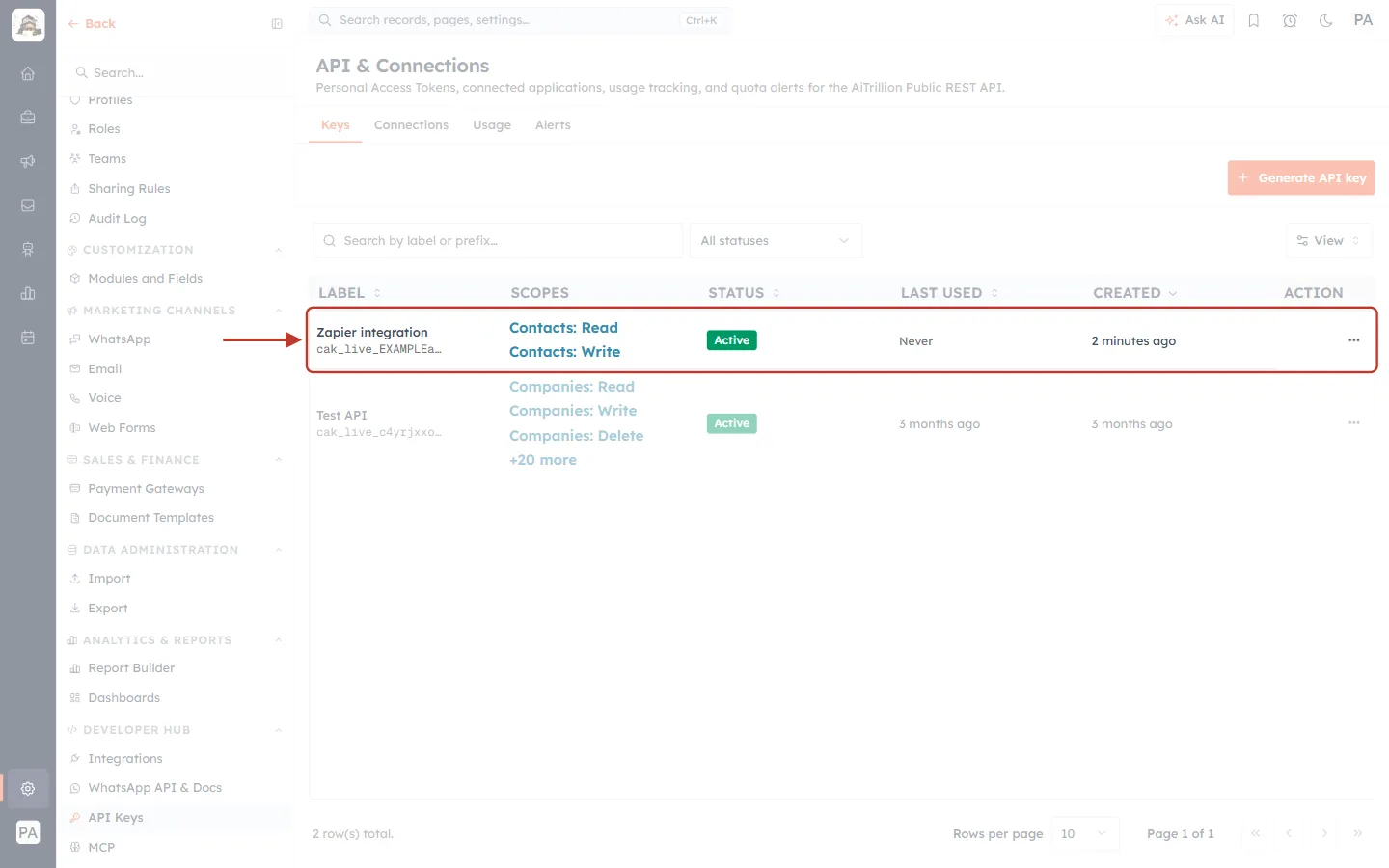
What this screenshot shows. The new key is at the top of the list (ringed).
LABEL: Zapier integration, with its prefix cak_live_EXAMPLEa….
SCOPES: Contacts: Read and Contacts: Write, exactly what you ticked. STATUS: Active.
LAST USED: Never until the integration makes its first call. CREATED: just now.
ℹ️
Scopes can’t be changed after a key is created. To give an integration more or fewer permissions, generate a new key with the right scopes, switch the integration to it, then revoke the old one.
Part 4: Use the Key to Call the API#
Every request goes to the AiEngage API address and carries the key in an Authorization header:
Setting | Value |
|---|---|
Base URL |
|
Header |
|
Format | JSON ( |
For example, to read the first 10 Contacts:
curl "https://app.aiengagecrm.com/cback/api/public/v1/objects/contacts?limit=10" \
  -H "Authorization: Bearer cak_live_YOUR_KEY_HERE"
To list the field names a module uses (the keys you send when you create or update records):
curl "https://app.aiengagecrm.com/cback/api/public/v1/properties/contacts" \
  -H "Authorization: Bearer cak_live_YOUR_KEY_HERE"
Step 9: Explore the API reference#
Open the interactive reference at https://app.aiengagecrm.com/cback/api/public/v1/docs. It is public, so you don’t need to sign in to read it.
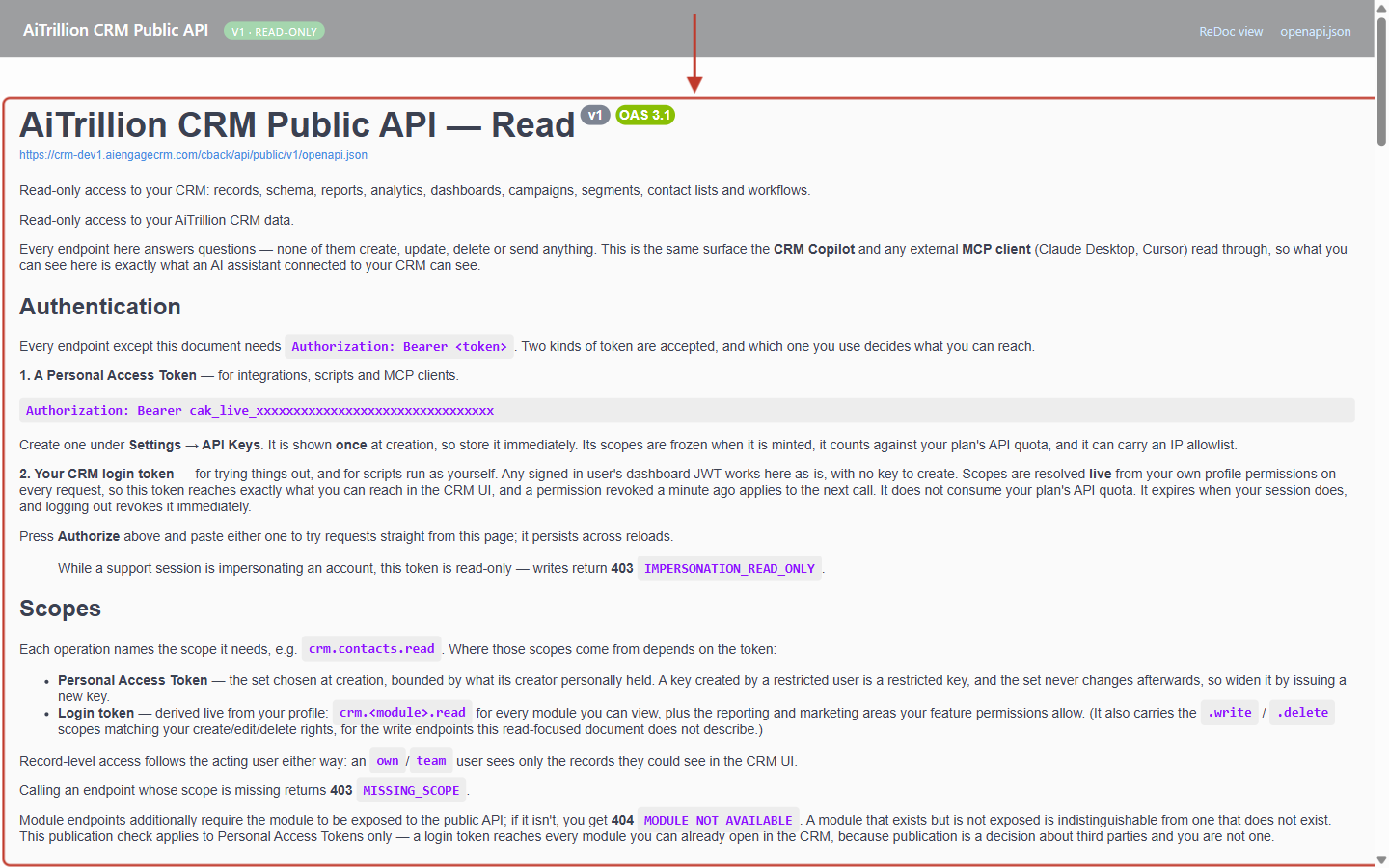
What this screenshot shows. The ringed reference page describes the API and how to authenticate.
The title and version (v1, OAS 3.1) are at the top, with a link to the raw openapi.json file and a ReDoc view at the top right.
Authentication: Every endpoint except this document needs Authorization: Bearer <token>. A Personal Access Token is created under Settings → API Keys and is shown once.
Scopes explains which scope each operation needs. Calling an endpoint without its scope returns 403 MISSING_SCOPE.
Scroll down for every endpoint: records (
/objects/{module}, search), fields (/properties/{module}), reports, analytics, dashboards, advertising, campaigns, segments, lists and workflows.
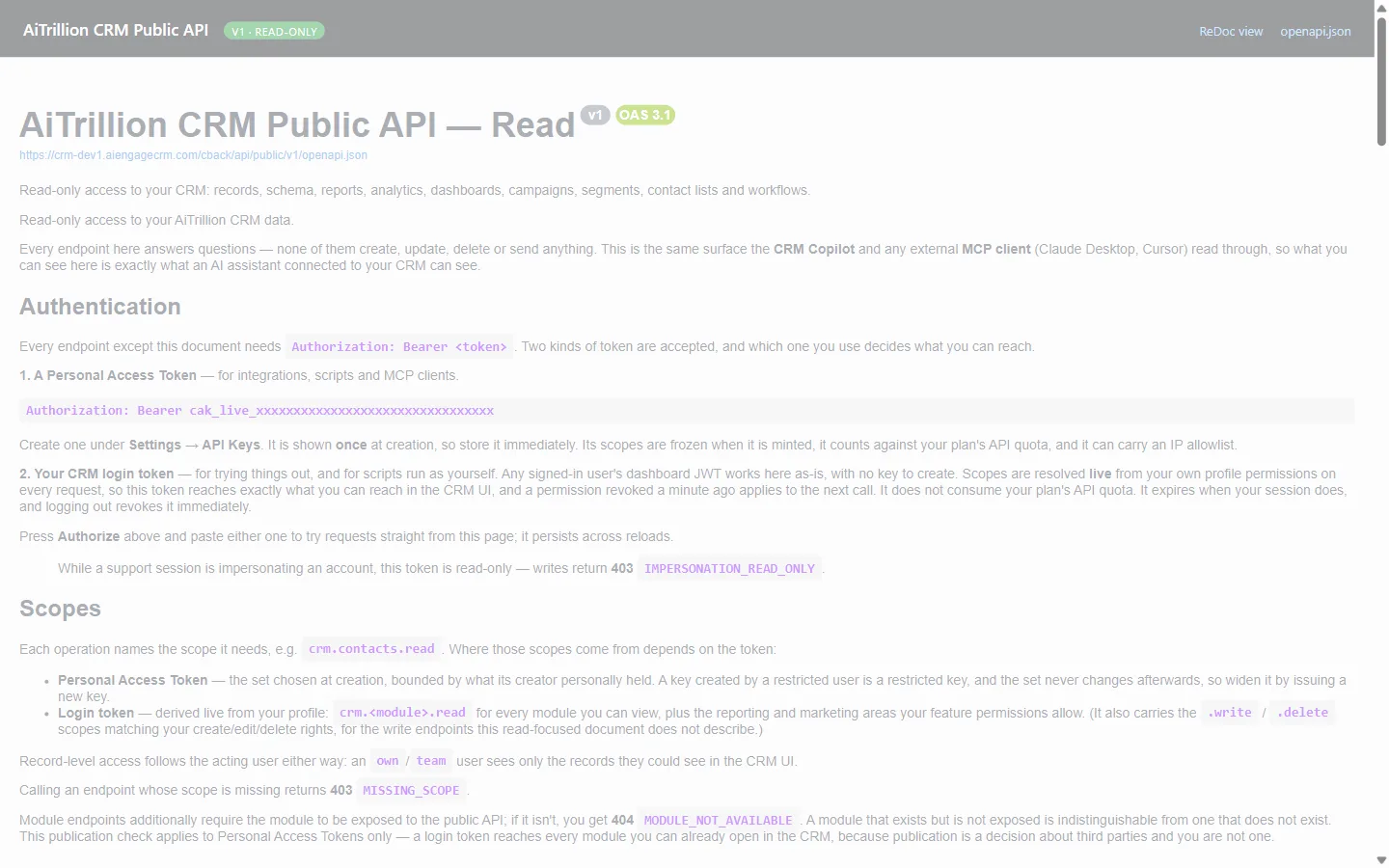
What this screenshot shows. Authorize is ringed.
Click it, paste your key, and confirm. Each endpoint’s Try it out button then sends real requests to your CRM with that key, so you can test before writing any code.
The reference covers reading. Creating and updating records uses the same base URL and key, with the Write scopes.
Response | What it means | What to do |
|---|---|---|
401 | The key is missing, wrong, expired or revoked. | Check the header is |
403 | The key lacks the scope, or its creator lacks permission for that record. | Generate a key with the needed scope, from an account with the right access. |
404 | The module or record isn’t available through the API. | Check the module name, or ask support to enable that module for the API. |
429 | Too many requests too quickly, or your plan’s API quota is used up. | Slow down and retry after a short wait. Check the Usage tab for the quota. See Monitor API Usage & Set Quota Alerts. |
Part 5: Revoke a Key#
Revoke a key when an integration is retired, when someone who had it leaves, or as soon as you suspect it has leaked.
Step 10: Open the key’s menu#
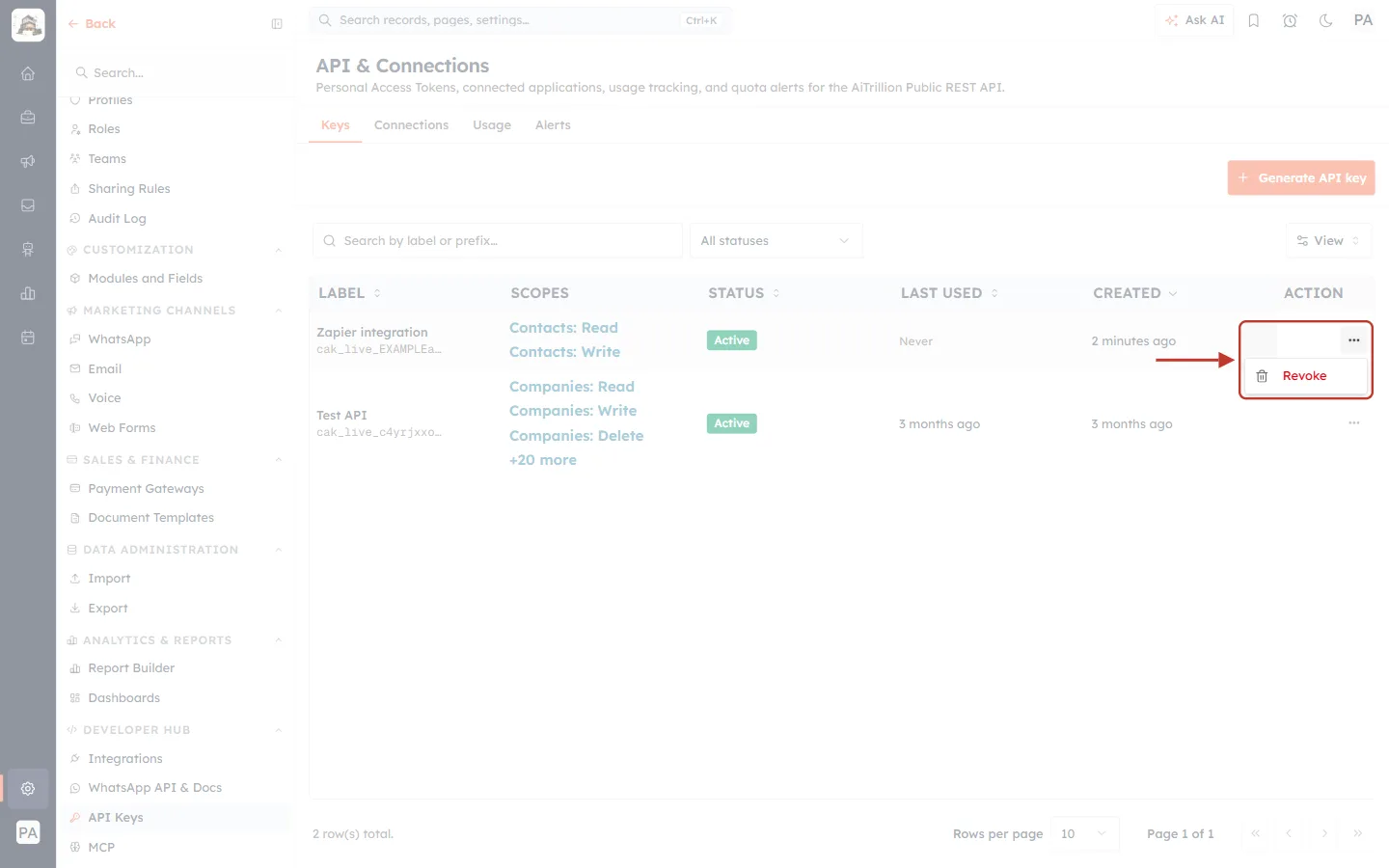
What this screenshot shows. The ⋯ menu on the Zapier integration row is open, showing Revoke.
Click Revoke.
On a key that is already revoked, this item reads Already revoked and is greyed out.
Step 11: Confirm#
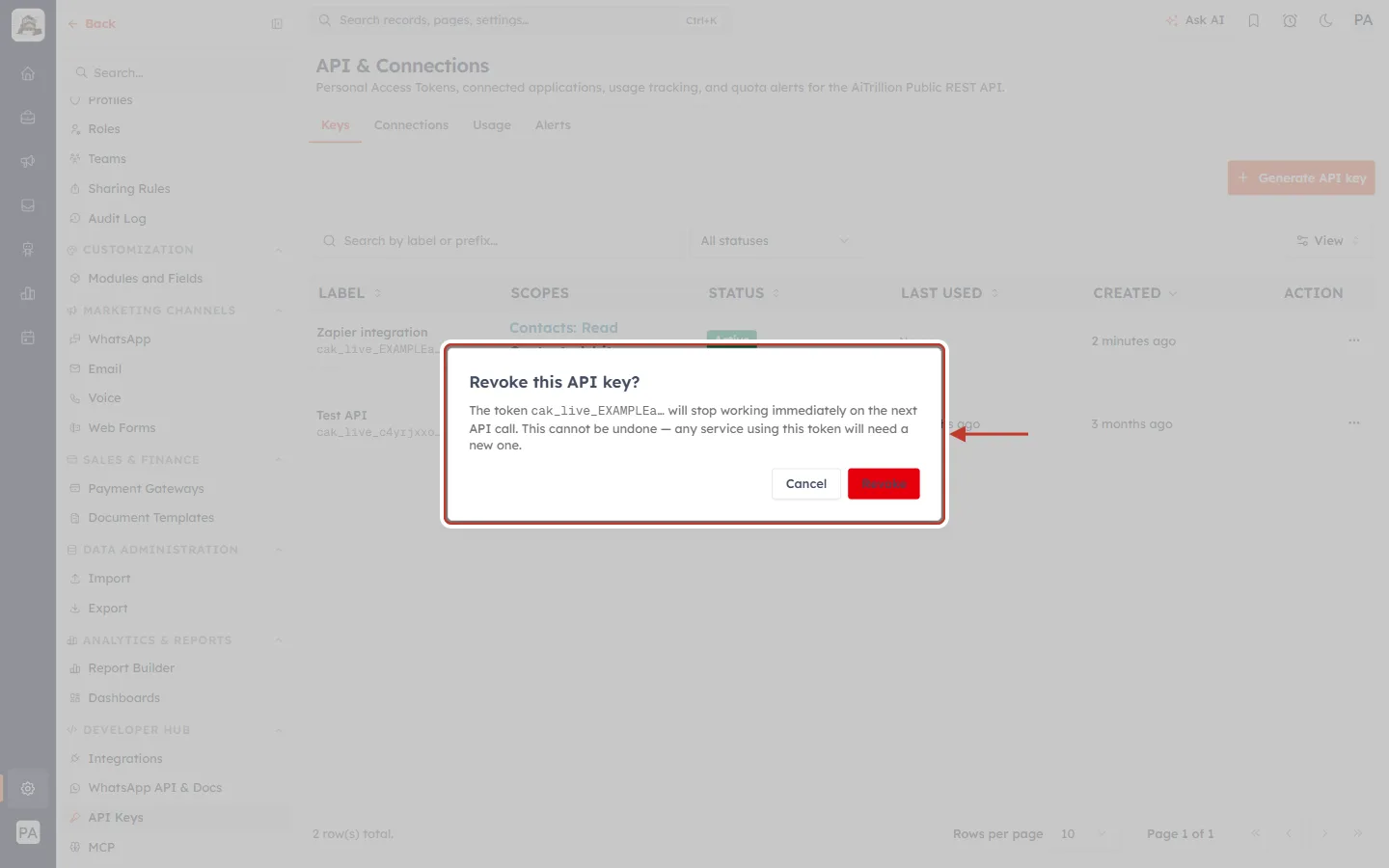
What this screenshot shows. A confirmation asks Revoke this API key?
The token cak_live_EXAMPLEa… will stop working immediately on the next API call. This cannot be undone — any service using this token will need a new one.
The prefix in the message tells you which key you are about to revoke.
Cancel keeps the key. Revoke (red) switches it off for good. You see Token revoked.
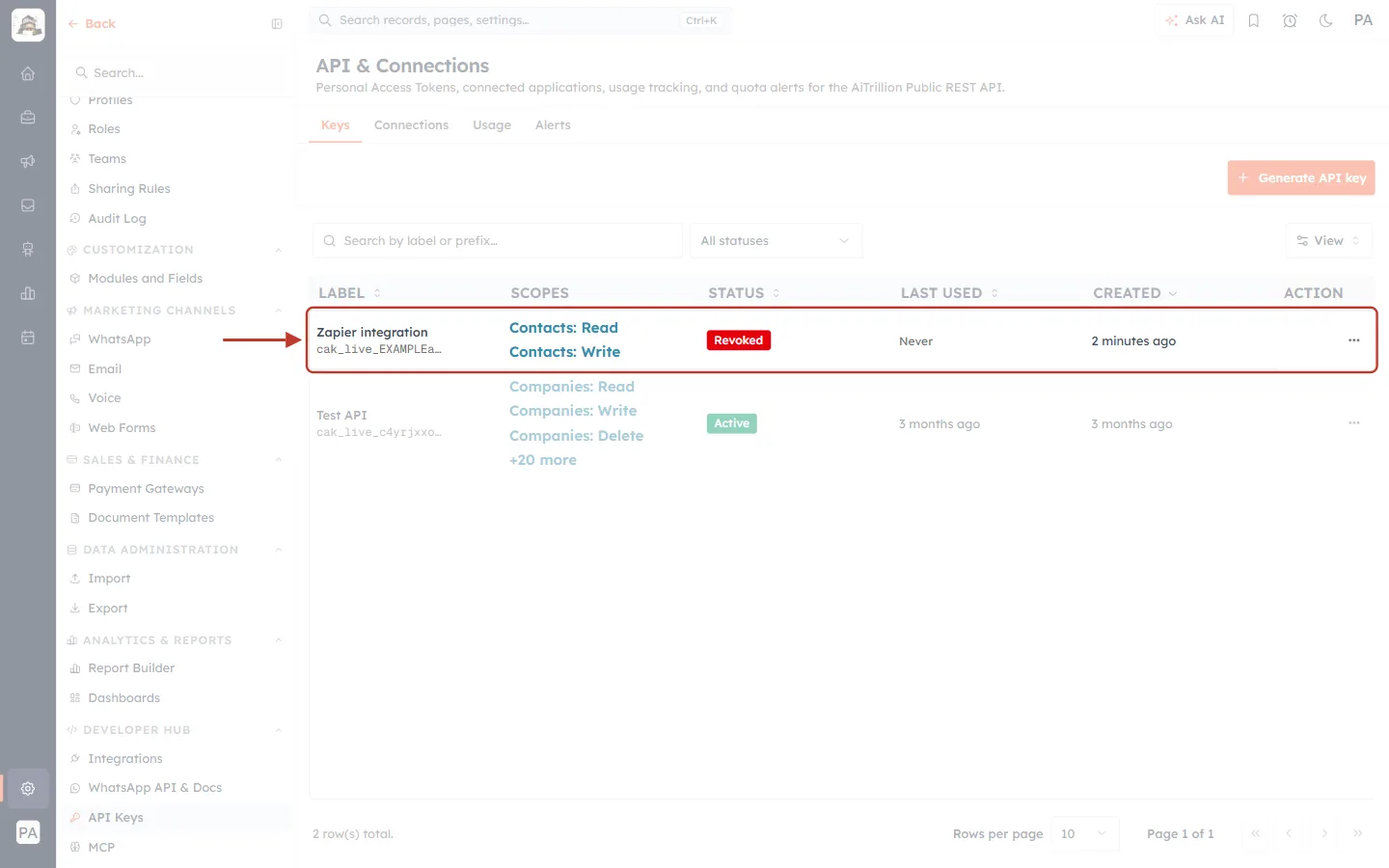
What this screenshot shows. The ringed row now shows STATUS: Revoked in red.
The key stays in the list for your records, but every call made with it is refused.
A revoked key can’t be reactivated. Generate a new key if the integration is needed again.
✅
Rotating a key without downtime: generate the new key, put it into the integration, check that its LAST USED updates, then revoke the old key.
Part 6: The Other Tabs at a Glance#
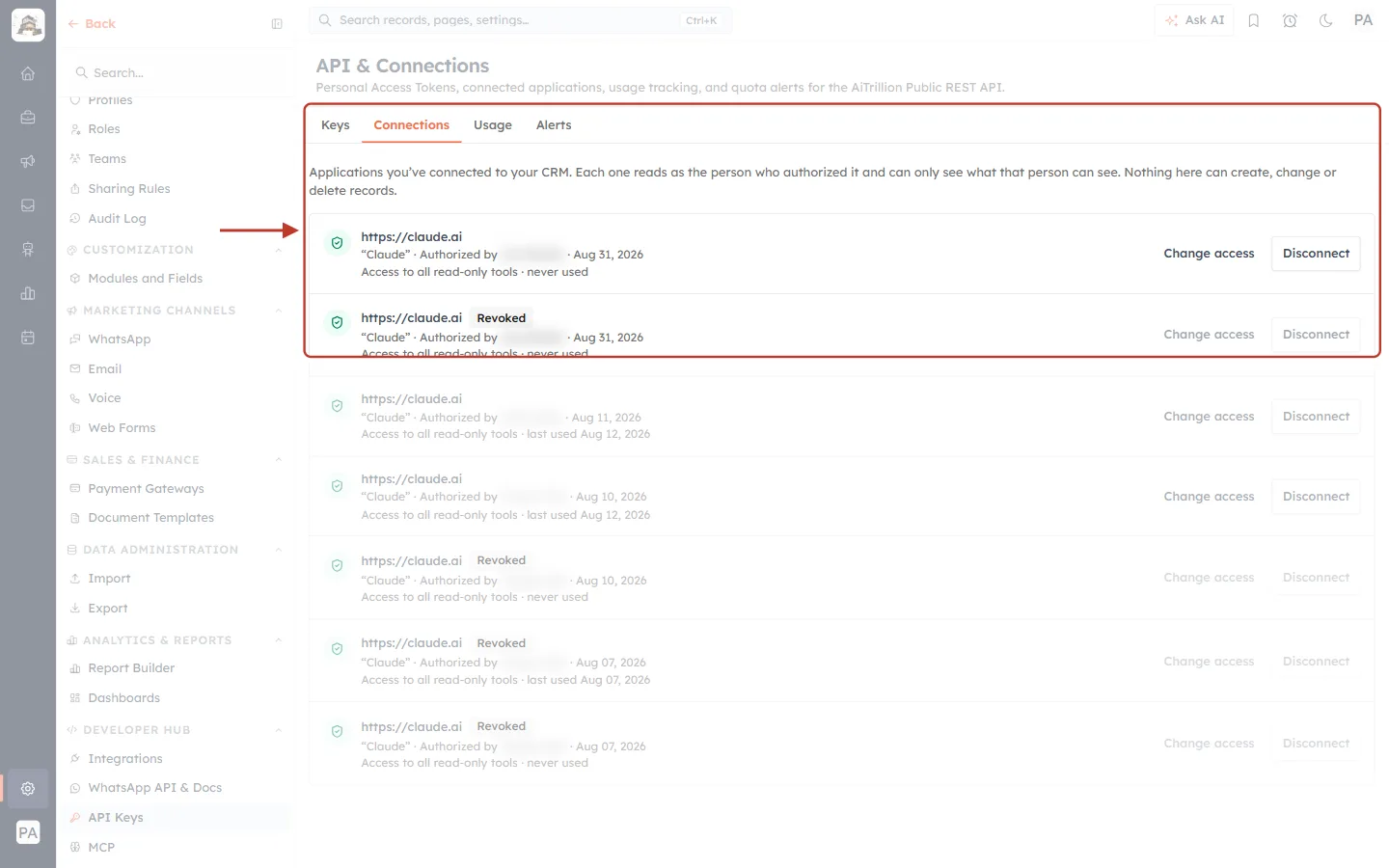
What this screenshot shows. The ringed Connections tab lists applications connected to your CRM by signing in, rather than with an API key.
Each one reads as the person who authorized it and can only see what that person can see. Nothing here can create, change or delete records.
Each entry shows the application (here Claude, https://claude.ai), who authorized it and when, its access (Access to all read-only tools) and when it was last used. Revoked ones carry a Revoked label.
Change access limits what the application can read. Disconnect removes it. See Connect Claude to AiEngage CRM (MCP): Ask Your CRM Questions in Plain English.
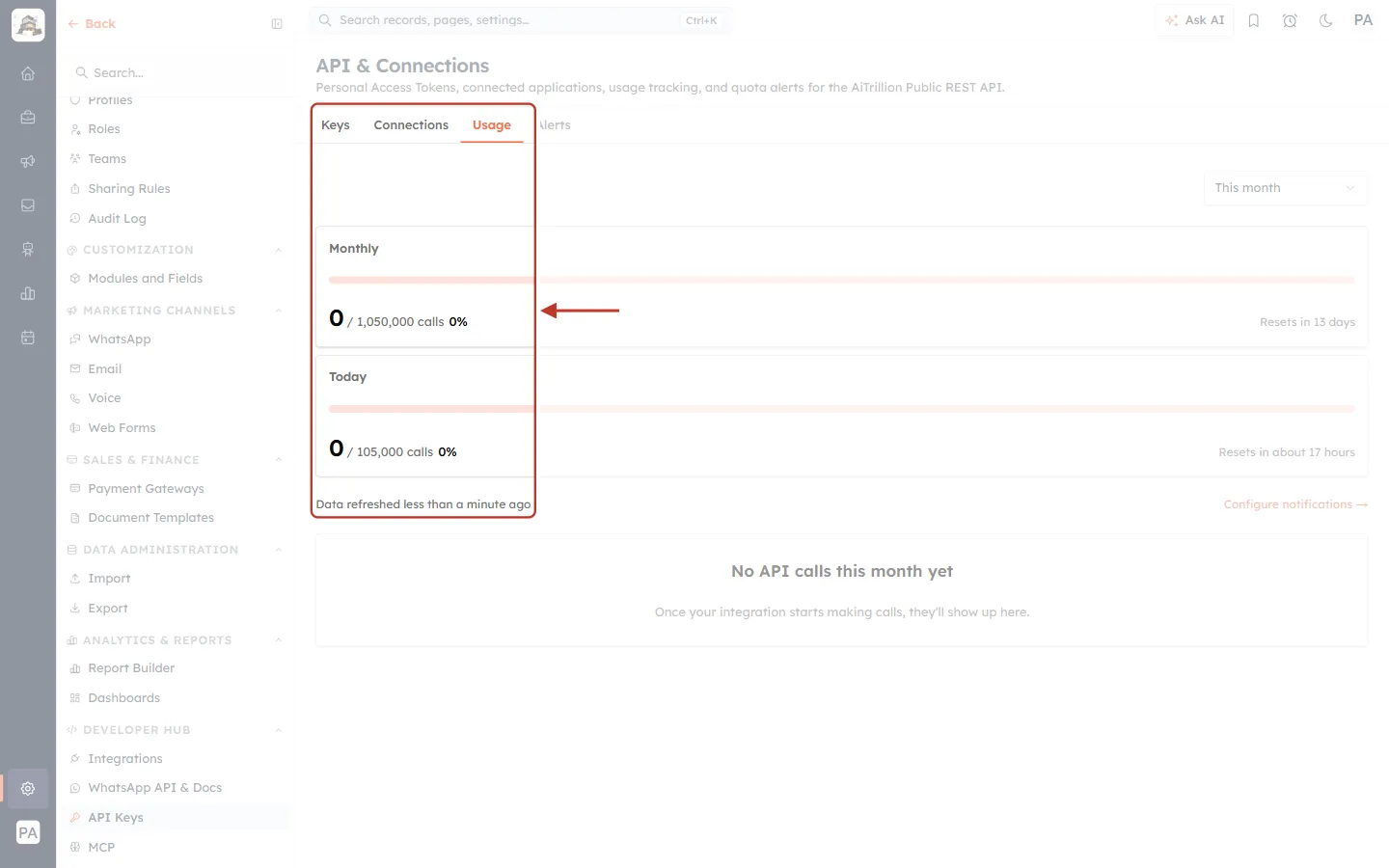
What this screenshot shows. The ringed Usage tab shows API calls against your plan’s quota.
Monthly: calls this month out of your monthly allowance, and when it resets. Today: calls today out of the daily allowance, and when it resets.
Data refreshed… shows how recent the figures are. Until the first call, the page reads No API calls this month yet.
Full details: Monitor API Usage & Set Quota Alerts.
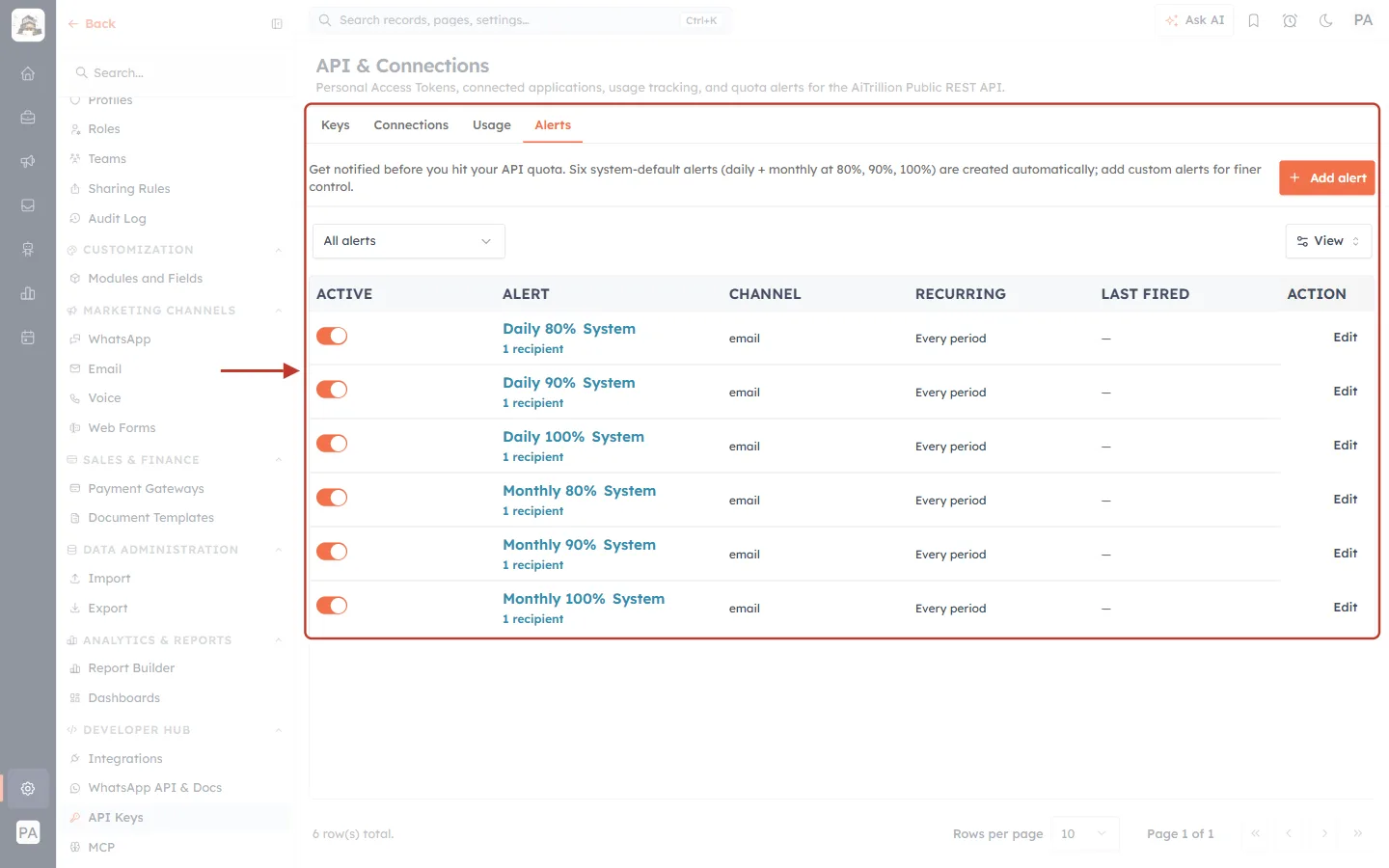
What this screenshot shows. The ringed Alerts tab emails you before you reach your quota.
Six system-default alerts (daily + monthly at 80%, 90%, 100%) are created automatically; add custom alerts for finer control.
Each row shows whether it is ACTIVE (switch), the ALERT and its recipients, the CHANNEL (email), whether it is RECURRING, when it LAST FIRED, and Edit.
Add alert (top right) creates your own. See Monitor API Usage & Set Quota Alerts.
Best Practices#
One key per integration, with a clear label.
Fewest scopes possible. Read-only integrations should never get Write or Delete.
Set an expiry date and replace keys before they expire.
Store keys in a secret manager or a server-side .env file. Never put them in website code that runs in the browser, where anyone can read them.
Check LAST USED regularly and revoke keys that are no longer used.
Frequently Asked Questions#
I lost my key. Can I see it again?
No. The full key is shown only once. Revoke it and generate a new one.
Can I undo a revoke?
No. Revoking is permanent. Generate a new key instead.
Can I change a key’s scopes or expiry?
No. Both are fixed when the key is created. Generate a replacement with the settings you need.
What happens to a key if its creator leaves?
The key acts with its creator’s permissions. Revoke it and create a new key from an account that will stay.
Do I need an API key for Meta, Google or web forms?
No. Those connect without code. See Connect Meta Lead Ads (Facebook & Instagram) and Introduction to Web Forms: Capture Leads Directly from Your Website.
Previous and Next#
Related Articles#
Was this article helpful?
Ready to implement this?
OpenAI Engage and apply what you just learned to your own workspace.
Open AI Engage CRM