Loading…


KnowledgeBase
Billing & Subscription
Where to find it#
Open Account → Billing.
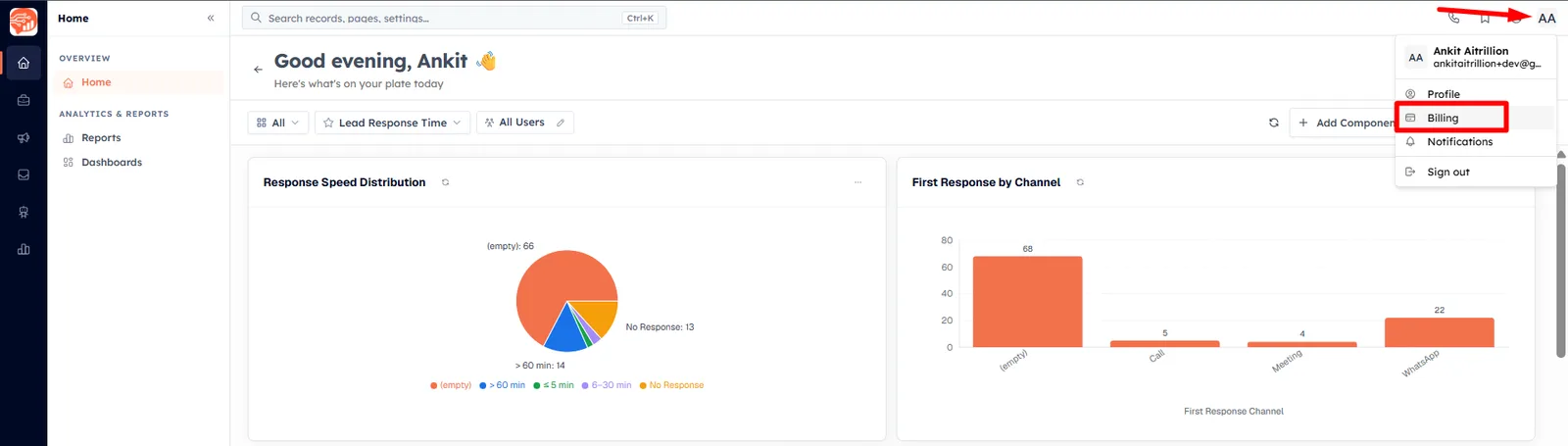
The page has two tabs — Subscription and Marketing Channel Credits. Managing billing requires the Manage Billing permission on your profile (there is no automatic owner override). Free-plan orgs are taken straight to the plan comparison page.
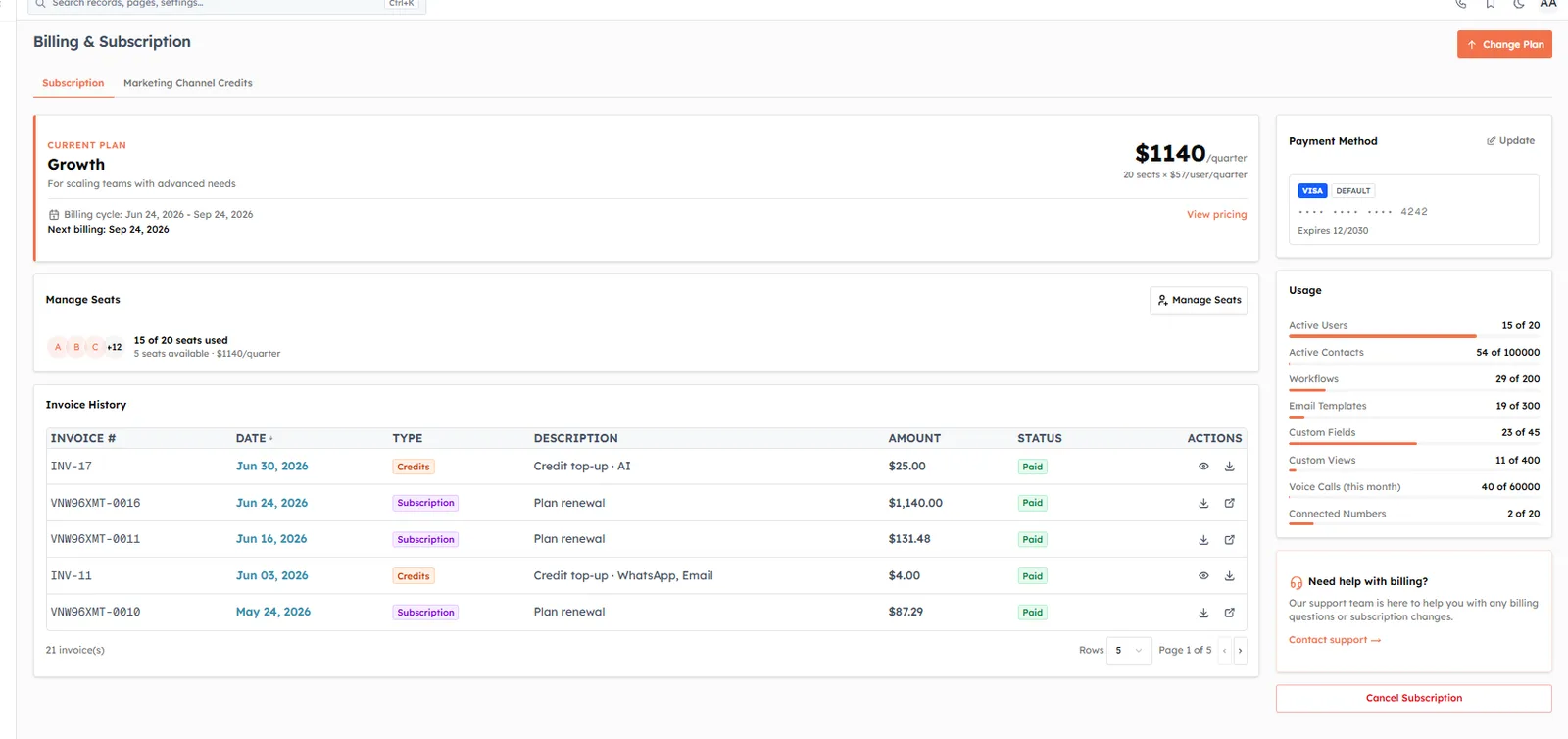
Your plan, seats & usage#
Current Plan — your plan, price (per user/month), billing cycle, and next billing date.
Manage Seats — how many seats are used vs purchased; add or reduce seats (charges are prorated; reductions take effect next cycle).
Usage — live meters for active users, active contacts, workflows, email templates, custom fields, custom views, voice calls, and connected numbers against your plan limits.
Payment Method — the card on file; use Update to add or change it.
Invoice History — every invoice (subscription, credits, refunds) with status and PDF download.
Plans & changing plans#
The main tiers are Free, Growth, and Advance — some accounts may also see a legacy Lite plan. Higher tiers raise limits and unlock features such as the Public API, lead-ad integrations, voice, and WhatsApp Flow Forms. Click Change Plan to open Compare Plans.
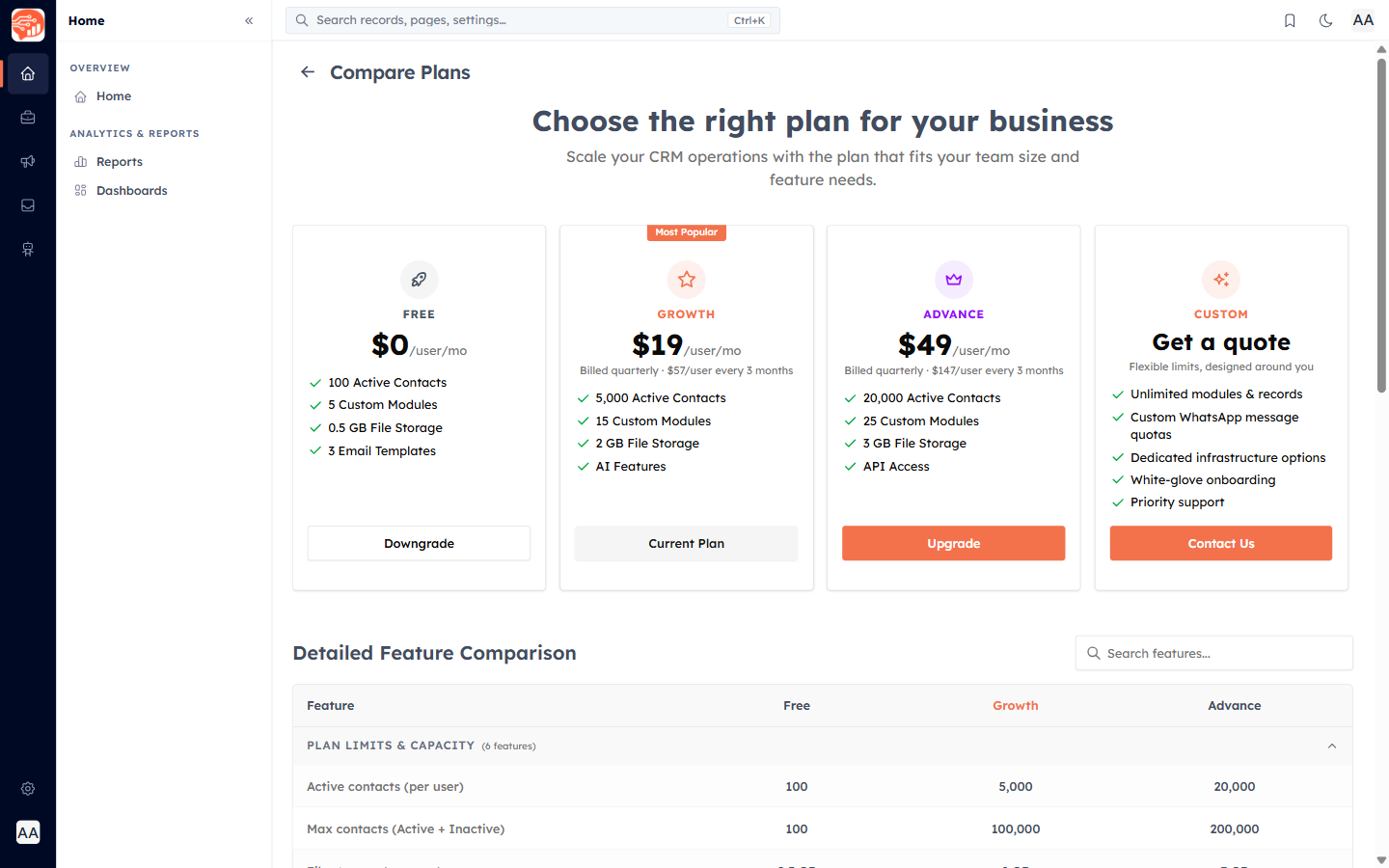
Upgrade — pay securely by card; paid-to-paid upgrades show the prorated charge before you confirm.
Downgrade — the CRM first checks your current usage fits the lower plan’s limits and lists anything to resolve first.
When you hit a limit#
ℹ️
If you reach a plan limit or open a feature not in your plan, AI Engage shows an upgrade prompt (or, for seat-based limits, an add-seats prompt) rather than failing silently. If a payment is overdue, a banner warns you, and after the grace period access is paused until payment — your data is retained.
Marketing Channel Credits#
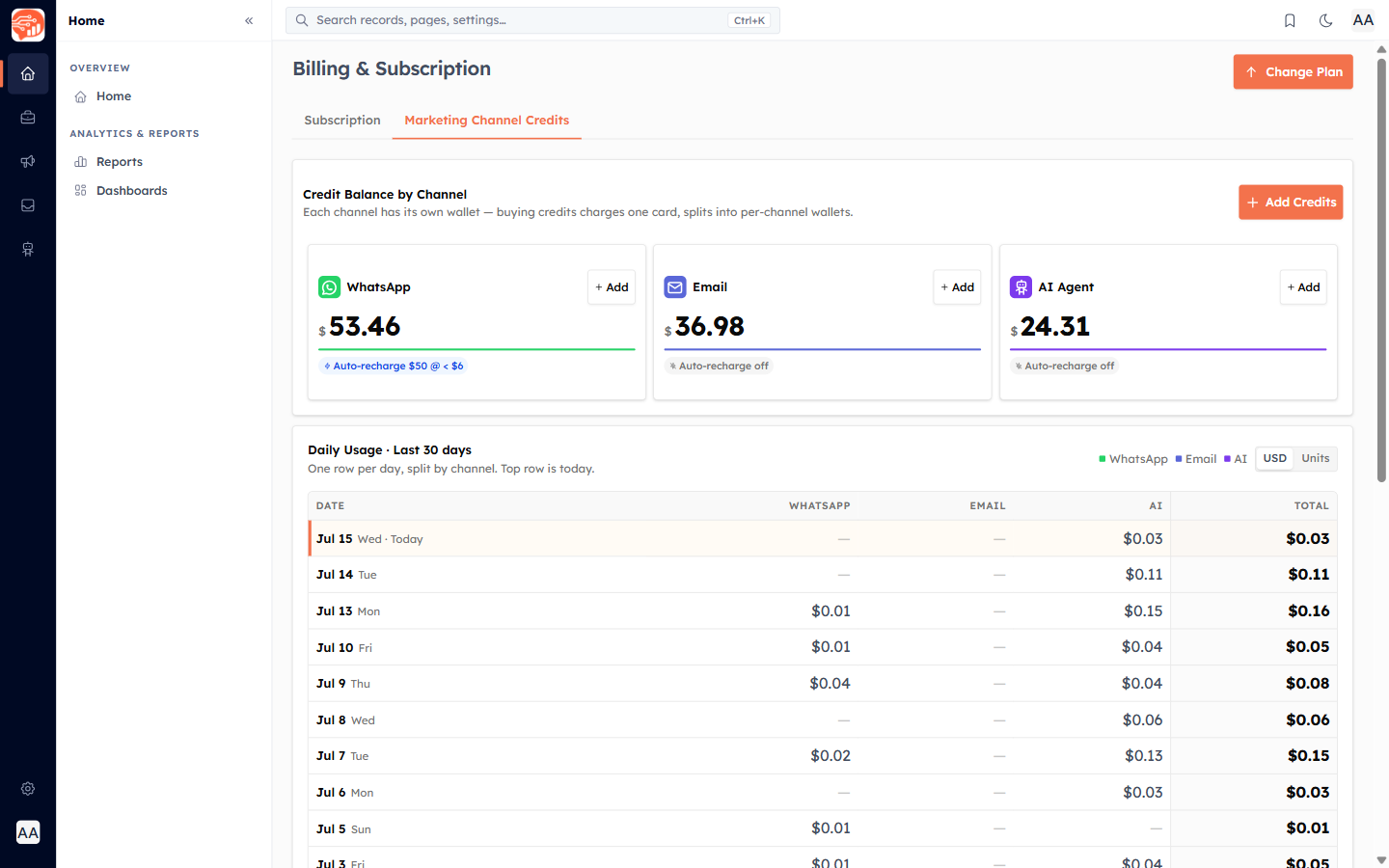
The Marketing Channel Credits tab holds prepaid wallets for WhatsApp, Email, and AI Agent usage. Use Add Credits to top up (one card charge splits across the channels you choose), and set auto-recharge per channel. Credits never expire.
🔗
Channel-specific details: WhatsApp Credits and Email Credits.
Cancelling#
To cancel, use Cancel Subscription on the billing page. This opens a short form (reason + message) and files a request — our team reaches out, and your subscription stays active in the meantime. It is not an instant self-serve cancel.
Was this article helpful?
Ready to implement this?
OpenAI Engage and apply what you just learned to your own workspace.
Open AI Engage CRM