Loading…


KnowledgeBase
Where Your Bookings Came From (Tracking)
What this covers#
“Where do our meetings actually come from?” is a question most teams answer with a shrug. Every booking already carries the answer — it is sitting in a block on the meeting record that most people scroll straight past.
This article covers what Tracking Information holds, what each field means, and what to do so the answers are worth reading.
The block, and when it is filled in#
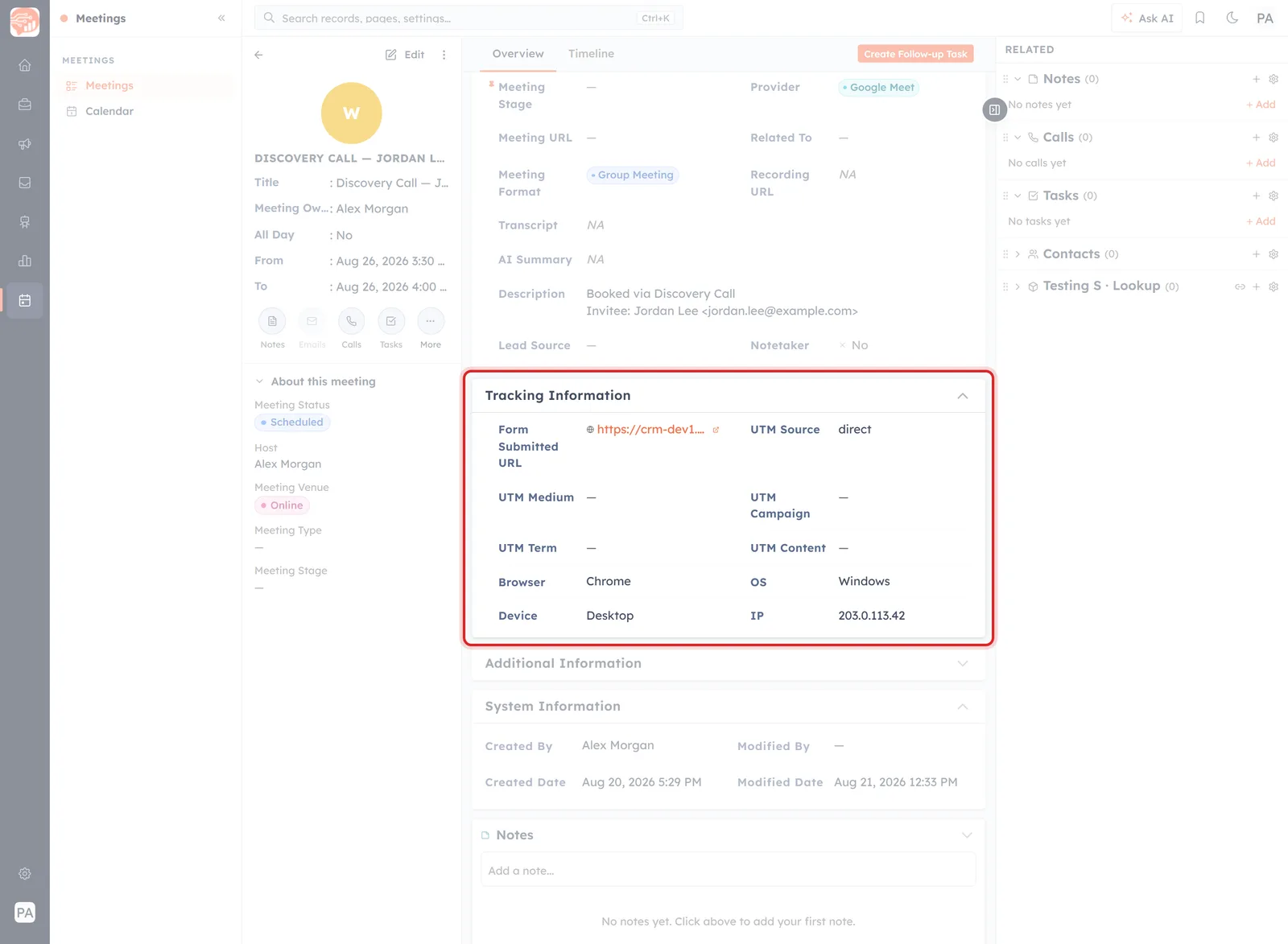
Tracking Information on a meeting created by a booking — the link used, the campaign values, and the device.
It sits under Meeting Information on the record, and it is the quickest way to tell how a meeting came to exist:
- A meeting created by a booking has it filled in.
- A meeting you created by hand has it empty — the card is there, with nothing in it. There was no visit to record.
That alone makes it useful. Before reading a single value, a populated Tracking block tells you somebody came to you.
Form Submitted URL: which link they used#
The exact booking page the invitee filled in — your public /schedule-meeting/<name> address.
With one link live this tells you nothing. With several — a general one in your signature, a demo link for the website, a link you only send to qualified prospects — it tells you which one is doing the work, and which one you could retire.
The UTM fields: which campaign brought them#
Five fields, read from the link the invitee clicked: UTM Source, Medium, Campaign, Term and Content.
They are only as good as the links you hand out, and they follow the ordinary rules:
- Somebody who typed the address, or used a plain link from your signature, is recorded as direct, with the rest left empty. That is not a failure — it is what “no campaign” looks like.
- Somebody who clicked a tagged link carries those tags through to the meeting, so the booking is attributable to the campaign that produced it.
📈
This is the whole reason to bother tagging booking links before you put them in campaigns. UTM Link Tracking for Campaigns covers how; the payoff lands here, on every meeting that results.
💡
A quick way to make these fields earn their keep without any campaign tooling: give each place you publish a link its own tag. One for the signature, one for the website, one for proposals. A month later the difference between them is visible on this block.
Browser, OS, Device and IP#
Captured at the moment of booking.
- Device is the practically useful one. Somebody who booked on a phone may be dialling in from a car, not sitting at a screen — worth knowing before you plan a screen-share.
- Browser and OS matter mostly when someone reports that the booking page misbehaved.
- IP is the invitee's address at the time of booking.
🔒
An IP address is personal data in a good deal of the world. It sits on a record your colleagues can open, and it will travel into any export or report that includes the field. Worth knowing it is there — and worth not putting it in a screenshot or a shared document without a reason.
The Description tells you the rest#
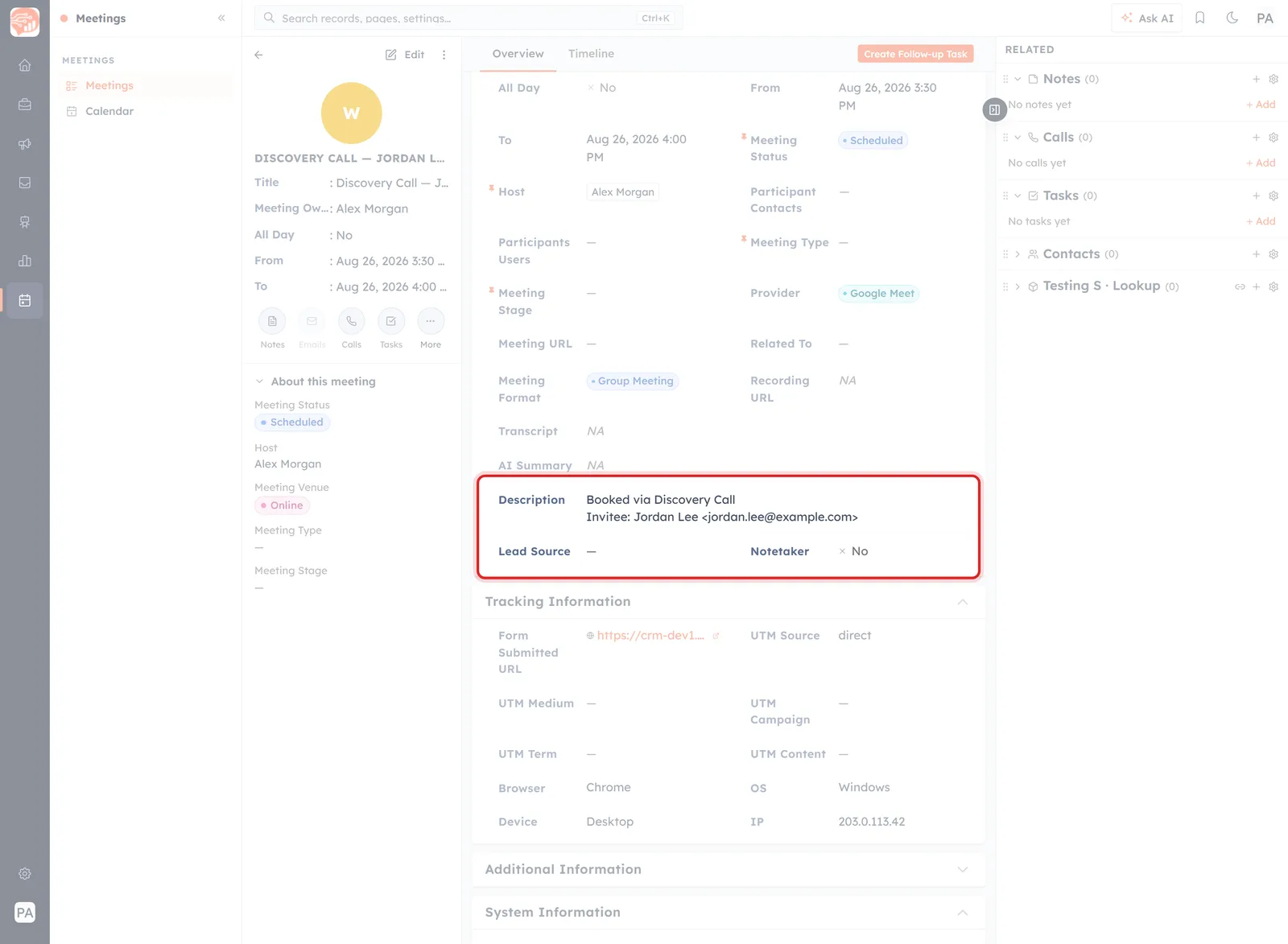
The Description names the event the booking came through, and the invitee who made it.
Just above the Tracking block, the Description carries two lines the booking wrote:
Booked via <event name>
Invitee: <name> <email@address>
Between the two blocks you have the whole story of a booking: who booked, through which event, from which link, off the back of which campaign, on what device. What Happens After Someone Books covers everything else that arrives with it.
These are ordinary fields#
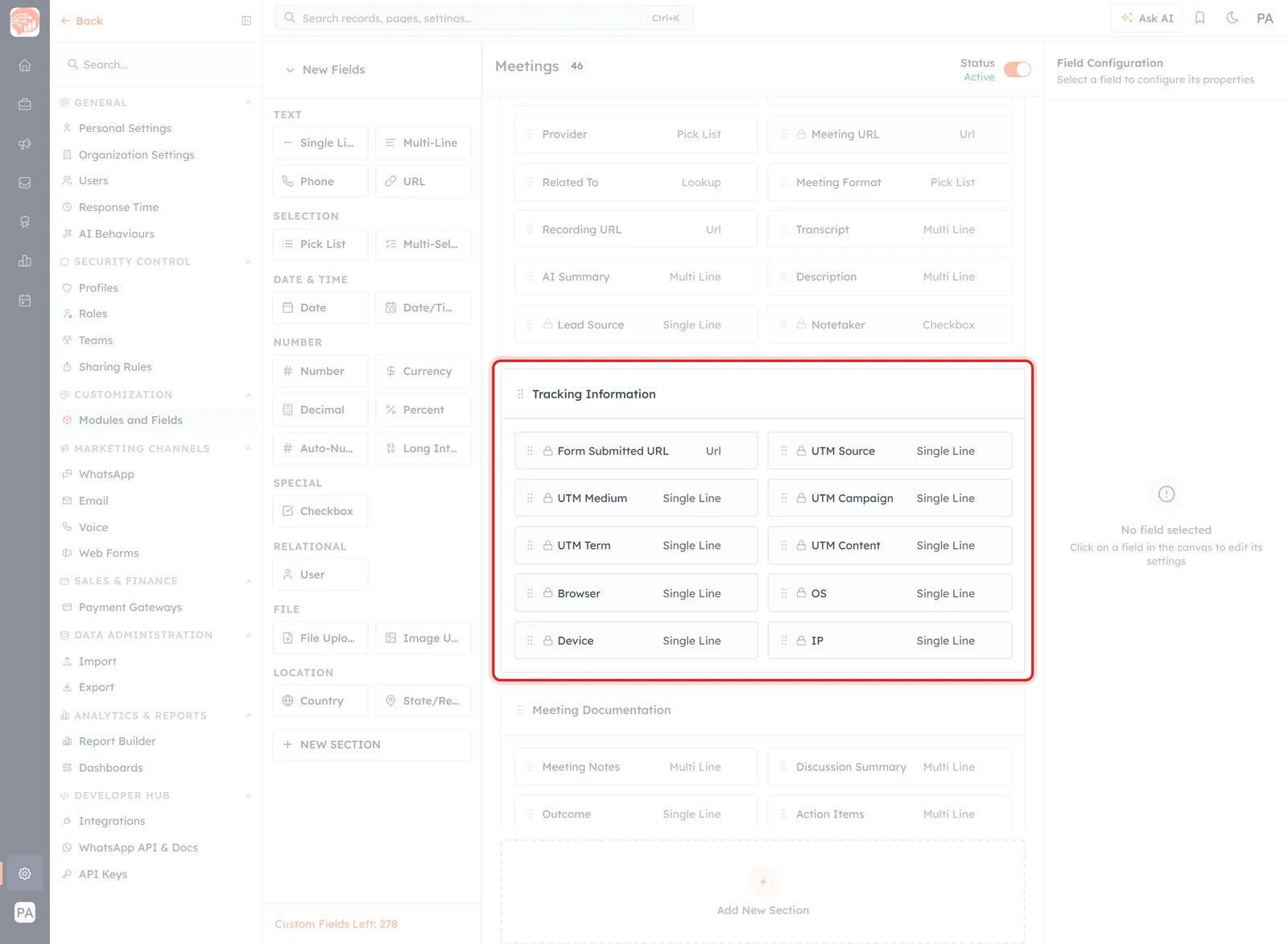
In the module builder, Tracking Information is a normal section of normal fields.
Nothing about this block is special. In Settings → Modules and Fields → Meetings → Configure, Tracking Information is a section of ordinary fields — Form Submitted URL is a Url field, UTM Source is a single-line text field, and so on.
Which means they behave like any other field: they can be reported on, and they are subject to the same field-level access controls as anything else. If the IP field makes you uneasy, that is where you would restrict it.
Making it worth reading#
- Use more than one booking link, so Form Submitted URL distinguishes anything.
- Tag the links you put in campaigns before you send them, not after. Untagged sends are direct forever.
- Check the block on a handful of recent bookings once a month. It is the cheapest attribution you will ever get.
- Do not read too much into one booking. These fields describe a single visit, not a person's whole journey to you.
Was this article helpful?
Ready to implement this?
OpenAI Engage and apply what you just learned to your own workspace.
Open AI Engage CRM