Loading…


KnowledgeBase
Choose the Host & Meeting Type
What this covers#
Step 1 of the Calendar wizard asks for a name, a duration and a form — and two other things that are easy to skim past: Host and Meeting type.
They decide whose calendar a booking lands on and who else is in the room. Both default to something sensible, which is exactly why nobody notices them until a booking turns up on the wrong person's day.
It picks up from Create an Event in the Calendar.
Host: whose calendar gets booked#
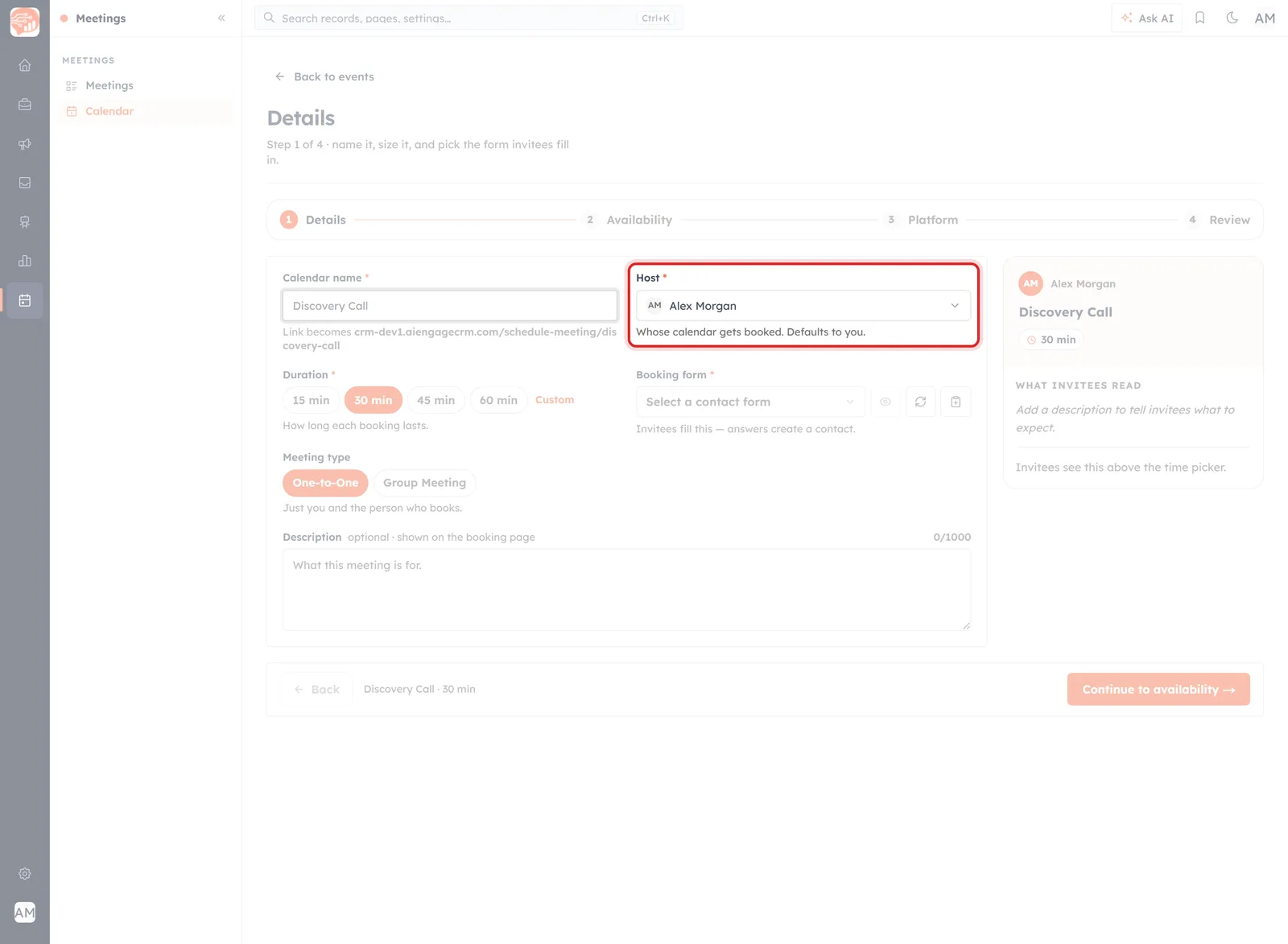
Host, with the line that explains it: whose calendar gets booked.
The field says what it does in one line:
Whose calendar gets booked. Defaults to you.
So a booking link is not generic — it belongs to a person. The times an invitee is offered come from that person's weekly hours, and the meeting lands on their day.
Most of the time the default is right and you leave it alone. It matters when it is not:
- You are setting up a link for a colleague — an admin building a link for a salesperson, say. Change the host, or you will be the one with the meetings.
- The person meeting the invitee is not you — whoever actually turns up should be the host.
⚠️
Get this wrong and the mistake is quiet. The link works, invitees book happily, and the meetings simply appear on the wrong person’s calendar — often noticed only when they clash with something.
Meeting type: who else is in the room#
Two options, and One-to-One is the default.
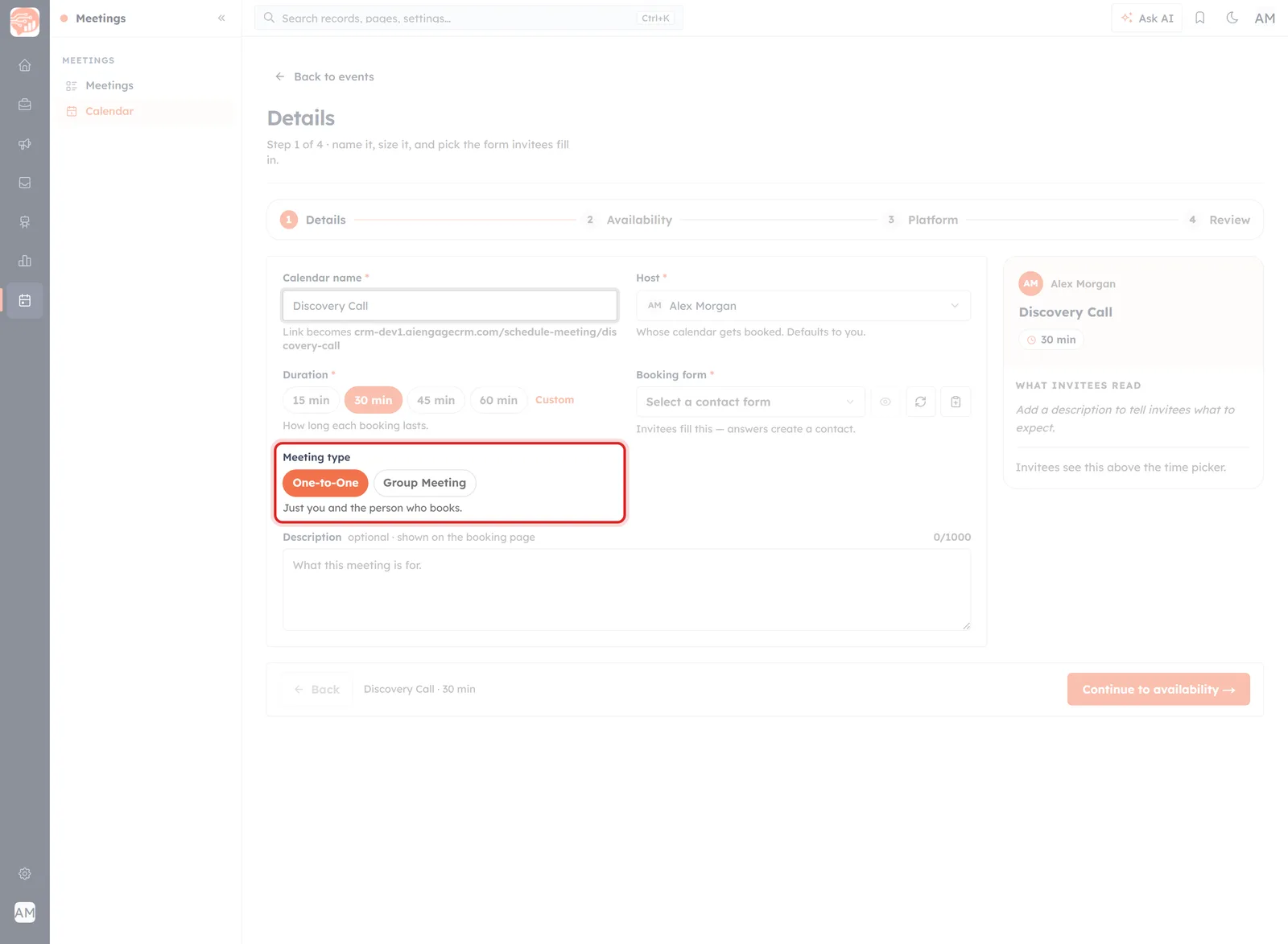
One-to-One: “Just you and the person who books.”
That is the whole of it — the host and the invitee, nobody else. It suits most discovery calls, demos and check-ins.
Group Meeting#
Switch to Group Meeting and two more fields appear.
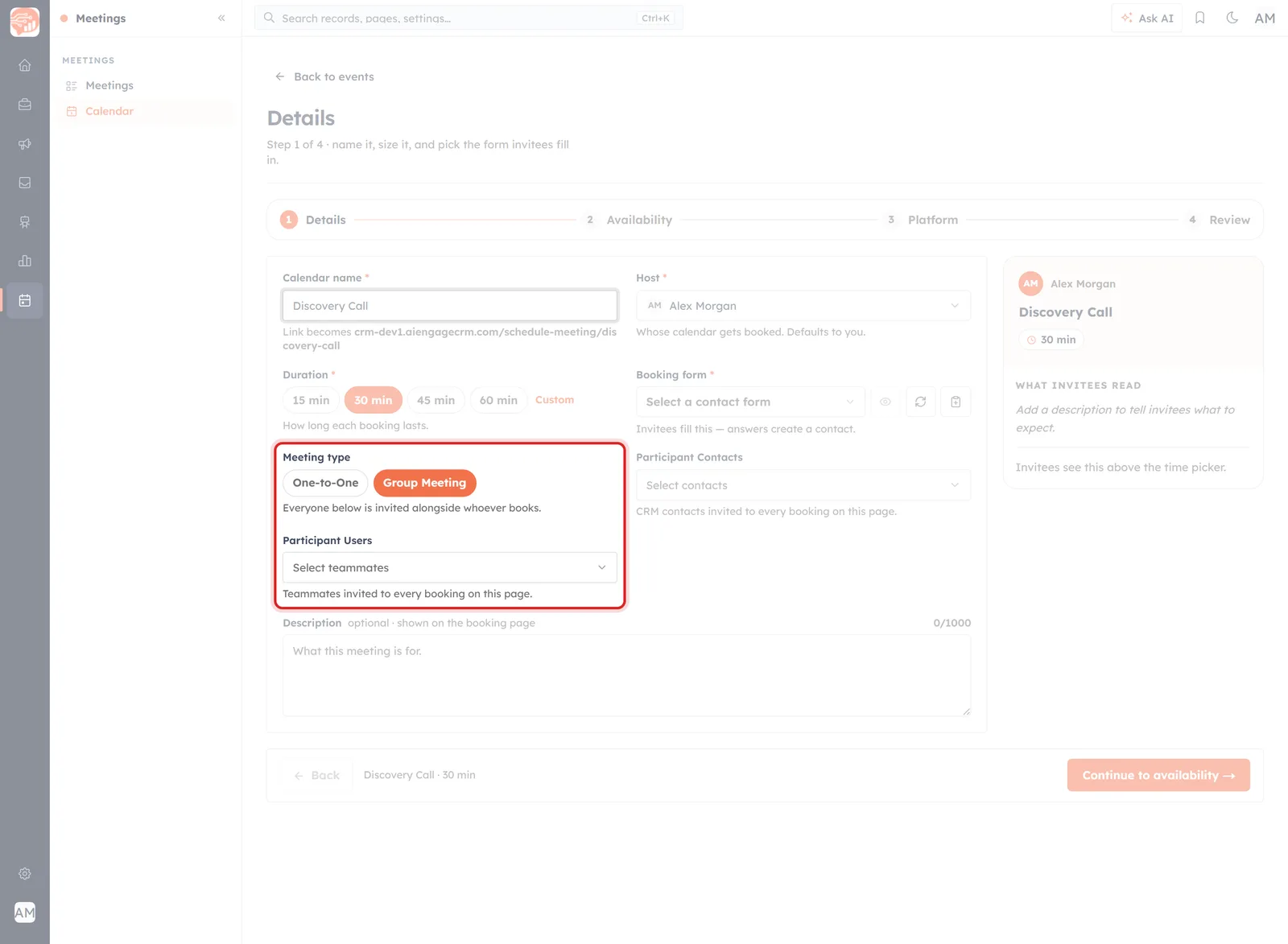
Group Meeting adds Participant Users here, and Participant Contacts alongside it.
Everyone below is invited alongside whoever books.
- Participant Users — teammates. “Teammates invited to every booking on this page.”
- Participant Contacts — people already in your CRM. “CRM contacts invited to every booking on this page.”
The phrase doing the work is every booking on this page. These are not people you add per meeting — they are added to everything booked through this link, from now on.
💡
Group Meeting is about who you bring, not how many can book. The name suggests a webinar where several strangers take the same slot; the product’s own wording is narrower — the people you list are invited alongside whoever books. Use it for a demo that always needs a solutions engineer, or a handover that always includes the account manager.
The practical test: if the same colleague should be on every single call booked through this link, list them. If it varies, leave it One-to-One and add people to individual meetings afterwards.
Where the choice ends up#
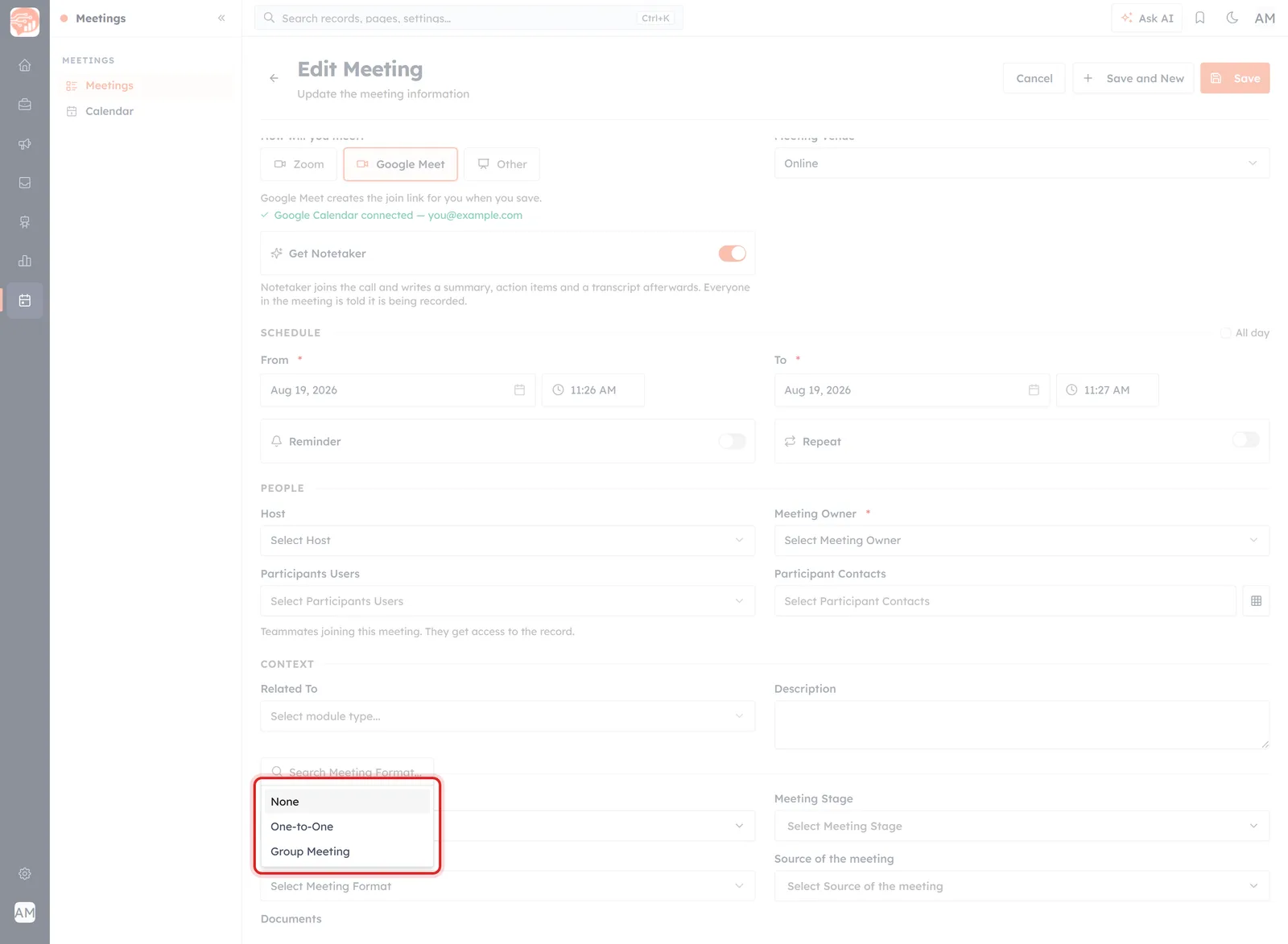
On the record the field is called Meeting Format, and offers the same two values.
On the meeting record the field goes by a different name: Meeting Format, offering None, One-to-One and Group Meeting. A booking arrives with it already set from the event, and you can change it on an individual meeting without touching the link.
Worth knowing, because searching a record for “meeting type” leads you to a different field entirely — Meeting Type on a record is the Demo / Consultation / Follow-up classification, covered in Meeting Status & Venue.
Host and owner are not the same thing#
Meetings you create by hand have both, in the PEOPLE section of the form.
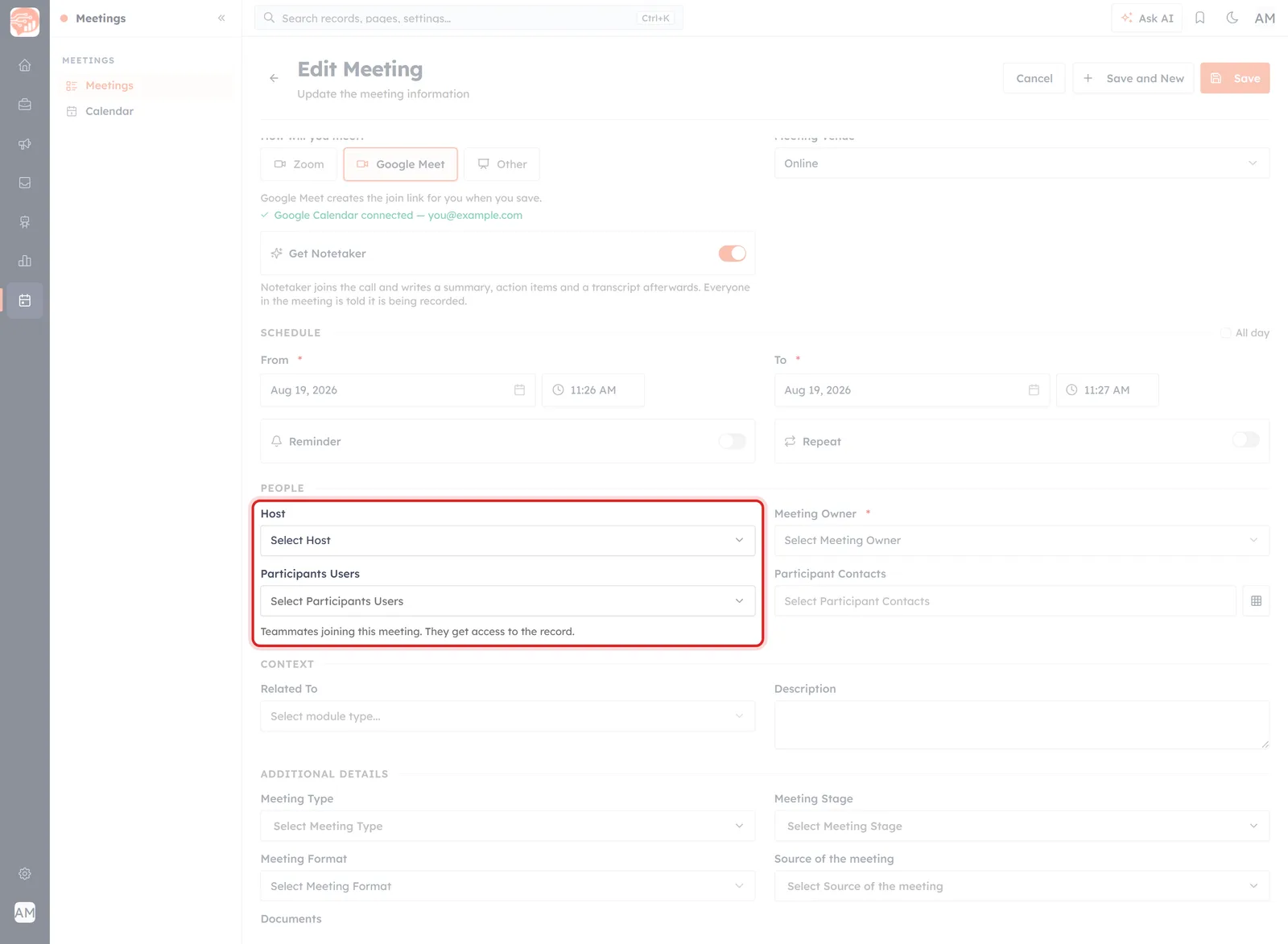
PEOPLE: Host, Meeting Owner, and the two participant fields.
- Host — who is running the meeting.
- Meeting Owner — who owns the CRM record. It is required, and it is what My Meetings filters on.
- Participants Users — teammates joining. The form adds a consequence worth reading: “Teammates joining this meeting. They get access to the record.”
- Participant Contacts — the people from outside.
Usually host and owner are the same person, and on a booking they arrive that way. They come apart when somebody books on a colleague's behalf, or when a coordinator owns the admin while somebody else runs the call.
🔒
Adding a teammate as a Participant User grants them access to the record — including anything the notetaker left on it. Worth a thought before adding someone to a meeting whose transcript they should not read.
Before you publish#
- Check the host is the person who will actually be there. Ten seconds now against a month of misdirected bookings.
- Leave it One-to-One unless the extra people are genuinely on every booking.
- If you chose Group Meeting, re-read your participant lists — they apply to every booking on the page, indefinitely.
Then carry on to Set Your Availability for Bookings, which decides when that host can be booked.
Was this article helpful?
Ready to implement this?
OpenAI Engage and apply what you just learned to your own workspace.
Open AI Engage CRM