Loading…


KnowledgeBase
AI Summary on a Meeting
What this covers#
A meeting record has two things called AI Summary, and confusing them is easy:
- A panel at the top of Overview, with a Summarise button. You press it when you want one.
- A field inside Meeting Information, written by the AI notetaker if it attended the call.
Same name, different things. This article is about the first, and about telling them apart.
The panel#
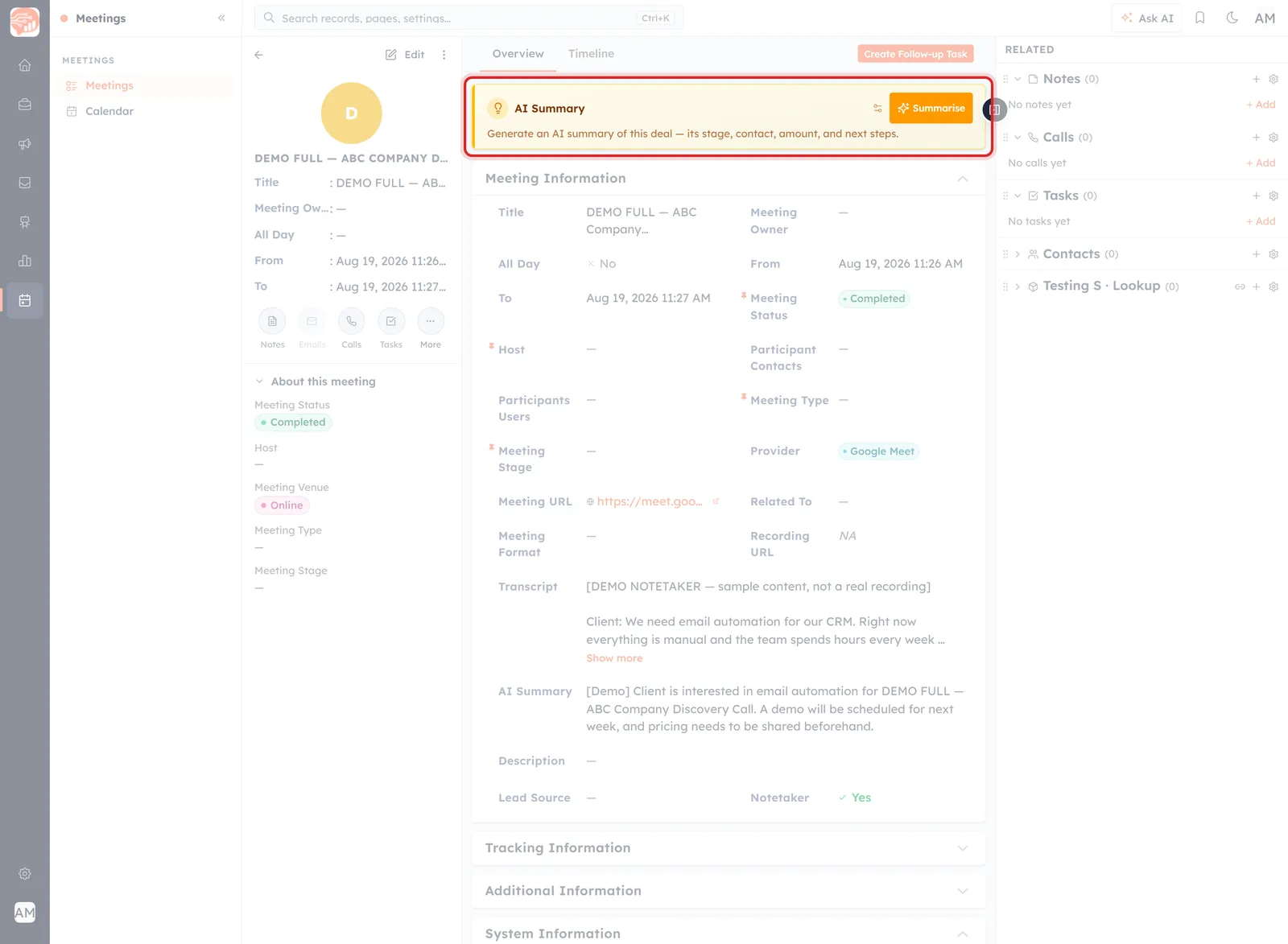
The AI Summary panel sits above Meeting Information, on every meeting record.
It is on every meeting — one the notetaker recorded, one somebody booked, one you typed in yourself two minutes ago. Three things in it:
- Summarise — the orange button. Generates a summary on demand.
- A small control beside it, labelled Change summary behaviour, for adjusting how summaries are produced.
- A line of helper text — which is where it gets odd.
🤔
The helper text reads: “Generate an AI summary of this deal — its stage, contact, amount, and next steps.” On a meeting. Stages and amounts belong to deals, not meetings — it is a shared component still wearing its original wording. You are on the right record; the sentence is on the wrong one.
The field the notetaker writes#
Further down, inside Meeting Information, is a field also called AI Summary. That one is the notetaker's work.
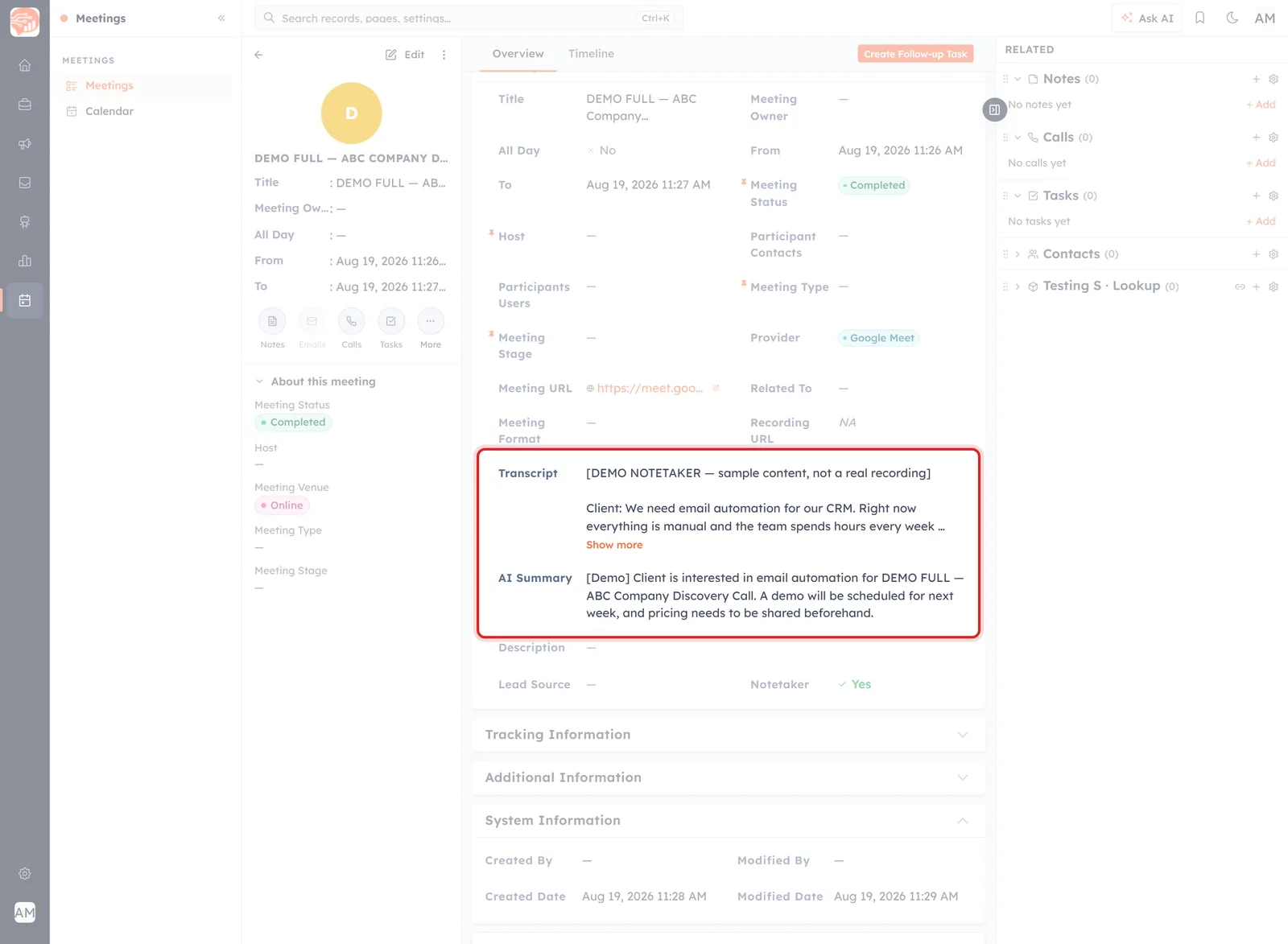
On a meeting the notetaker attended: a transcript, and a summary written from it.
It arrives filled in only if Get Notetaker was on and the notetaker joined the call — see Record a Meeting with the AI Notetaker. Otherwise:
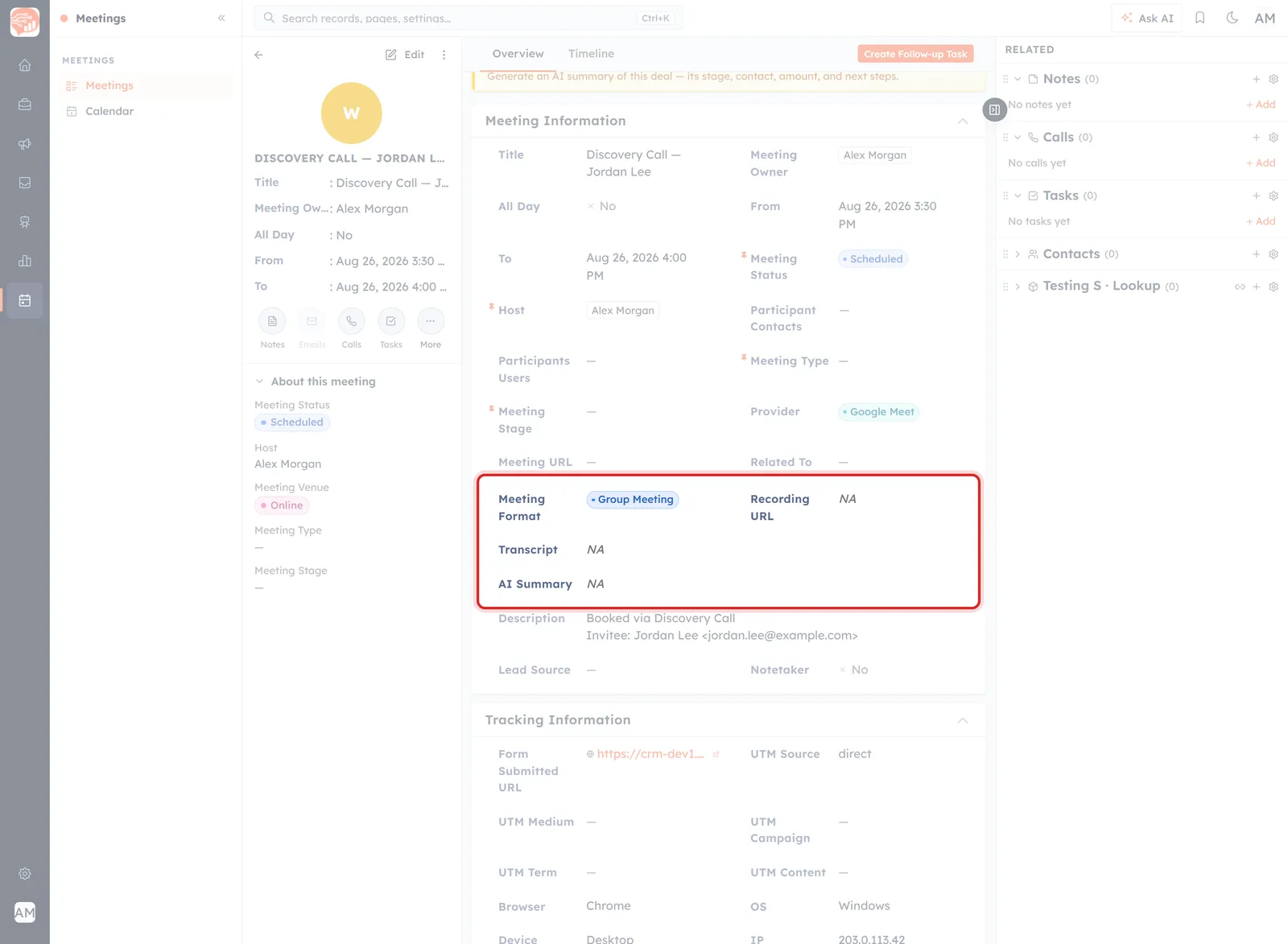
The same fields on a booked meeting the notetaker did not attend — Transcript and AI Summary both NA.
Note that the panel at the top is still there on this record, offering to summarise. That is the clearest statement of the difference: the field reflects what happened in the room; the panel is available regardless.
Which one to trust#
| The AI Summary field | The Summarise button | |
|---|---|---|
| Where | Meeting Information | Top of Overview |
| Comes from | The notetaker that attended | You, on demand |
| Available | Only when the notetaker ran | On every meeting |
| Based on | What was actually said | What is on the record |
So when the notetaker attended, the field is the better source — it was in the room. The button reads the file.
💡
Reach for Summarise on a meeting the notetaker did not attend but which has picked up notes, tasks and calls since — that is where a summary of the record is worth something. On a meeting with nothing on it, expect little: there is nothing to summarise.
What we cannot tell you yet#
Pressing Summarise writes to the record, so it was deliberately not run while documenting this. That leaves three honest gaps:
- What it produces, and whether the result lands in the AI Summary field or is shown on its own.
- What it reads — the helper text names deal fields, which cannot be right here.
- Where Change summary behaviour takes you, and what can be adjusted there.
If you want to know, try it on a throwaway meeting rather than one whose existing summary you would mind losing.
⚠️
On a meeting that already has a notetaker summary, be careful with Summarise. If it writes to the same field, you would be replacing an account of what was actually said with a summary of the record. The one written in the room is the one worth keeping.
Was this article helpful?
Ready to implement this?
OpenAI Engage and apply what you just learned to your own workspace.
Open AI Engage CRM