Loading…


KnowledgeBase
Train Your Agent with Knowledge Sources
Give your agent knowledge#
A RAG agent answers from your own content. You train it by adding knowledge sources — uploaded documents and/or website URLs the agent crawls. You can add sources while building the agent, or later from the agent's detail page.
Add sources#
Documents — upload files for the agent to learn from (PDF, DOCX, TXT, MD, HTML; up to 25 MB each).
Website — add one root URL per agent. Choose Crawl this page only for a single page, or leave it off to crawl that page plus its internal links (up to ~500 pages).
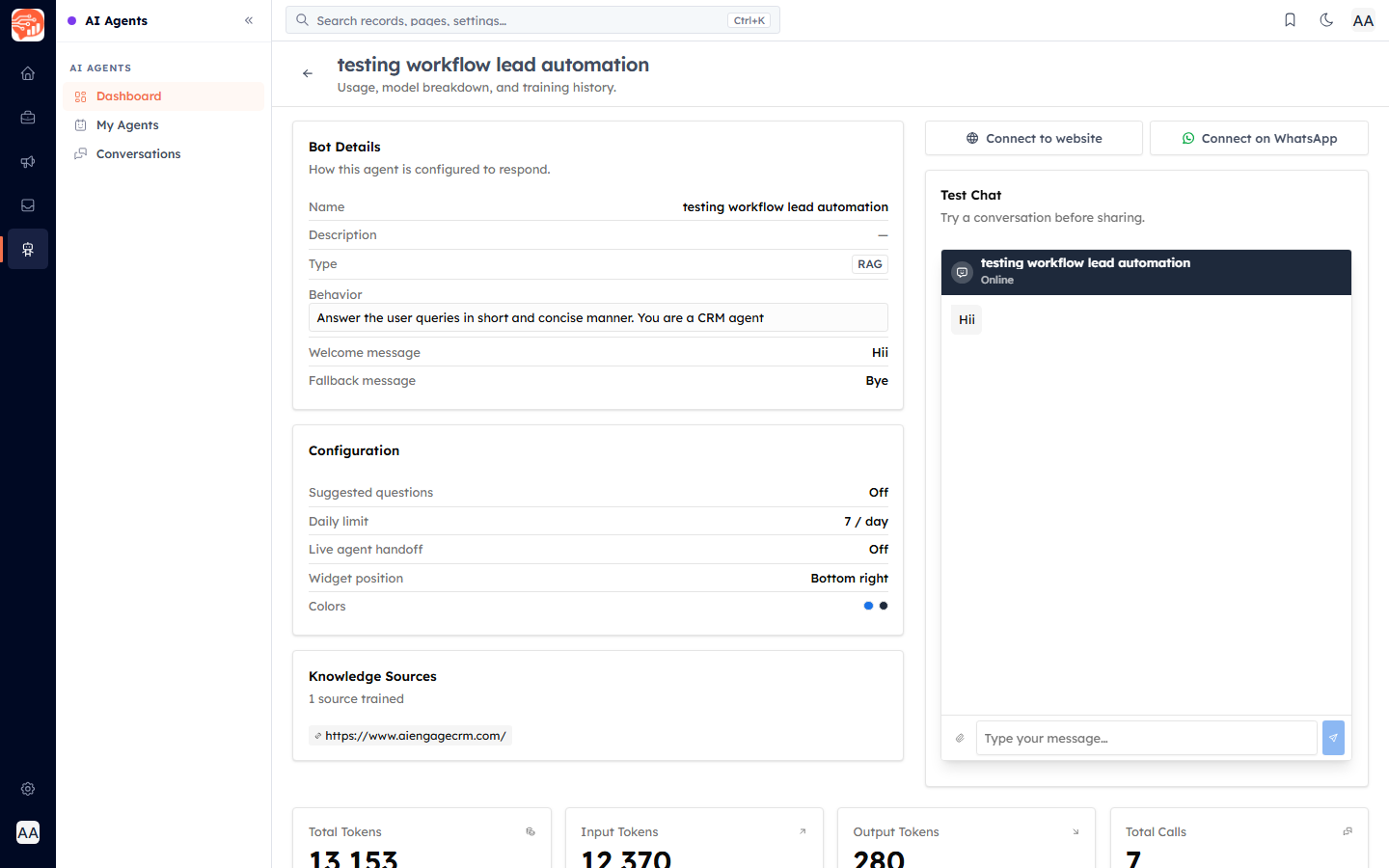
The agent's detail page lists how many sources are trained (e.g. "1 source trained") and each source.
How training works#
When you train (or retrain), the source goes through several stages: queued → discovering → crawling → processing → embedding → completed (or failed if something goes wrong). While an agent is training it shows up under Training on the dashboard.
💡
Retrain re-runs training after you add or change sources; resync refreshes the agent from the latest data. The Last Trained time on the dashboard shows when it was last updated.
💡
A retrain rebuilds the knowledge base from the sources you submit. If you want to keep an existing document, re-upload it as part of the retrain so it is retained.
💡
Point the agent at pages that actually contain the answers customers ask for — your help centre, FAQ, or product pages give the best results.
Was this article helpful?
Ready to implement this?
OpenAI Engage and apply what you just learned to your own workspace.
Open AI Engage CRM