Loading…


KnowledgeBase
Publish to Your Website
Test before you publish#
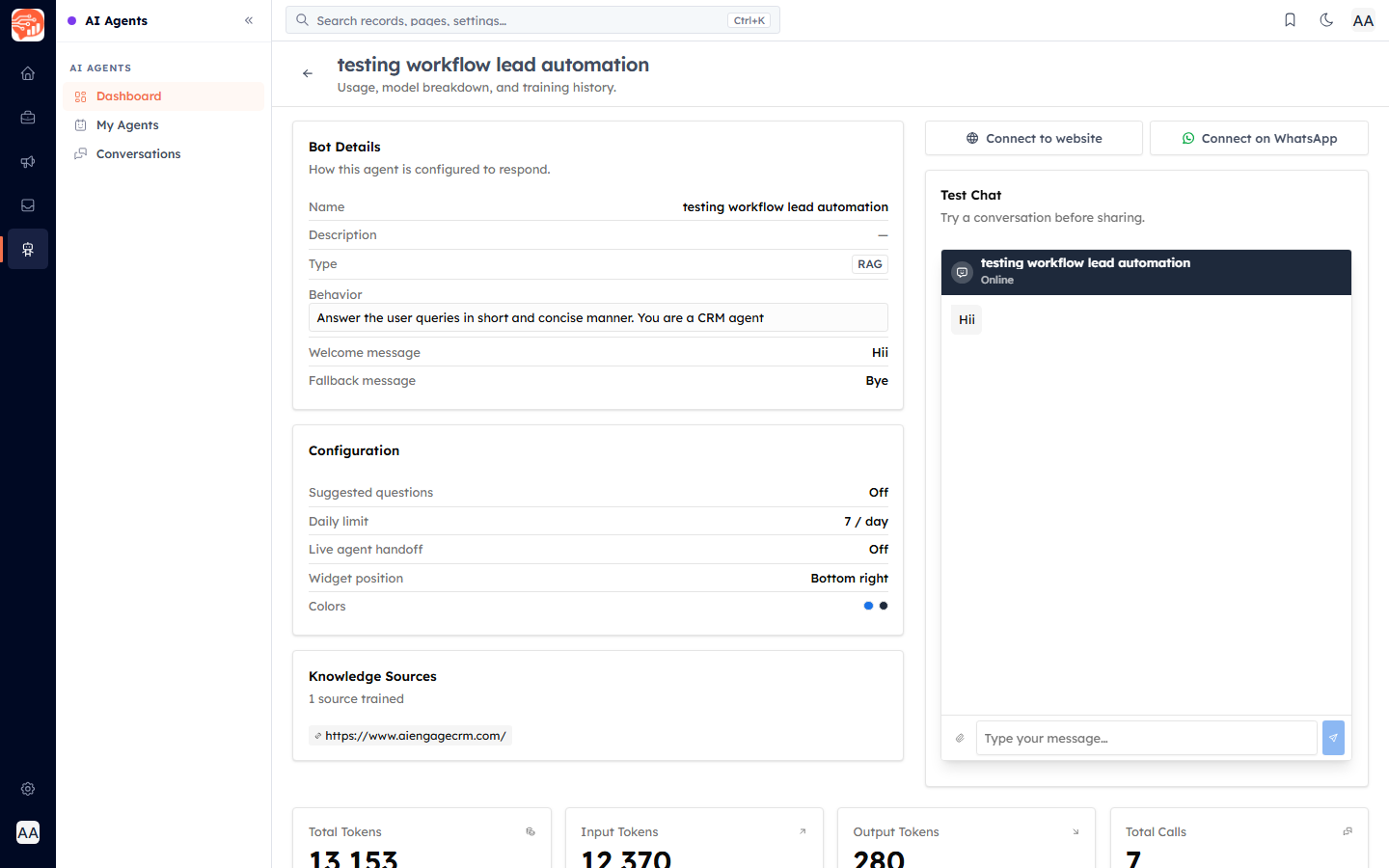
Every agent has a Test Chat on its detail page — "try a conversation before sharing." Send a few messages to confirm the agent answers the way you want, then publish it.
Add the agent to your website#
Click Connect to website (on the dashboard row or the agent's detail page). You will get an Install on your website snippet — a small piece of JavaScript.
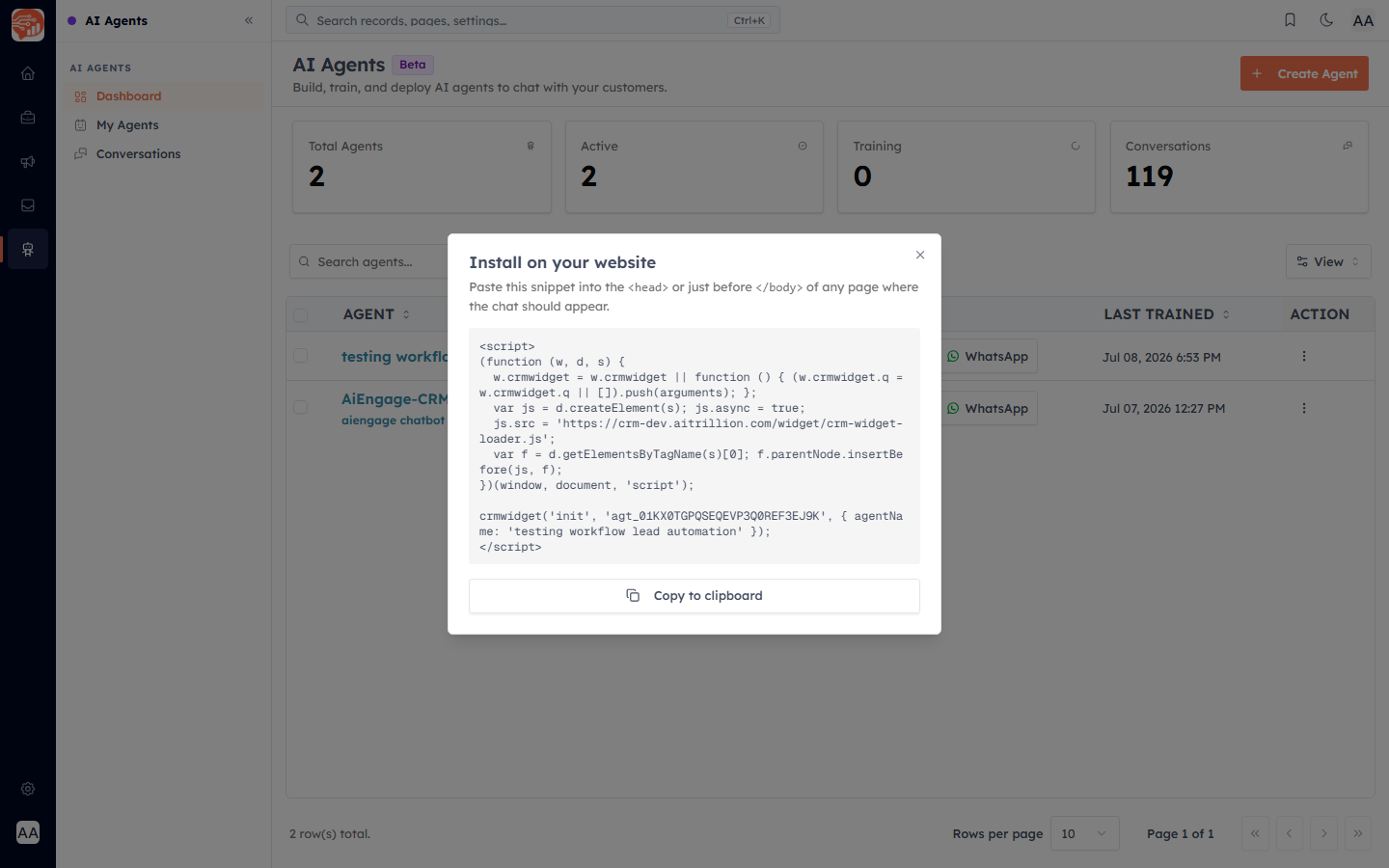
Click Copy to clipboard.
Paste the snippet into your site's HTML — in the
<head>or just before the closing</body>tag — on every page where the chat should appear.Publish your site. The chat widget appears in the position and colours you configured.
💡
The widget loads your specific agent, so its behaviour, knowledge, and branding are exactly what you set up here.
Was this article helpful?
Ready to implement this?
OpenAI Engage and apply what you just learned to your own workspace.
Open AI Engage CRM