Loading…


KnowledgeBase
Connect an Agent to WhatsApp
Let an agent answer on WhatsApp#
You can put an AI agent in charge of replying to inbound WhatsApp messages automatically. Click Connect on WhatsApp on the agent to see the steps.
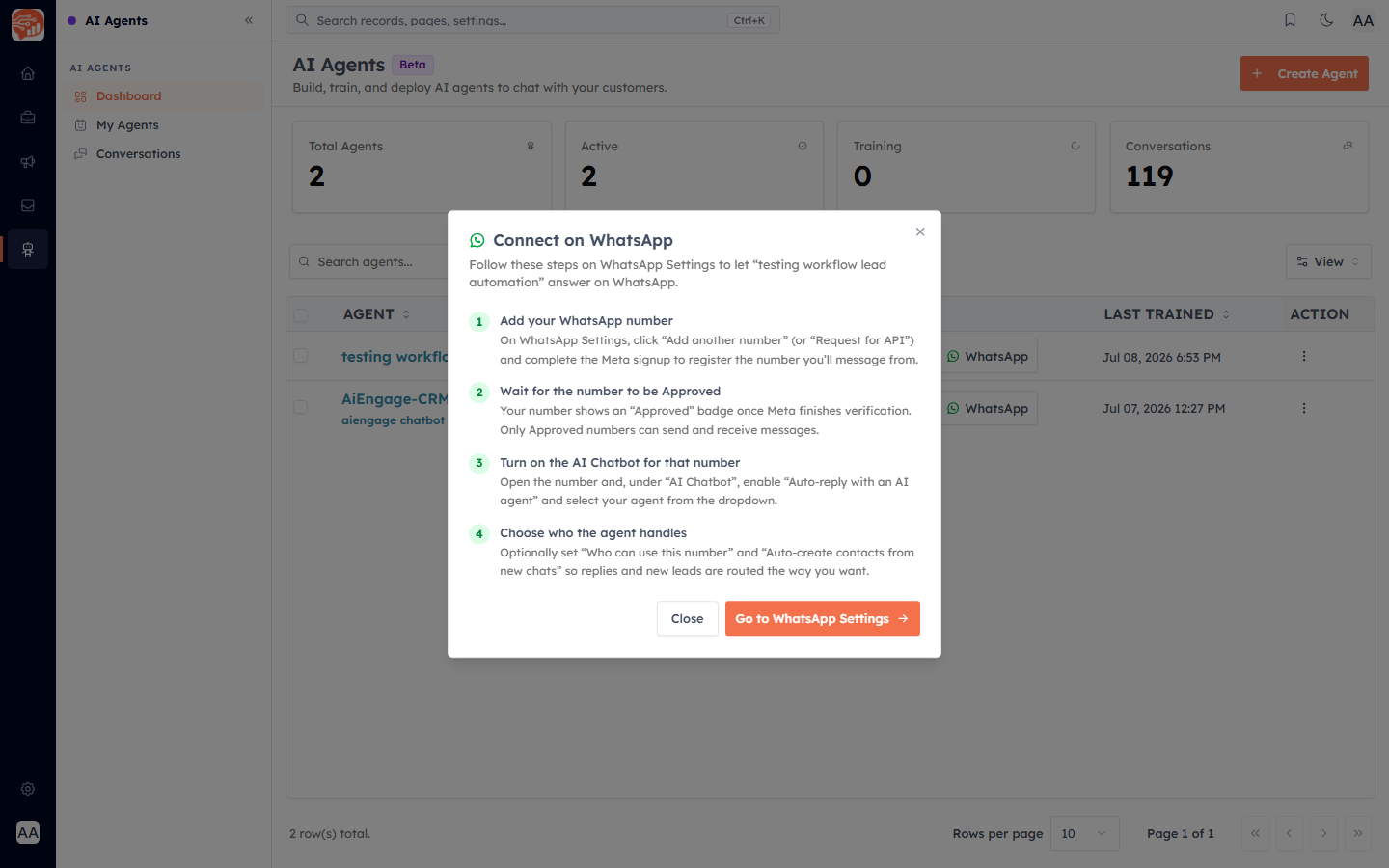
The four steps#
Add your WhatsApp number — in WhatsApp Settings, add a number (or request API access) and complete the Meta signup.
Wait for the number to be approved — only Approved numbers can send and receive.
Turn on the AI Chatbot for that number — under the number's AI Chatbot settings, enable "Auto-reply with an AI agent" and select this agent.
Choose who the agent handles — optionally set who can use the number and whether to auto-create contacts from new chats, so replies and new leads are routed the way you want.
💡
This ties into your WhatsApp setup. For connecting numbers and the inbox, see the WhatsApp Marketing guide — and the agent will auto-reply within the 24-hour WhatsApp customer-service window.
💡
An agent that is connected to a WhatsApp number cannot be deleted until you turn its AI Chatbot off on that number first.
Was this article helpful?
Ready to implement this?
OpenAI Engage and apply what you just learned to your own workspace.
Open AI Engage CRM