Loading…


KnowledgeBase
Introduction to AI Agents
What are AI Agents?#
AI Agents are AI-powered chatbots you build, train, and deploy to chat with your customers automatically. An agent can answer questions on your website and on WhatsApp — around the clock — using either your own knowledge (documents and web pages) or a behaviour prompt you write.
💡
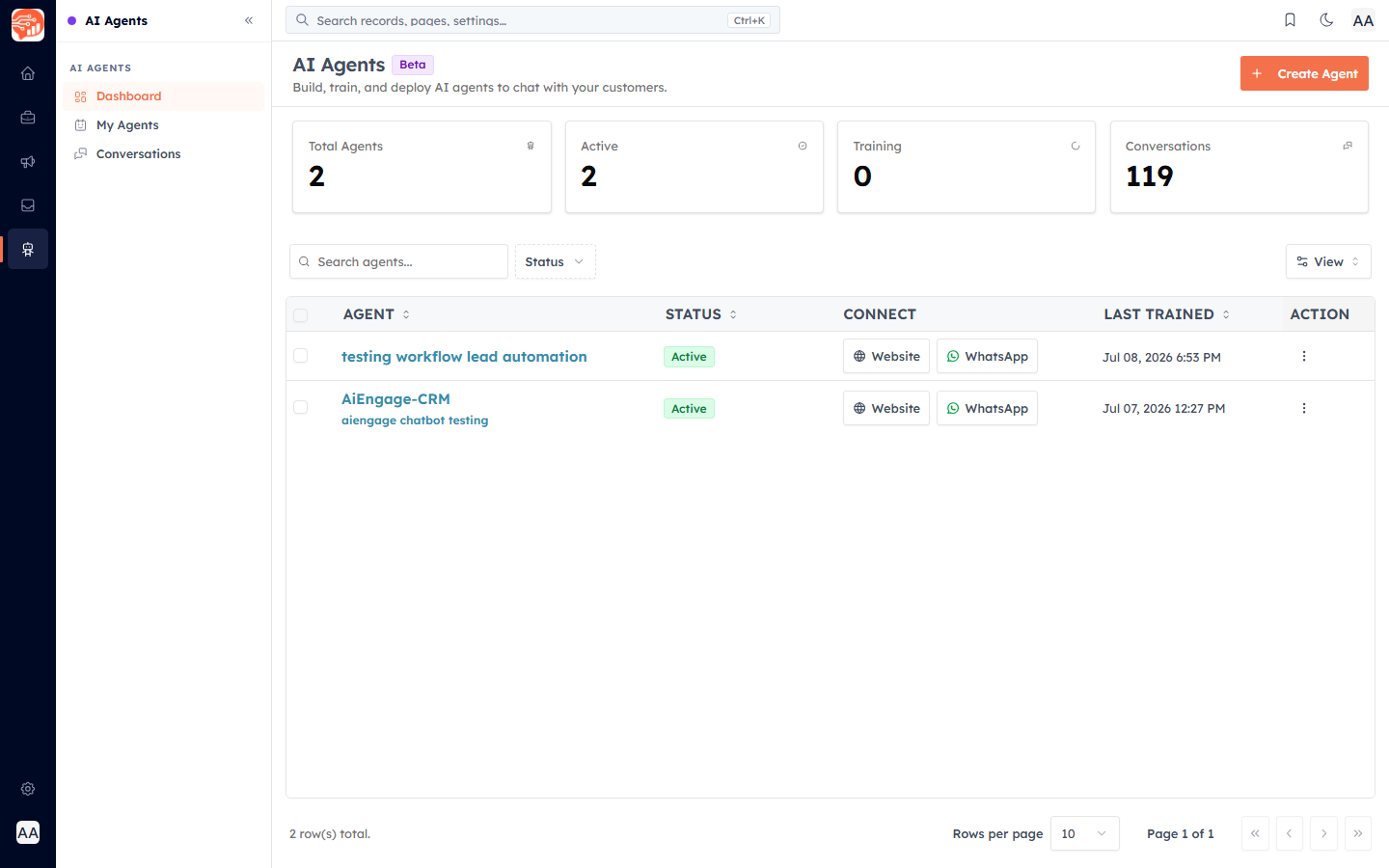
AI Agents is a Beta feature. You will find it under the AI Agents icon in the far-left rail, with three areas: Dashboard, My Agents, and Conversations.
Two kinds of agent#
RAG agent — trained on knowledge sources (uploaded documents and/or crawled website URLs). It answers from your content.
Normal agent — no knowledge sources; it answers purely from the behaviour prompt you write. Leave the Knowledge Sources empty when building to get this type.
The dashboard at a glance#
The dashboard shows cards for Total Agents, Active, Training, and Conversations, and a table of your agents with each one's Status, where it is connected (Website / WhatsApp), and when it was Last Trained.
The typical flow#
Build an agent — name it and define how it behaves.
Train it on your documents and web pages (for a RAG agent).
Test it in the built-in chat.
Publish it to your website and/or connect it to WhatsApp.
Review conversations and usage.
Was this article helpful?
Ready to implement this?
OpenAI Engage and apply what you just learned to your own workspace.
Open AI Engage CRM