Loading…


KnowledgeBase
Conversations & Usage
Review what your agents are doing#
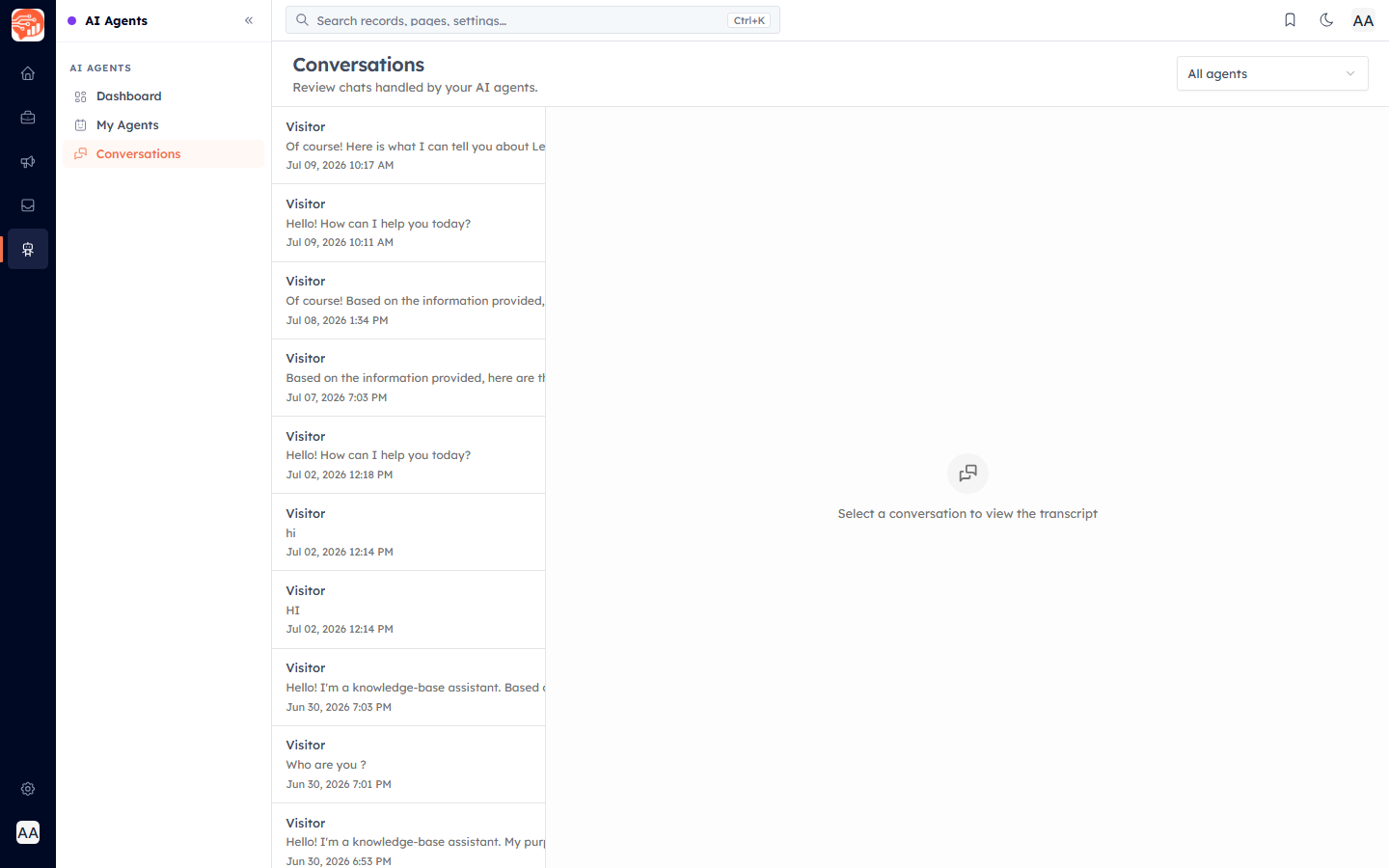
The Conversations area lists every chat handled by your AI agents — across the website widget and WhatsApp. Filter by agent, click a conversation, and read the full transcript.
Usage & performance#
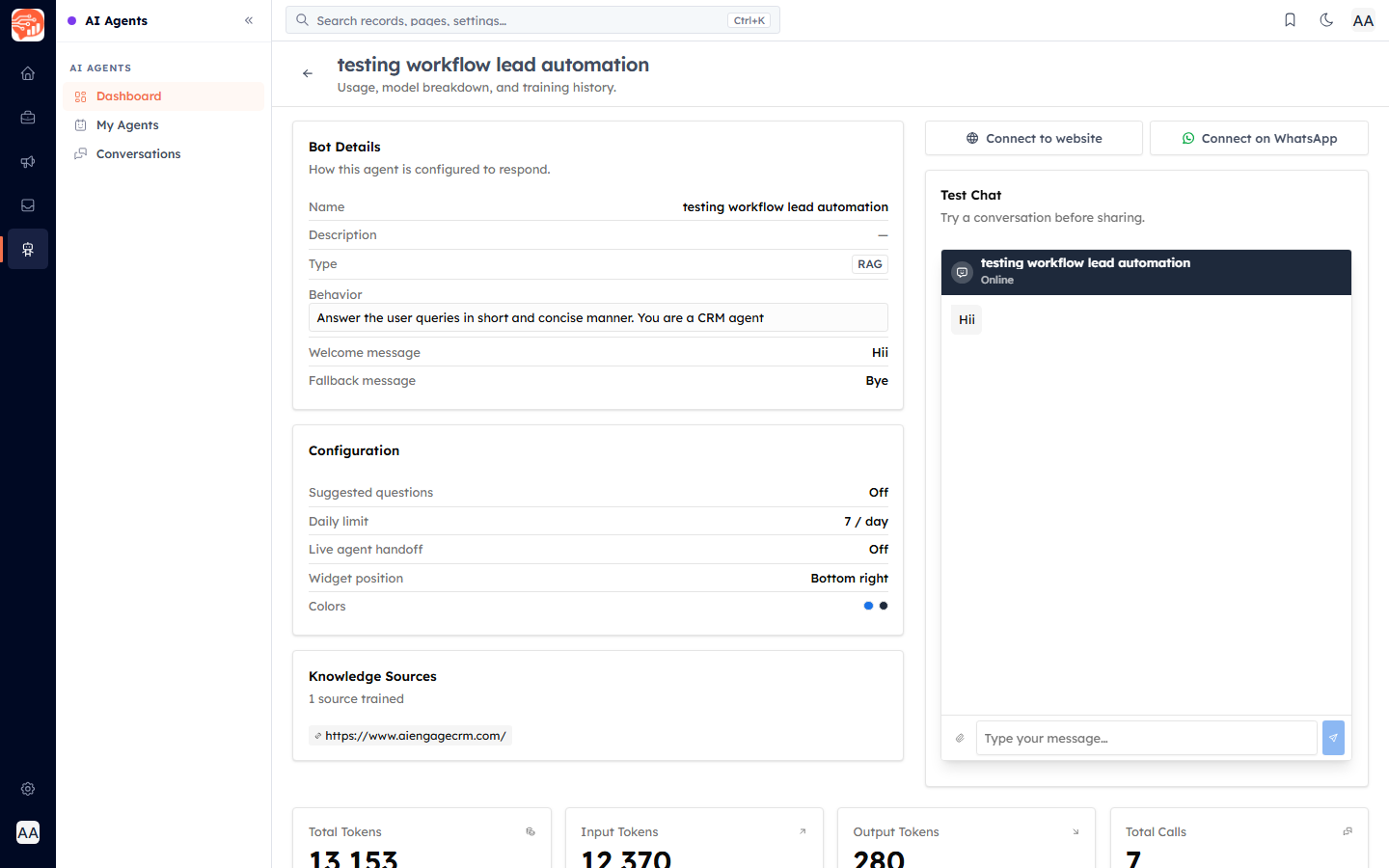
Each agent's detail page shows its usage — Total Tokens, Input Tokens, Output Tokens, and Total Calls — so you can see how much it is being used.
ℹ️
AI Agents run on AI credits — a prepaid balance that is drawn down as your agents chat (on the website, in test chat, and on WhatsApp). If the balance runs out, agents stop replying until you top up, so keep an eye on it and set up auto-recharge if you rely on them.
Managing agents#
- Statuses — an agent can be Draft, Training, Active, Inactive, or Archived. Use the agent's menu to change status (and the status filter to find them).
- Retrain after you update knowledge sources so answers stay current.
- My Agents lists the agents you manage; Archive or delete ones you no longer need.
✅
That completes the AI Agents guide. Start by building an agent, train it on your content, and connect it where your customers are.
Was this article helpful?
Ready to implement this?
OpenAI Engage and apply what you just learned to your own workspace.
Open AI Engage CRM