Loading…


KnowledgeBase
Configure Your Agent
Fine-tune how your agent works#
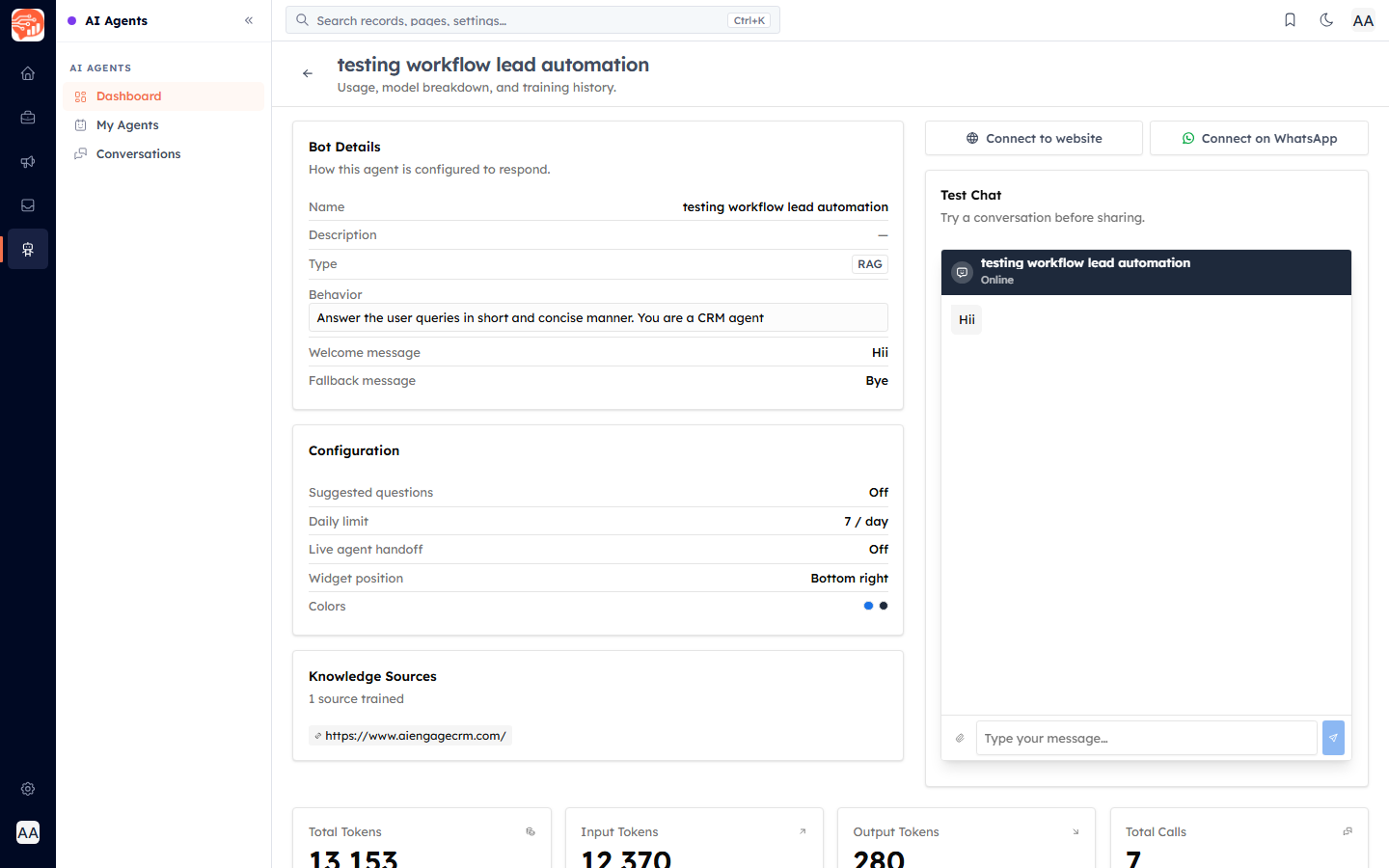
Open an agent and review its Configuration. Alongside the Bot Details (name, type, behaviour, welcome and fallback messages), you can control how it responds and looks.
Response settings#
Behavior, Welcome & Fallback — the prompt and messages set when you built the agent (editable any time).
Suggested questions — on/off; offer starter questions to visitors.
Daily limit — a cap on how many conversations the agent handles per day.
Appearance (website widget)#
Widget position — where the chat bubble sits (e.g. bottom-right).
Colors — brand the widget to match your site.
💡
Test any change in the built-in Test Chat before your customers see it.
Was this article helpful?
Ready to implement this?
OpenAI Engage and apply what you just learned to your own workspace.
Open AI Engage CRM