Loading…


KnowledgeBase
Smart Sending: Prevent Over-Messaging Your Contacts
What Smart sending does#
Send two campaigns on the same day and some people get both. Send three and you start losing them — unsubscribes, spam complaints, and a sender reputation that takes weeks to repair.
Smart sending is the guard against that. Switch it on and the campaign quietly skips anyone who has already had an email from you recently:
Skip users who recently received messages to prevent over-messaging.
Email: skips contacts who got an email campaign in the last 16 hours.
The window is 16 hours for email. For WhatsApp campaigns the same toggle uses 24 hours.
⚠️
The window counts every campaign, not just this one. Someone who received a different email campaign fourteen hours ago is skipped here too. That is the entire point — it protects the contact from your whole marketing calendar, not from one campaign sent twice.
Turning it on#
Open your campaign and stay on step 1, Audience. Below the segment picker is a Sending Settings card holding two switches.
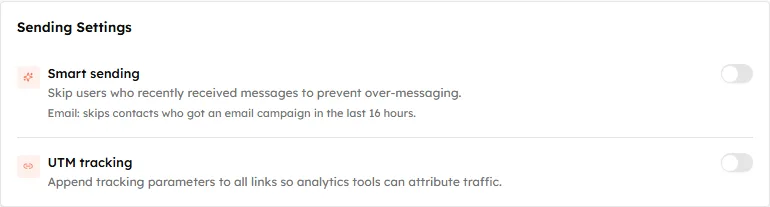
Sending Settings, as a new campaign starts: both switches off.
Flip Smart sending on.
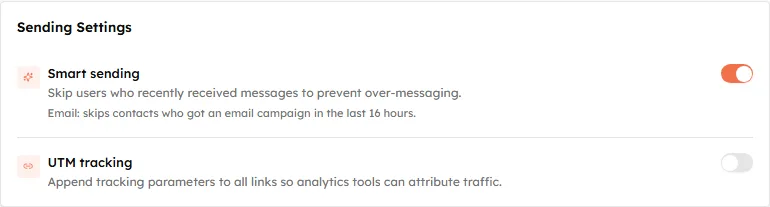
Smart sending enabled. The rule that applies is spelled out under the label.
It is set per campaign, and every new campaign starts with it off — so this is a decision you make each time, not once.
Watching the count change#
The panel on the right of the Audience step counts who will actually receive the campaign, and it updates as you change the settings.
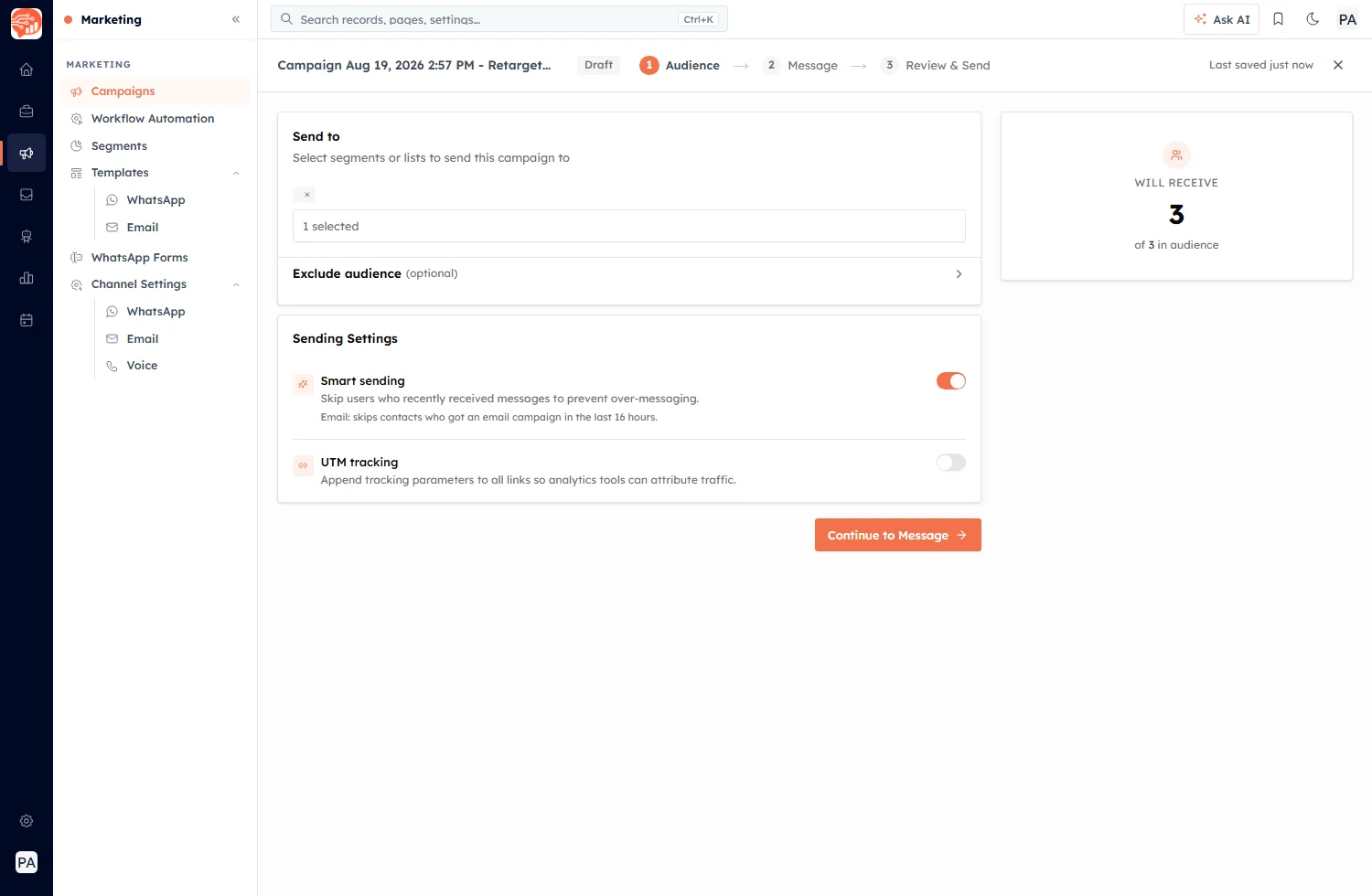
The Audience step. The panel on the right separates the size of your audience from the number who will really be sent to.
Those two numbers are rarely the same. The panel breaks down who is being dropped and why:
- No email address — nothing to send to.
- Unsubscribed / bounced — opted out, or their address failed before.
- Duplicate emails — the same address on more than one record, counted once.
- Recently emailed (Smart sending) — this toggle, doing its job.
Turn Smart sending on and off and watch the last line appear and disappear. That is the clearest way to see what it is actually costing you on this particular send.
The count is an estimate#
The figure shown is worked out now, but the rule is applied at send time. The CRM says so directly:
Smart sending is estimated as of now — it re-checks the last 16 hours at send time, so a few more may be skipped.
This matters most for a scheduled campaign. Schedule one for tomorrow morning and send something else this evening, and the overlap between them is only resolved when the scheduled campaign actually fires. Expect the final number to be a little lower than the estimate, never higher.
Confirming it before you send#
On Review & Send, Smart sending appears in the summary alongside UTM tracking, so you can see at a glance whether it is on. When it is, a note confirms the rule:
Smart sending is enabled. Recipients who received an email from any campaign in the past 16 hours will be skipped.
Read that line as the plain-English version of the whole feature — any campaign, 16 hours, silently skipped.
When to leave it off#
Smart sending is the right default for marketing, but it is not always what you want. Turn it off when everyone genuinely needs the email:
- Transactional or operational messages — a receipt, a booking confirmation, a password note.
- Time-critical announcements — an outage, a venue change, a deadline today.
- Small, hand-picked audiences where you already know the recent contact history.
The trade-off is worth stating plainly: with it off, nobody is protected from your sending schedule except by your own care.
💡
Skipped contacts are not queued for later — they are simply left out of this send. If the message matters to them, they need to be included in a later campaign, so check the deduction on the Audience step before you accept it.
Related settings#
Smart sending sits alongside the other ways the CRM limits who gets messaged:
- Unsubscribes and email compliance — a permanent opt-out, unlike this temporary skip.
- Preview & send test emails — test sends are not campaigns, so they are unaffected by this window.
- Campaign performance — rates are calculated on who was actually sent to, not on the size of the audience.
Was this article helpful?
Ready to implement this?
OpenAI Engage and apply what you just learned to your own workspace.
Open AI Engage CRM