Loading…


KnowledgeBase
Workflow Triggers: Every Trigger Type Explained
What a trigger does#
The trigger is the event that starts a workflow. Every workflow has exactly one trigger, added from the Triggers group in the node palette. When the trigger's event happens on a record in your target module, the workflow begins running for that record.
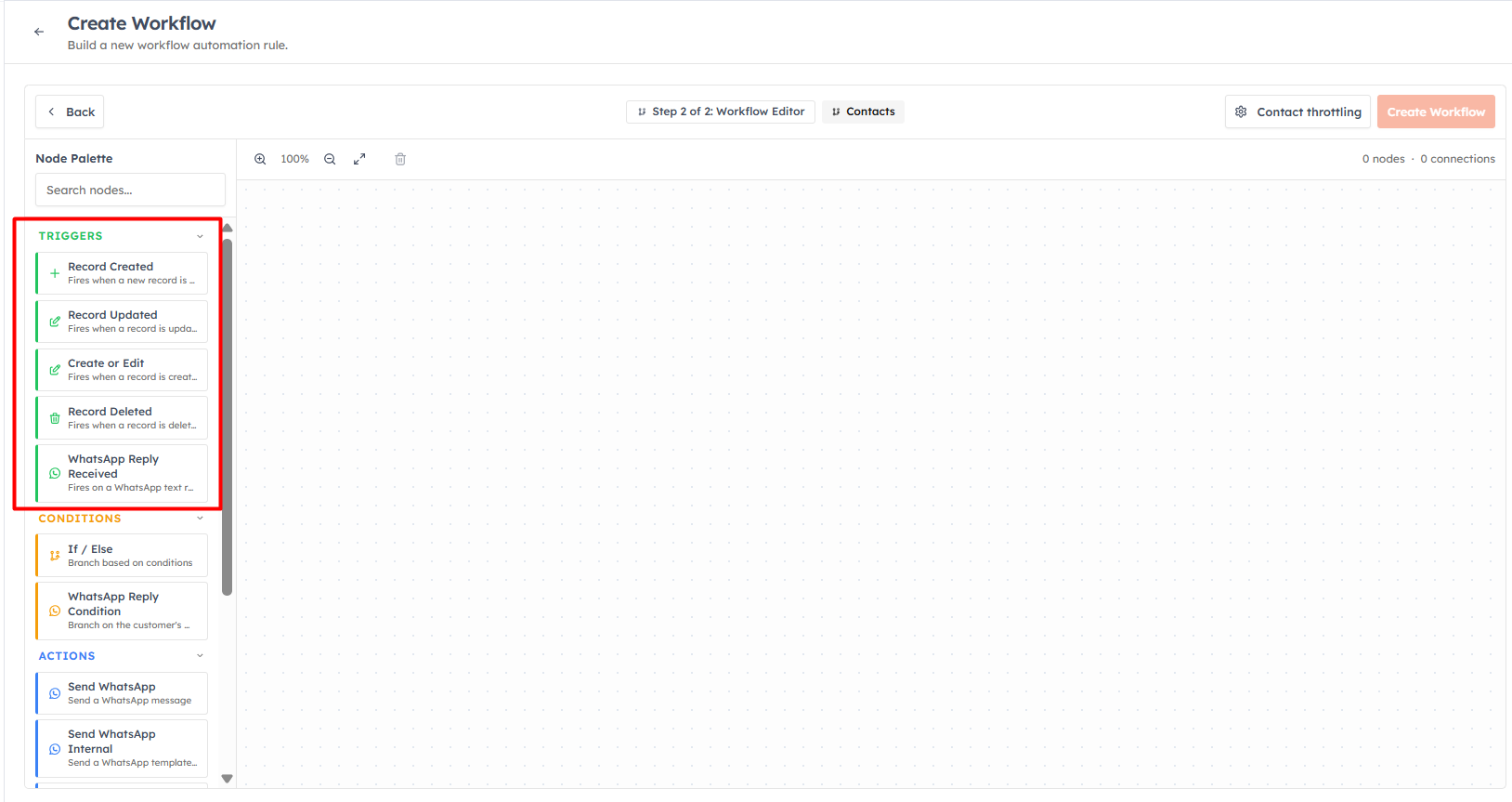
The available triggers#
Record Created — fires when a new record is created in the module. Ideal for onboarding automation: welcome emails, first-touch tasks, and lead assignment for new records.
Record Updated — fires when an existing record is updated. Use it to react to changes, such as a status or stage moving forward.
Create or Edit — fires when a record is either created or updated. Use this when the same automation should run in both cases.
Record Deleted — fires when a record is deleted. Useful for clean-up or notification flows.
WhatsApp Reply Received — fires when a contact sends you an inbound WhatsApp message. Using the trigger's Source options you can match a text reply or a WhatsApp Flow form submission. This trigger always runs against the Contact created or updated from the submission.
💡
For WhatsApp Reply Received, set your target module to Contacts. In the trigger config you can pick specific approved forms under Match forms — leave it empty to fire for any form in your account.
Pairing triggers with conditions#
The record triggers fire for every matching event. To narrow things down — for example, "only when Lead Source is Website" — add an If / Else condition after the trigger. The trigger casts a wide net; the condition decides whether the rest of the workflow should run. See Conditions & Branching.
💡
A workflow only fires on events that happen after it is activated. Activating a "Record Created" workflow does not run it retroactively on records that already exist in your CRM.
💡
Choose the most specific trigger you can. If you only care about new records, use Record Created rather than Create or Edit — otherwise the workflow will also fire on every future edit.
Was this article helpful?
Ready to implement this?
OpenAI Engage and apply what you just learned to your own workspace.
Open AI Engage CRM