Loading…


KnowledgeBase
Common Workflow Examples
Here are five useful workflows to build when you first start with AI Engage CRM. Each uses only the real trigger, condition, action, and timing blocks available in the builder.
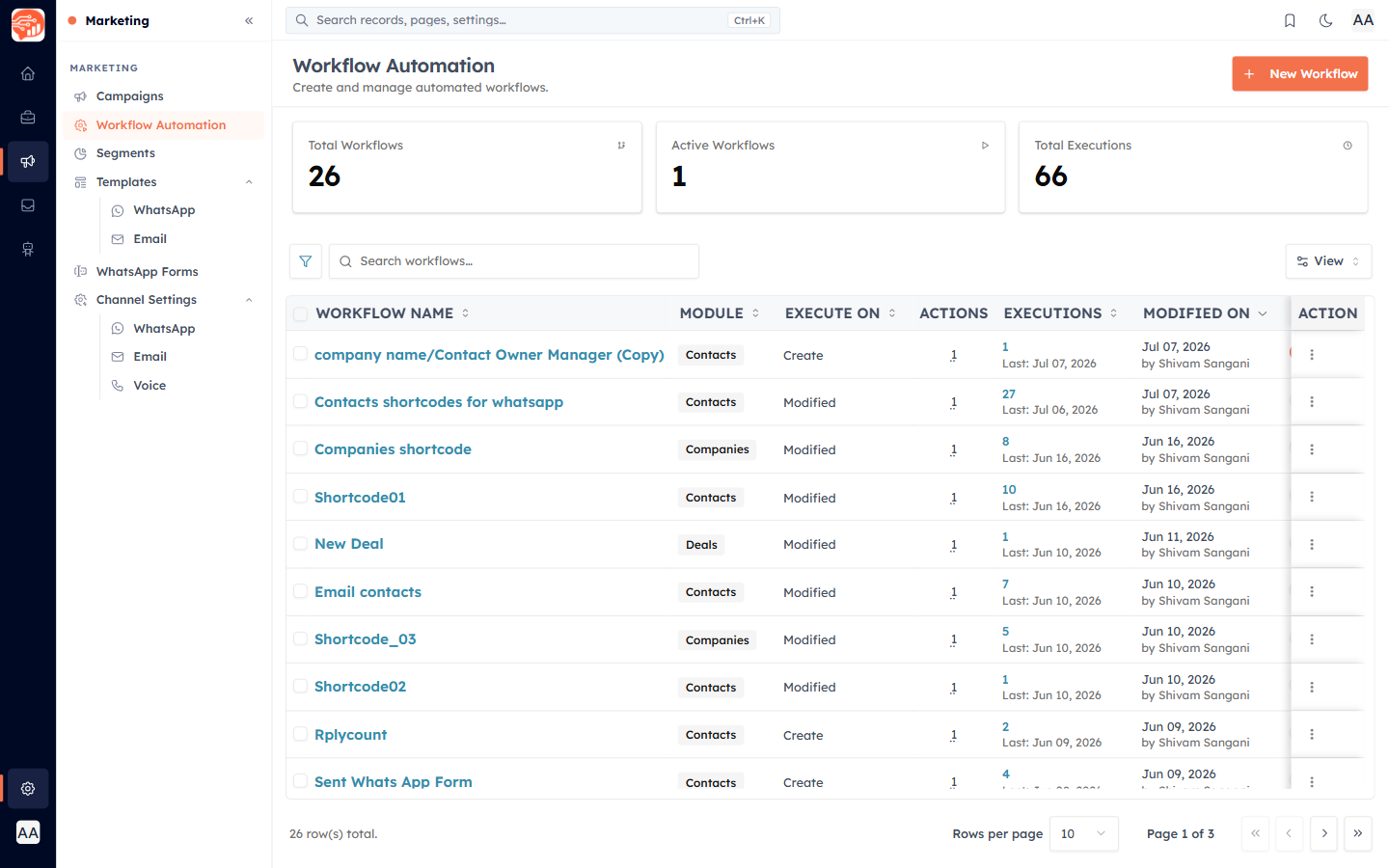
1. Welcome email to new contacts#
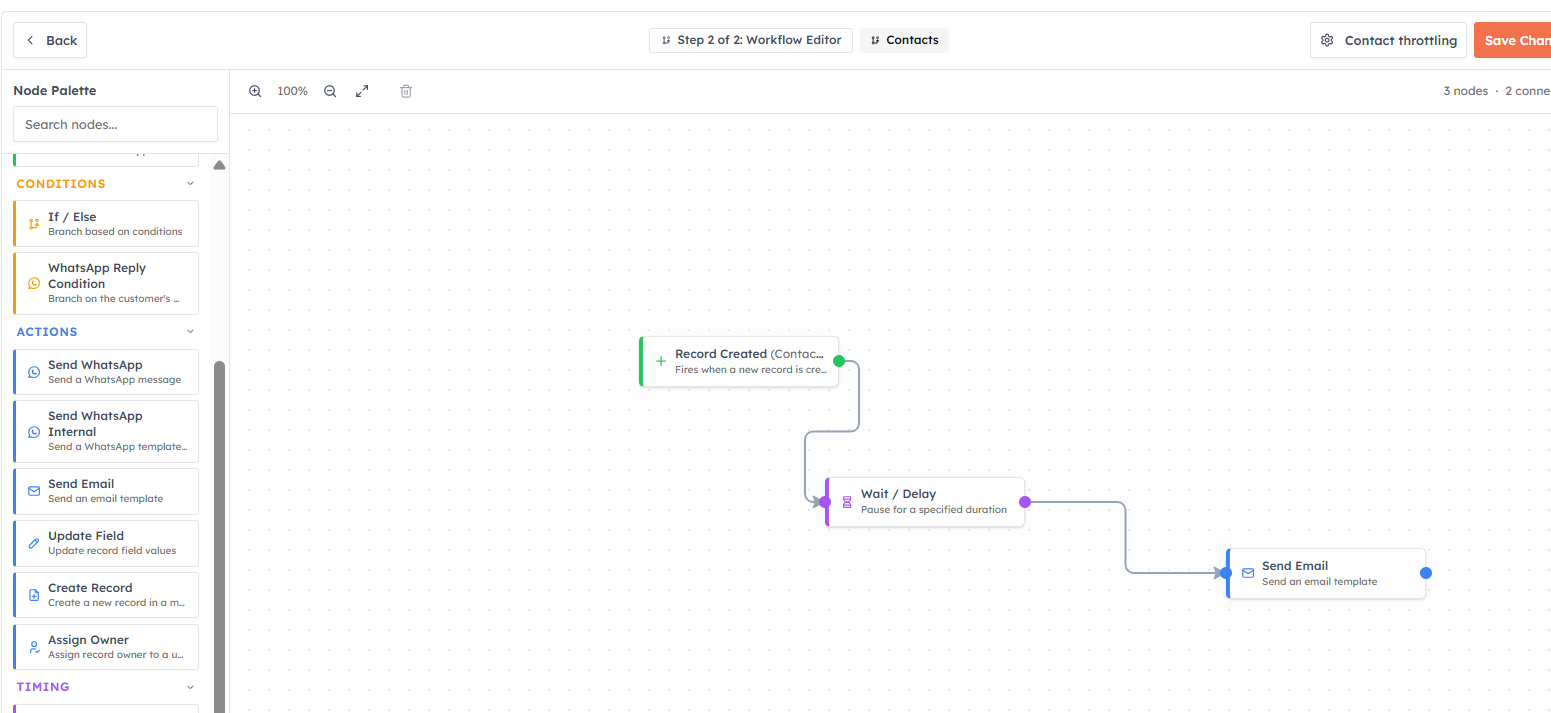
Trigger: Record Created (Contacts)
Action: Send Email → your "Welcome" template
Every new contact receives a friendly welcome email automatically. Add a Wait / Delay of a few minutes first if you would rather it not arrive the very instant the record is created.
2. Round-robin lead assignment#
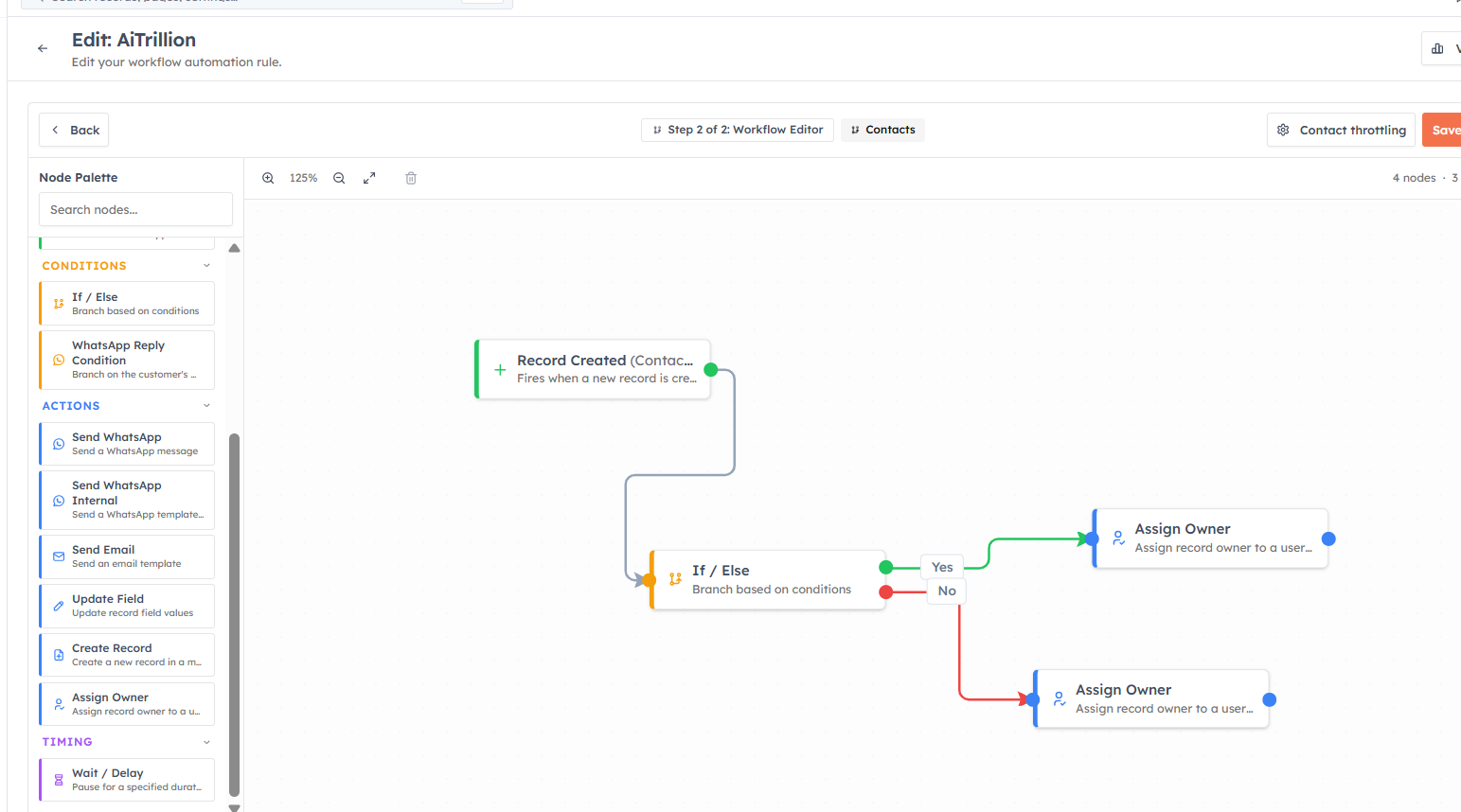
Trigger: Record Created (Leads)
Condition: If / Else → Lead Status Equals "New"
💡
You can add up to 5 conditions on If/Else
Action (True path): Assign Owner → Team (Round Robin)
New leads are shared evenly across your sales team with no manual distribution. Tick "Send email notification to the new owner" so reps know instantly.
💡
Round-robin assignment spreads leads fairly across the team, automatically.
3. Proposal follow-up with a delay#
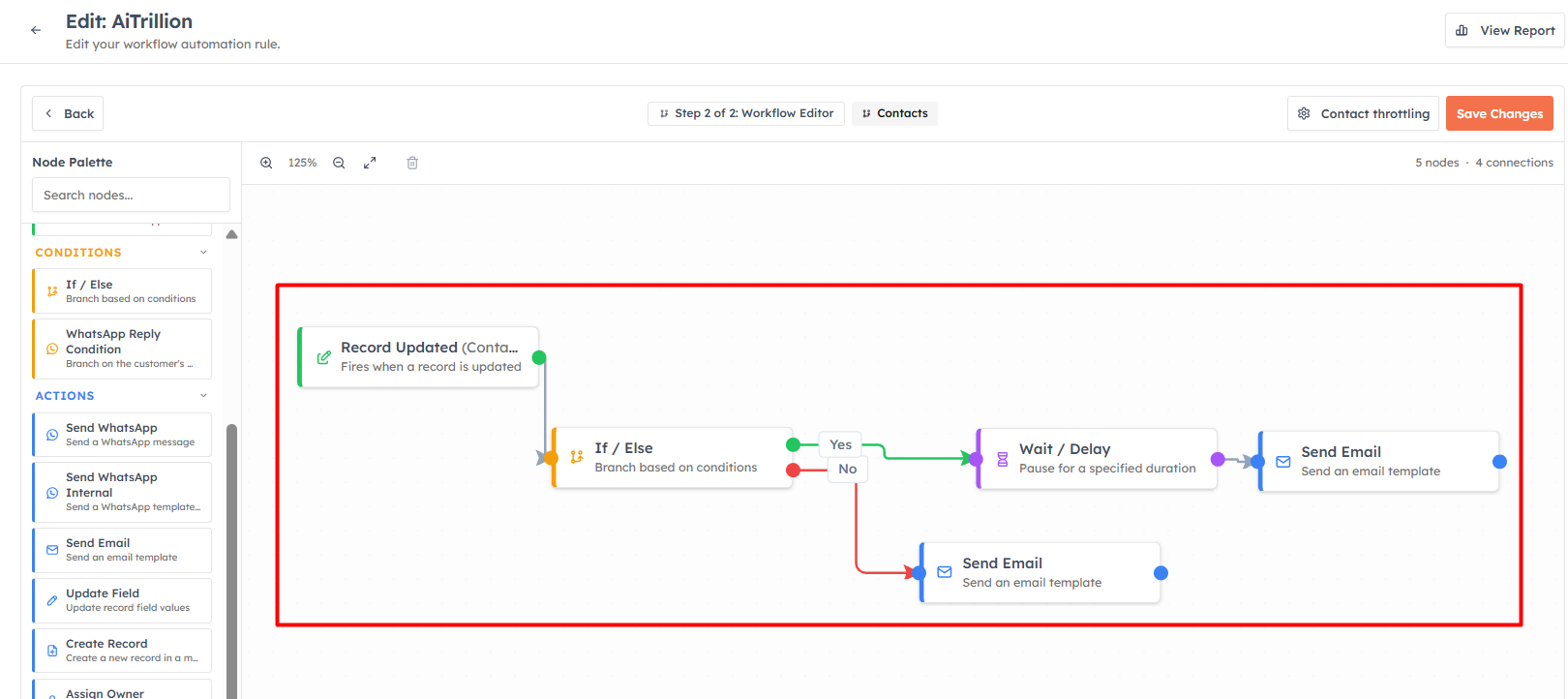
Trigger: Record Updated (Deals)
Condition: If / Else → Deal Stage Equals "Proposal Sent"
Timing: Wait / Delay → 3 Days
Action: Create Record → a Task "Follow up on proposal", owned by the deal owner
After a proposal is sent, the rep gets an automatic reminder three days later. No more deals forgotten after the proposal goes out.
💡
The Wait / Delay block is what makes timed sequences possible — a 3-touch follow-up over a week runs entirely on its own.
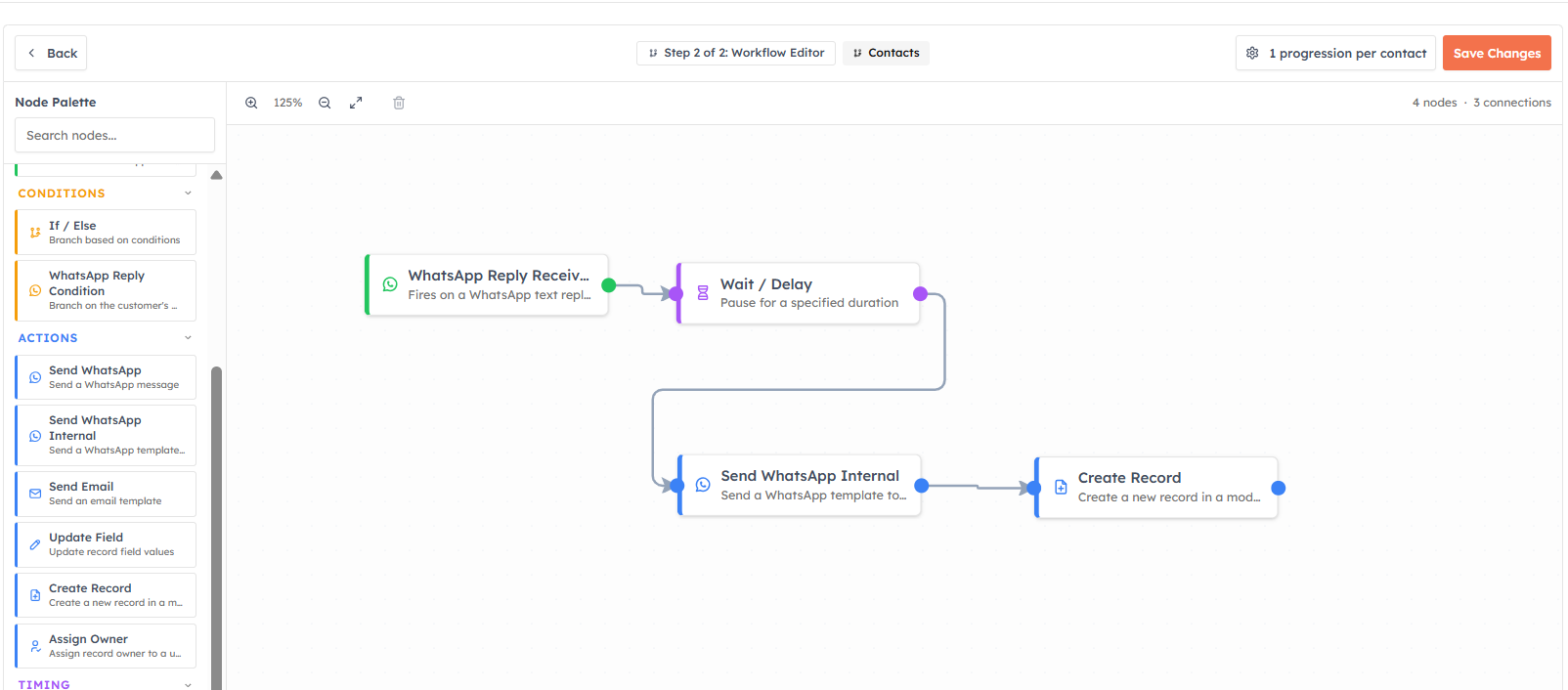
4. WhatsApp form follow-up#
Trigger: WhatsApp Reply received (On Form Submission) (target module Contacts)
Action: Send WhatsApp → a "Thanks for your enquiry" template
Action: Create Record → a Task for the owner to call the lead
Every WhatsApp Flow form submission gets an instant reply and a follow-up task, so no enquiry slips through the cracks.
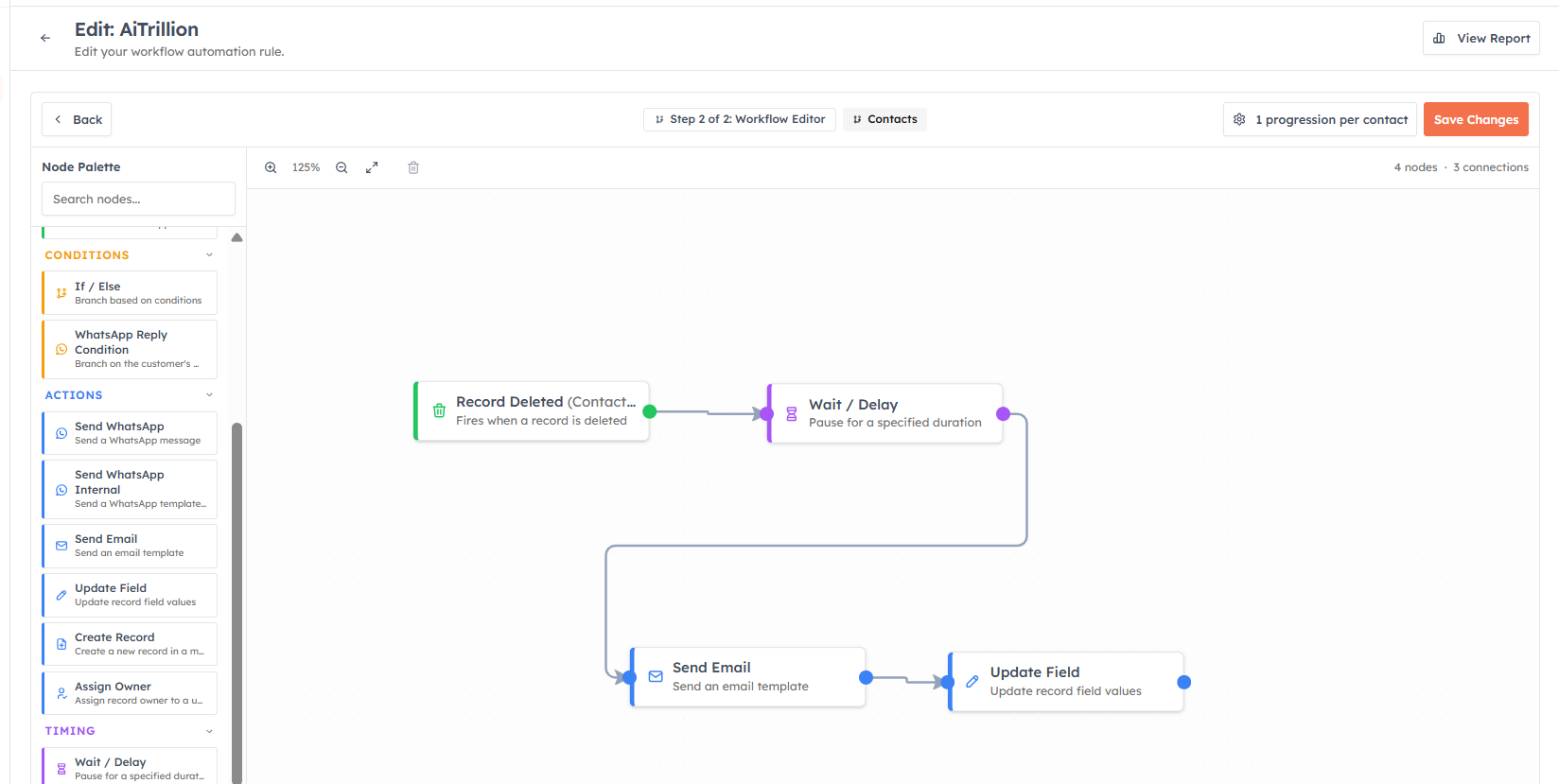
5. Auto-update status after first contact#
Trigger: Record Created (Contacts)
Action: Send Email → welcome template
Action: Update Field → set Lead Status to "Contacted"
Keeps your pipeline accurate by moving records forward automatically as the workflow acts on them.
💡
Start with one or two of these. Get them right, activate them, and watch the report — then add more. Three workflows running perfectly beat ten that half-work.
Was this article helpful?
Ready to implement this?
OpenAI Engage and apply what you just learned to your own workspace.
Open AI Engage CRM