Loading…


KnowledgeBase
Assign Owner: Automatically Route Leads to Your Team
Automatic lead routing#
When a new lead or contact arrives, it should reach the right salesperson immediately — not sit unassigned until someone notices. In AI Engage CRM this is done with the Assign Owner action inside a workflow.
💡
There is no separate "Assignment Rules" screen — routing is built as a workflow. This keeps all your automation in one place and lets you combine routing with conditions, emails, and tasks in a single flow.
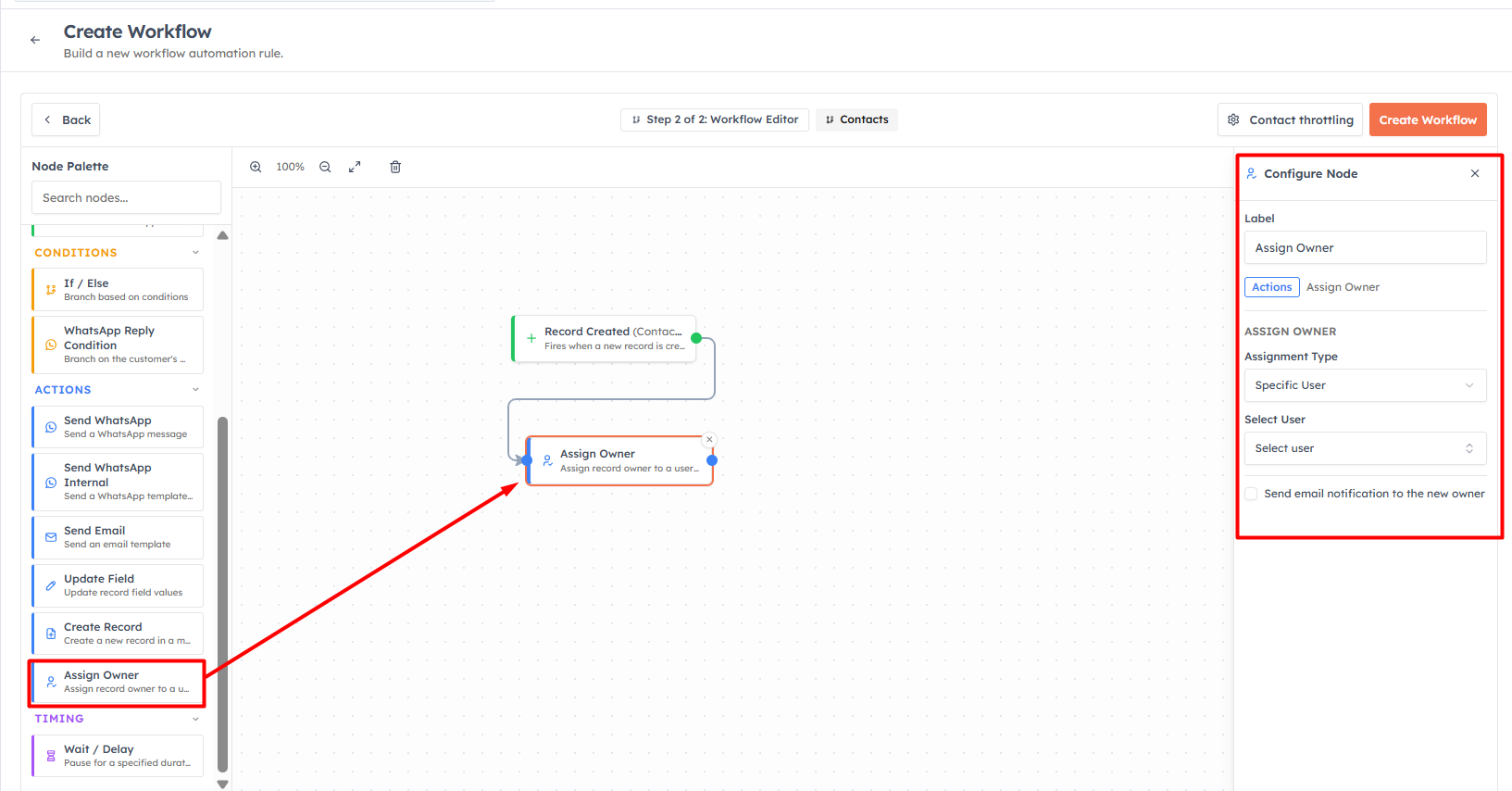
The Assign Owner action#
Add an Assign Owner action and choose how the owner is decided:
Specific User — always assign matching records to one chosen person. Great with a condition, e.g. "all leads from India → India Sales Rep".
Team (Round Robin) — rotate assignment evenly across the members of a team, so leads are shared fairly. Rep A gets the first lead, Rep B the second, and so on.
Tick Send email notification to the new owner so the rep is alerted the moment a lead lands in their name.
Building a routing workflow#
Trigger: Record Created on the Leads (or Contacts) module.
Condition (optional): add an If / Else to route by criteria — for example Lead Source or Country. Send each case down its own path.
Assign Owner: on each path, add an Assign Owner action with the right user or team.
💡
Route by criteria first, then round-robin within each group. Example: an If / Else splits leads by region, and each region's path ends in an Assign Owner set to Team (Round Robin) for that region's team — so leads reach the right team and are shared fairly inside it.
💡
Add a Send Email or Create Record action after Assign Owner to welcome the lead and give the new owner a follow-up task — all in the same workflow.
Was this article helpful?
Ready to implement this?
OpenAI Engage and apply what you just learned to your own workspace.
Open AI Engage CRM