Loading…


KnowledgeBase
Workflow Delays & Timing: Building Sequences with Wait Steps
Adding time to a workflow#
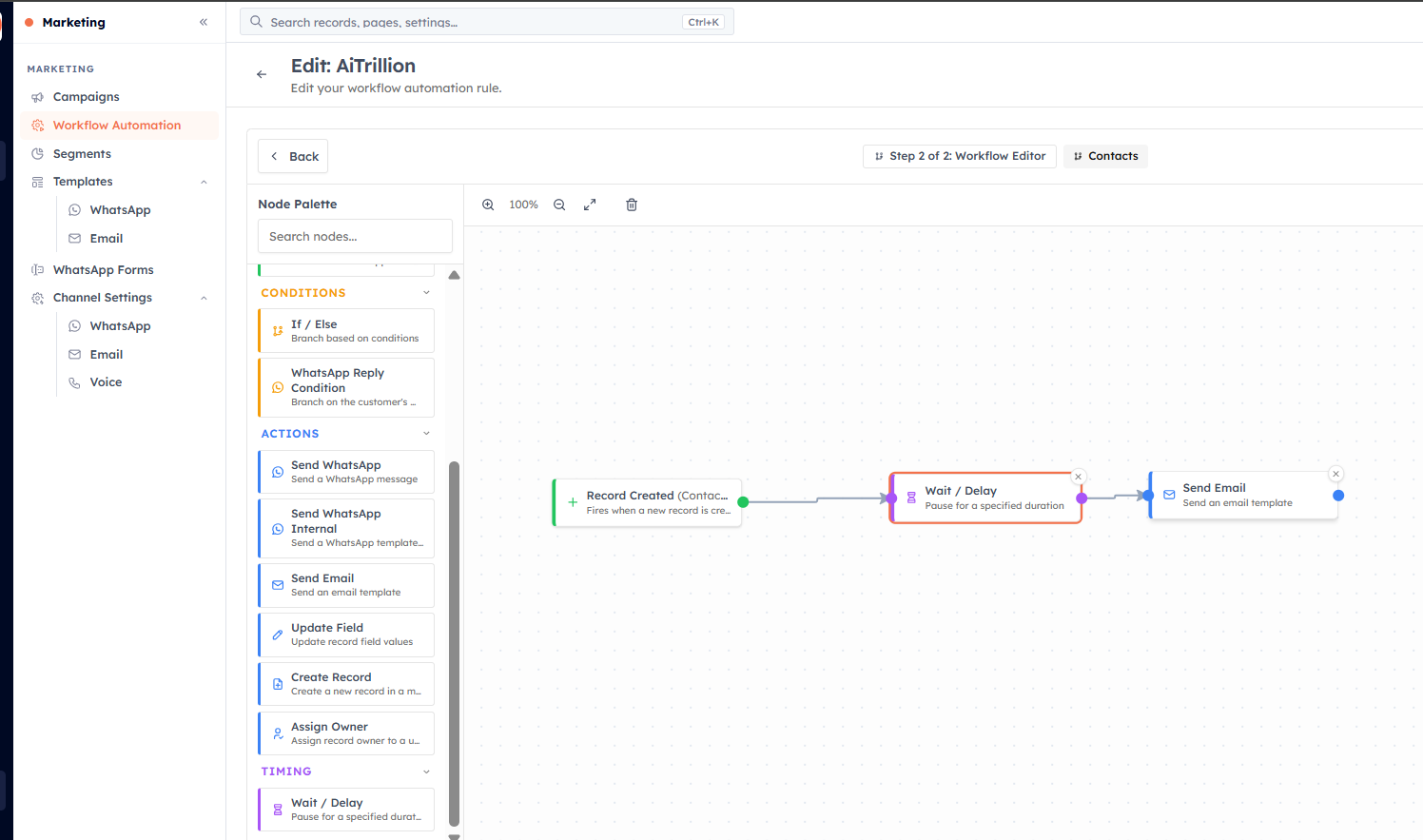
Not everything should happen at once. The Wait / Delay block — found in the Timing group of the palette — pauses a workflow for a set amount of time before the next step runs. This is what turns a one-shot automation into a timed sequence.
💡
It is recommended to add a delay of 1 minute to all workflows.
How the Wait block works#
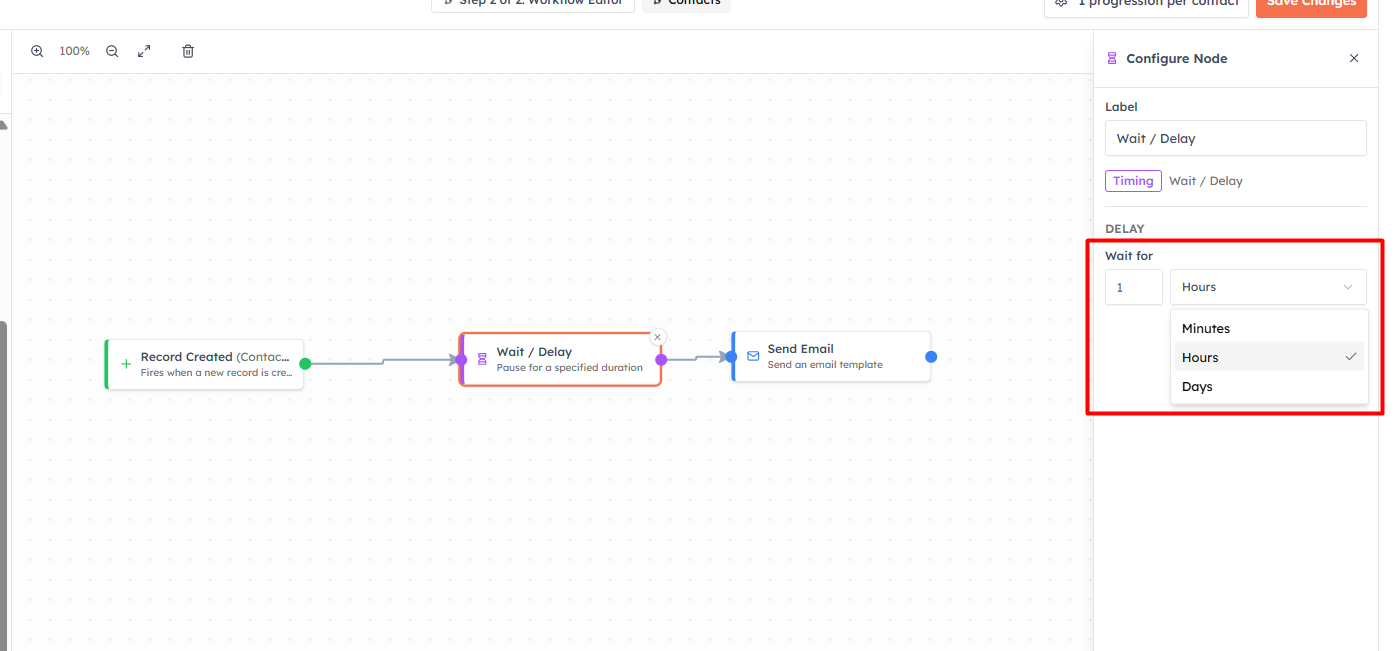
Drop a Wait / Delay block between two other blocks. In its config, set Wait for a number and a unit:
Minutes
Hours
Days
When a record reaches the Wait block, the workflow pauses for that duration, then continues to the next connected block. You can place several Wait blocks in one workflow to build multi-step sequences over days or weeks.
Example: a three-touch follow-up#
Trigger: Record Created (Contacts)
Send Email — welcome message (immediately)
Wait / Delay — 2 Days
Send WhatsApp — a helpful tip
Wait / Delay — 3 Days
Create Record — a task for the owner to call the contact
💡
Delays are what make drip campaigns and nurture sequences possible without anyone remembering to follow up. Space your touches out — back-to-back messages feel spammy; a well-timed sequence feels helpful.
💡
A delay holds the record inside the workflow until the wait completes — even if that is days later. You can see records still in progress from the workflow list and report.
Was this article helpful?
Ready to implement this?
OpenAI Engage and apply what you just learned to your own workspace.
Open AI Engage CRM