Loading…


KnowledgeBase
Contact Throttling & Workflow Enrollment
Controlling how often a contact enters a workflow#
By default, a contact can enter a workflow every time they meet its trigger. Sometimes that is exactly what you want — and sometimes it means the same person gets the same email again and again. Contact throttling lets you control this. Open it from the Contact throttling button in the workflow editor toolbar.
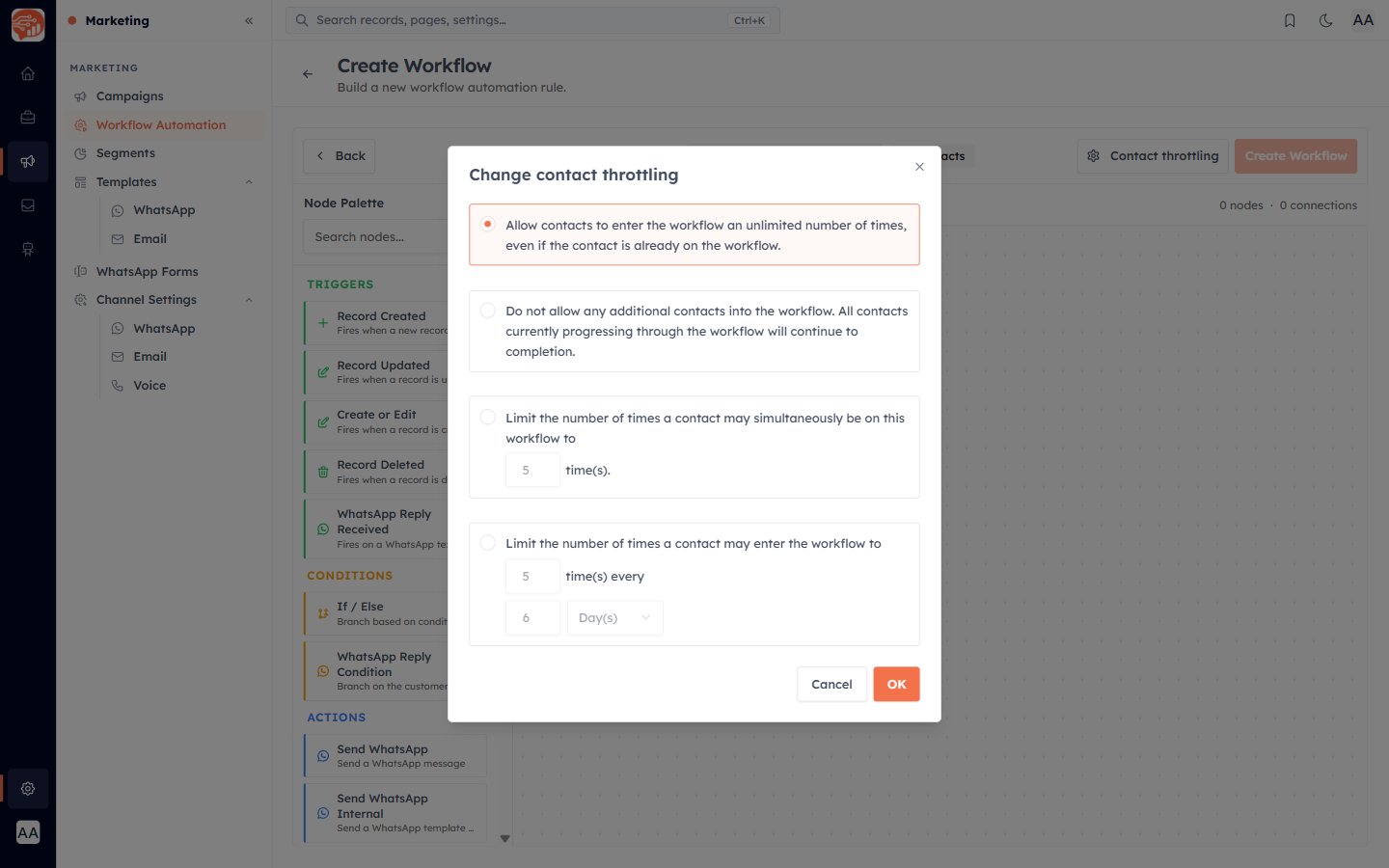
The four throttling modes#
Unlimited (default) — allow contacts to enter the workflow an unlimited number of times, even if they are already progressing through it.
No new — do not allow any additional contacts into the workflow. Contacts already in progress finish, but no new ones enter. Useful for winding a workflow down.
Limit simultaneous — limit how many times a contact can be on the workflow at the same time (default 5). Prevents overlapping runs for the same person.
Limit per period — limit how many times a contact can enter within a rolling window, e.g. "5 times every 6 days". Choose the count and a period in Days, Weeks, or Months.
💡
For a welcome or onboarding workflow, consider Limit simultaneous set to 1 — so a contact who somehow re-triggers it does not receive two overlapping welcome sequences.
⚠️
Throttling controls enrollment (how often a contact enters), not the actions inside the workflow. It is your main guard against over-messaging the same person.
Was this article helpful?
Ready to implement this?
OpenAI Engage and apply what you just learned to your own workspace.
Open AI Engage CRM