Loading…


KnowledgeBase
Introduction to Web Forms: Capture Leads Directly from Your Website
What is a Web Form?#
A web form is a lead-capture form you build inside AI Engage CRM and publish on your website, landing page, or as a shareable link. When a visitor fills it in, their details are turned into a record in your CRM automatically — no copy-pasting from emails, no manual data entry.
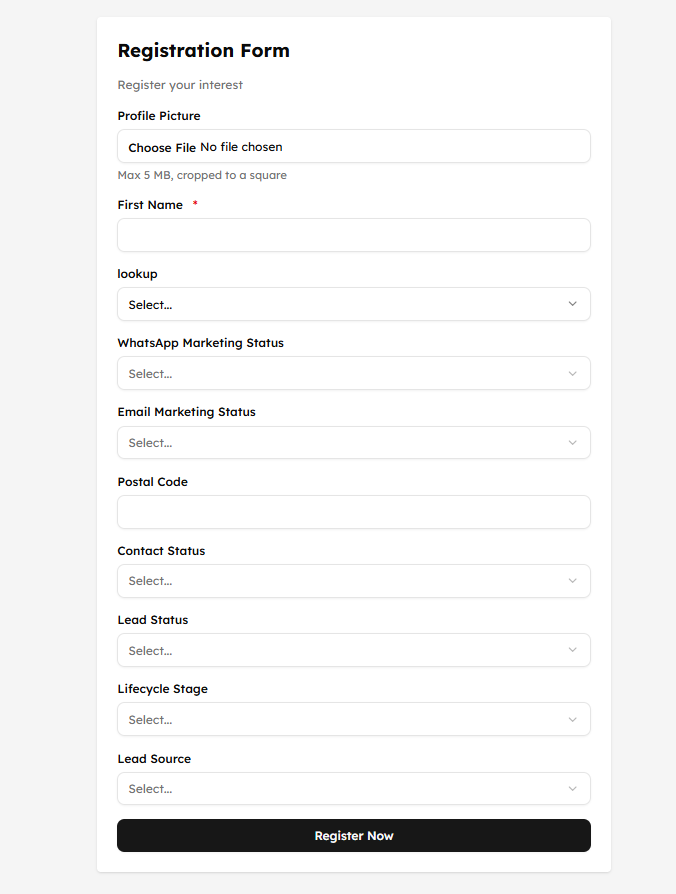
How it works#
You build the form in the CRM and choose which module its submissions land in.
The CRM gives you a link or embed code to put on your website.
A visitor fills in the form.
Their submission becomes a record in your chosen module — instantly.
Optionally, a workflow fires to send a welcome email, notify a rep, and assign the lead.
💡
Every form is tied to a target module you pick when you create it. Submissions create records in that module — usually Contacts, but it can be Leads, Companies, or any module you use.
Common uses#
Contact Us — general website enquiries
Request a Demo — product demo requests
Content Download — capture leads who download a guide or ebook
Event Registration — webinar and event sign-ups
Newsletter Signup — grow your email list
💡
Create one form per use case with only the fields that context needs. A Demo Request can ask for company details; a Newsletter Signup should ask for little more than an email. Shorter forms convert better.
Where to find Web Forms#
Go to Settings → Web Forms. The list shows every form you have built, whether it is published, and how it is performing.
💡
Web forms capture leads 24/7 — even when your team is offline. Combined with a workflow, a website visitor can go from form submission to a personal follow-up in under five minutes, automatically.
Was this article helpful?
Ready to implement this?
OpenAI Engage and apply what you just learned to your own workspace.
Open AI Engage CRM