Loading…


KnowledgeBase
Meta: Sync Past Leads & Monitoring
Sync past leads (backfill)#
Only leads submitted after you connect sync automatically. To pull in earlier leads, open a form from Pages & Forms → Manage and click Sync past leads.
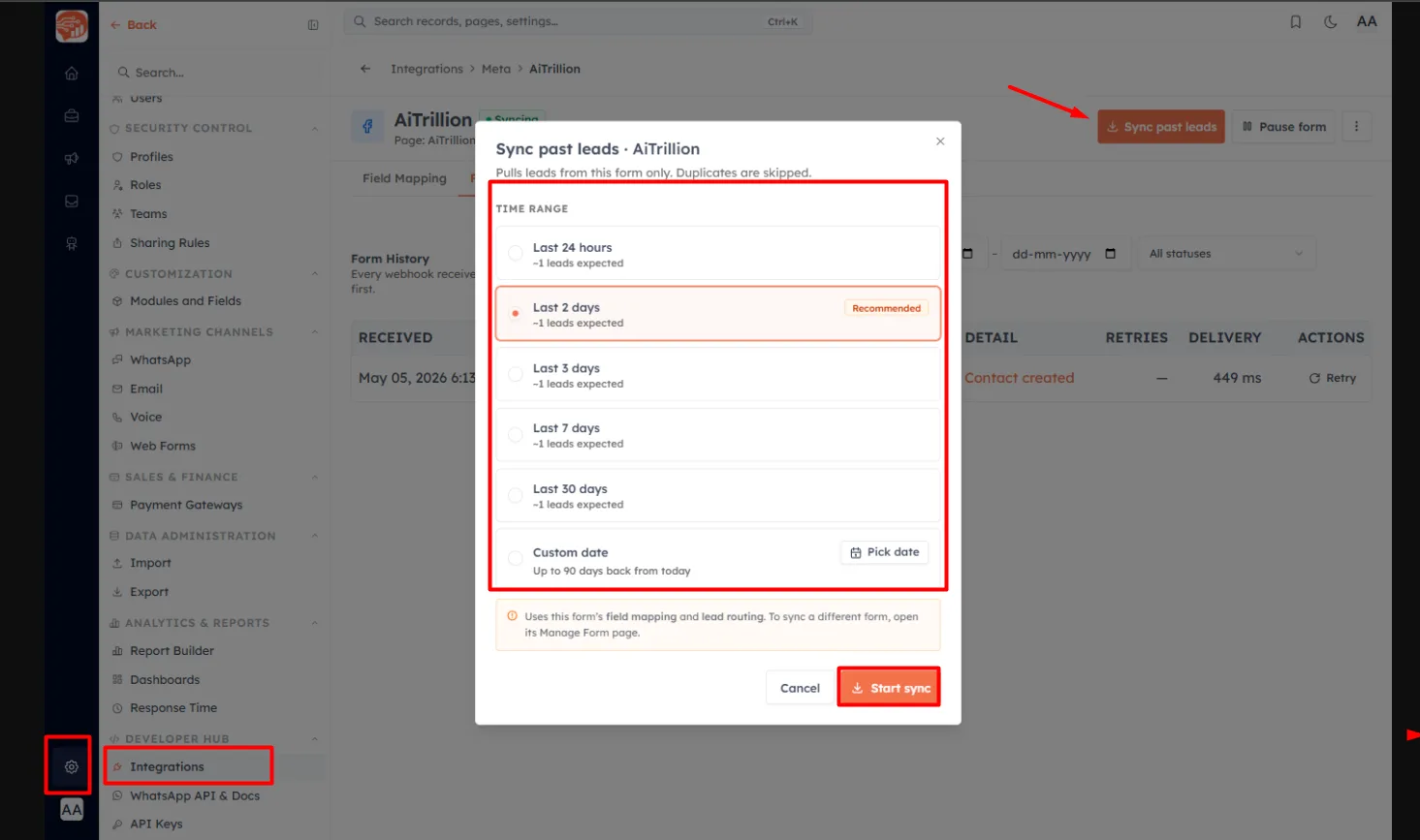
Pick a time range — Last 24 hours, 2 days (recommended), 3 / 7 / 30 days, or a custom date up to 90 days back. Each option estimates how many leads to expect. The backfill uses this form’s existing field mapping and routing, and duplicates are skipped automatically. Click Start sync and watch Form History fill in as leads arrive.
Monitor with Overview#
The integration’s Overview tab is your health dashboard: connection status, lead-processing status, last successful sync, and stat tiles for Contacts created in the last 7 and 30 days, average sync time, and failures. A Recent contacts table lists the newest synced leads with their source form, Page, and owner.
Form History — every event#
On a form’s detail page, the Form History tab logs every webhook received, newest first.
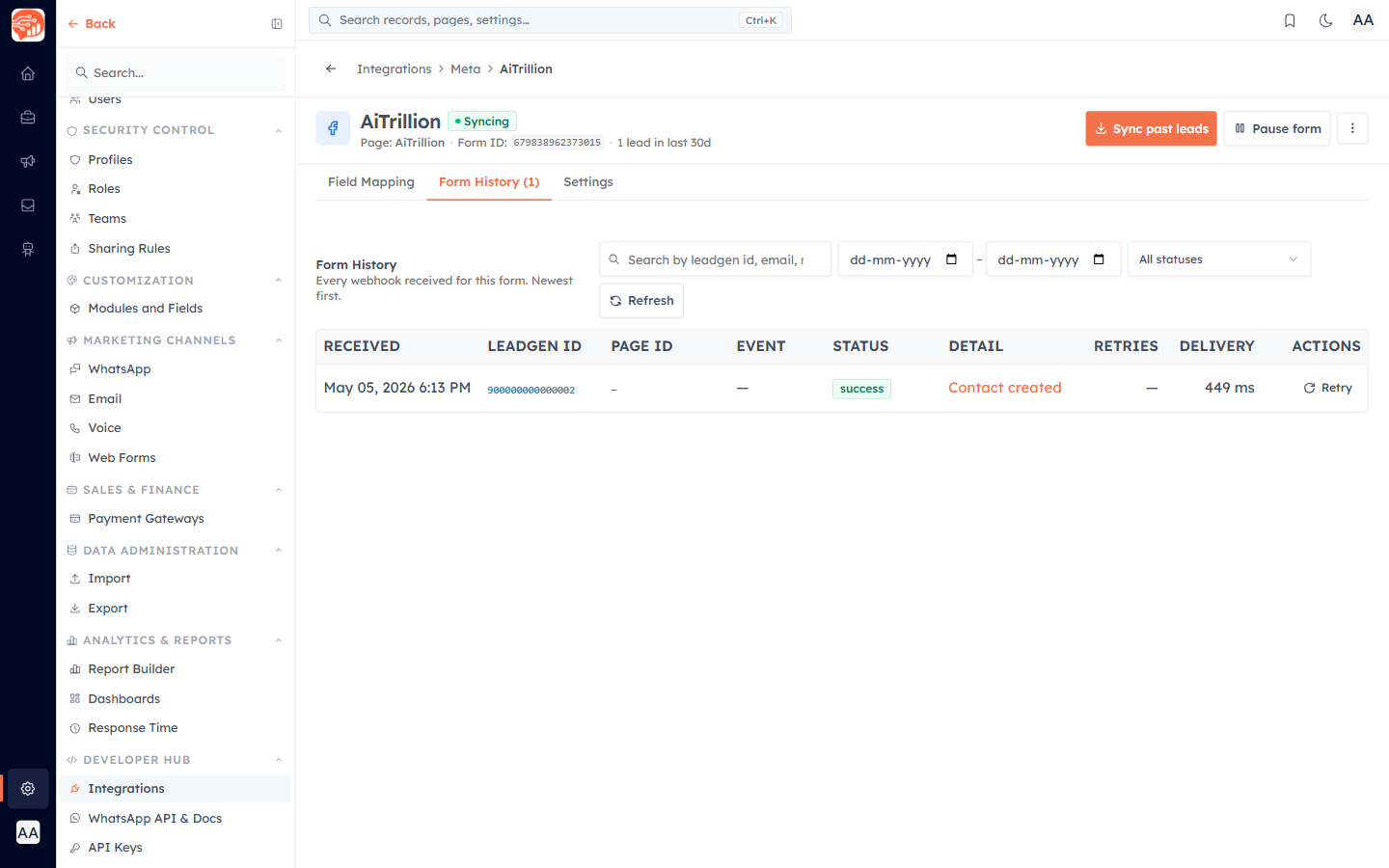
Filter by search, date range, or status (Success, Failed, Retrying, Duplicate, Skipped…).
Each row shows the received time, lead ID, event, status, and detail — including a link to the Contact created, or the error if it failed.
Use Retry on a failed or skipped row to re-run the sync.
💡
A healthy row ends in Success with a link to the new Contact. Failures show an error code you can act on, then retry.
Was this article helpful?
Ready to implement this?
OpenAI Engage and apply what you just learned to your own workspace.
Open AI Engage CRM