Loading…


KnowledgeBase
API Token Scopes & Permissions
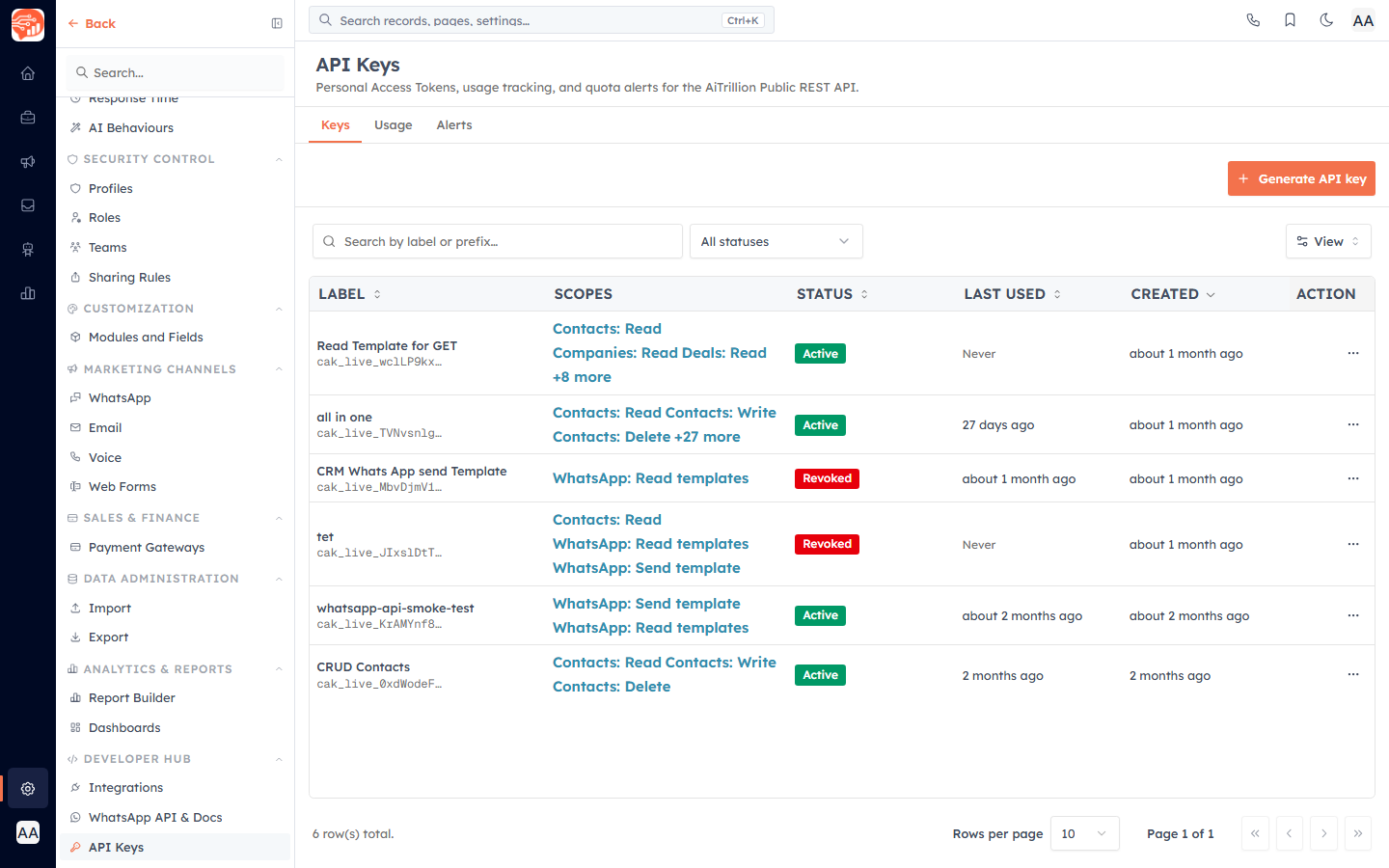
A Personal Access Token can only do what its scopes allow. Scopes are the permission checkboxes you grant when generating a token — they decide which modules the token can touch and whether it can read, write or archive records. Granting the smallest set that gets the job done keeps a leaked or misused token from doing damage it never needed to.
Before you start#
Scopes are chosen while creating a token, so this article assumes you're generating one from Settings → API Keys on the Keys tab. For the full generation and reveal flow, see API Keys: Build Custom Integrations. This article focuses on choosing the right scopes.
The scope catalog#
Scopes are grouped by resource. Most resources expose three actions; a few are read-only or action-specific:
- Contacts — contact records (people, leads).
- Companies — company / organization records.
- Deals — sales opportunities (pipeline records).
- Products — product and service catalog.
- Quotes — sales quotes and proposals.
- Tasks — tasks and to-dos.
- Meetings — scheduled meetings and events.
- Calls — call logs and scheduled calls.
- Notes — free-form notes attached to any record.
- Schema — read field definitions for any enabled module (read-only).
- WhatsApp — send approved WhatsApp templates via API.
Read, Write and Delete#
For each standard resource (Contacts, Companies, Deals, Products, Quotes, Tasks, Meetings, Calls, Notes) you can grant:
- Read — list, get, search and batch-read records.
- Write — create, update, upsert and batch-write records.
- Delete — archive records. This is a soft delete: archived records are recoverable for 90 days.
The specialized resources differ: Schema offers only a Read scope (list public-visible properties and their types), and WhatsApp offers Read templates (list approved templates available to send) and Send template (send an approved template to a phone number, which charges WhatsApp credits).
⚠️
Read and write are independent — granting Write does not also grant Read. If your integration both looks up and updates records, select both scopes explicitly.
Select scopes when creating a token#
In the Generate API key dialog, the Scopes section lists every resource group with its individual scope checkboxes and a short description of each. Tick exactly the permissions the integration needs:
- Give the token a clear Label (for example, "Zapier integration") so you can recognize it later.
- Under Scopes, check the specific Read / Write / Delete boxes per resource. At least one scope is required to generate the token.
- Choose an Expires window — Never, 30 days, 90 days, 1 year or 2 years. Rotating tokens periodically is best practice.
- Press Generate. You'll see the full token once — copy and store it securely.
Some resource groups may appear greyed out with a Coming soon badge; those aren't yet available on the public API and checking them does nothing.
💡
Match scopes to the job: a reporting or sync-in integration usually needs only the Read scopes of the modules it queries, while a lead-capture integration needs Write on Contacts (and Read if it also de-duplicates).
Least-privilege guidance#
- Grant only what's used — never add Delete "just in case". Archive is recoverable, but a token that can't delete simply can't be abused to remove data.
- Separate tokens by purpose — a token for an untrusted third-party tool should hold a narrower scope set than one for your own backend, so you can revoke it without disrupting everything else.
- Prefer expiry — a token that expires limits the damage window if it ever leaks; reserve Never for tightly controlled internal use.
- Review periodically — as an integration's needs shrink, regenerate it with fewer scopes rather than leaving broad permissions in place.
✅
A well-scoped token reads as a sentence: "this key can Read Contacts and Write Deals, nothing else." If you can't describe a token that plainly, it probably has more scopes than it needs.
Good to know#
- Delete scopes archive rather than hard-delete, and records remain recoverable for 90 days — but the safest posture is still to withhold Delete unless an integration truly needs it.
- Scope values follow a stable resource.action contract, so a token's granted permissions map directly to the API operations it can perform.
- Tokens with retired or unavailable scopes still display their granted permissions, so you can audit and rotate them safely.
Was this article helpful?
Ready to implement this?
OpenAI Engage and apply what you just learned to your own workspace.
Open AI Engage CRM