Loading…


KnowledgeBase
Send WhatsApp Messages from Contact and Lead Records
When to send from a contact record#
Sending WhatsApp messages directly from a contact record is the fastest way to reach an individual contact without navigating to the inbox or creating a campaign. Use it for personalised follow-ups, one-off reminders, sending a form after a sales call, or sharing a document with a specific lead.
Step 1 — Open the contact record#
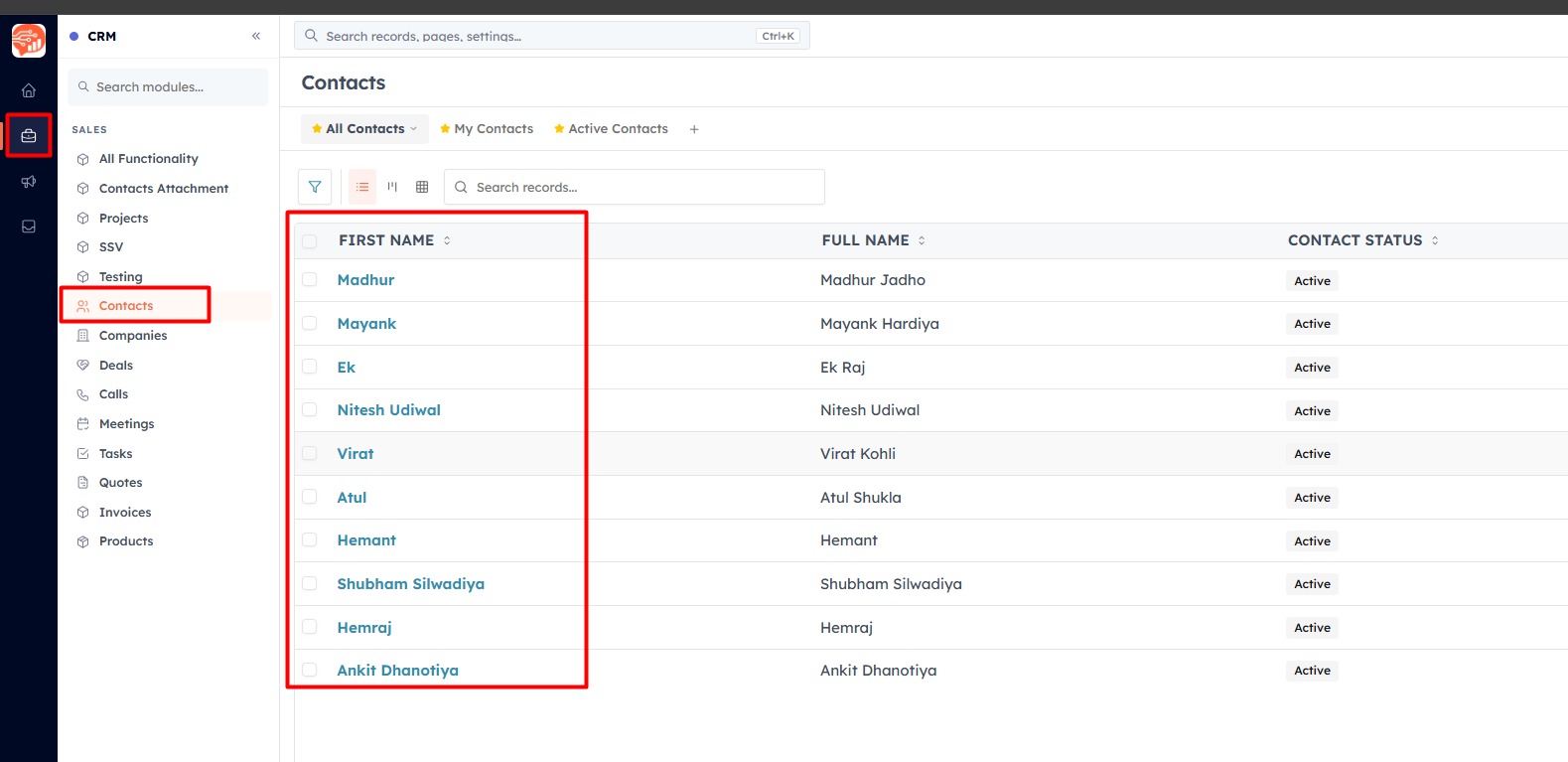
Navigate to Contacts in the left sidebar and click the contact you want to reach. The contact detail page opens.
Step 2 — Send a WhatsApp message#
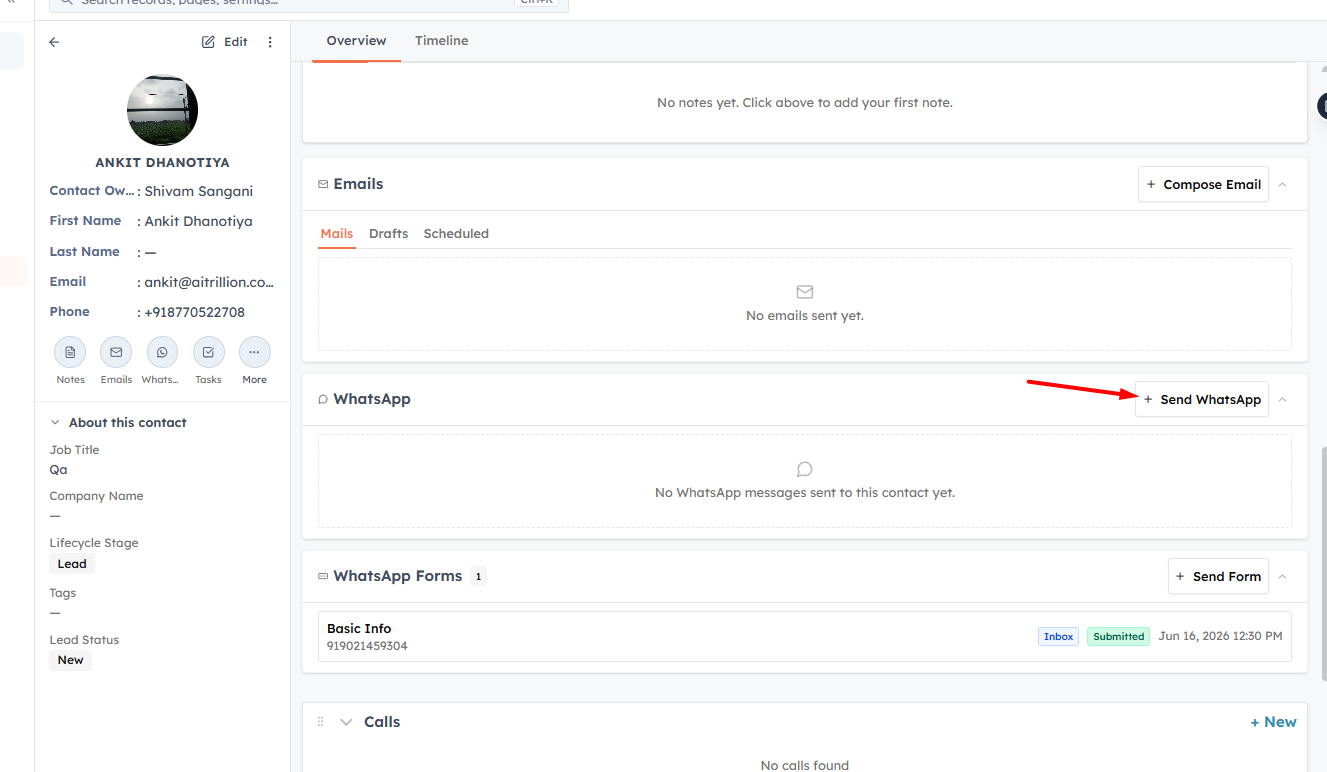
On the contact detail page, look for the WhatsApp action in the communication bar (alongside Email, Call, and other actions). Click it to open the WhatsApp message composer.
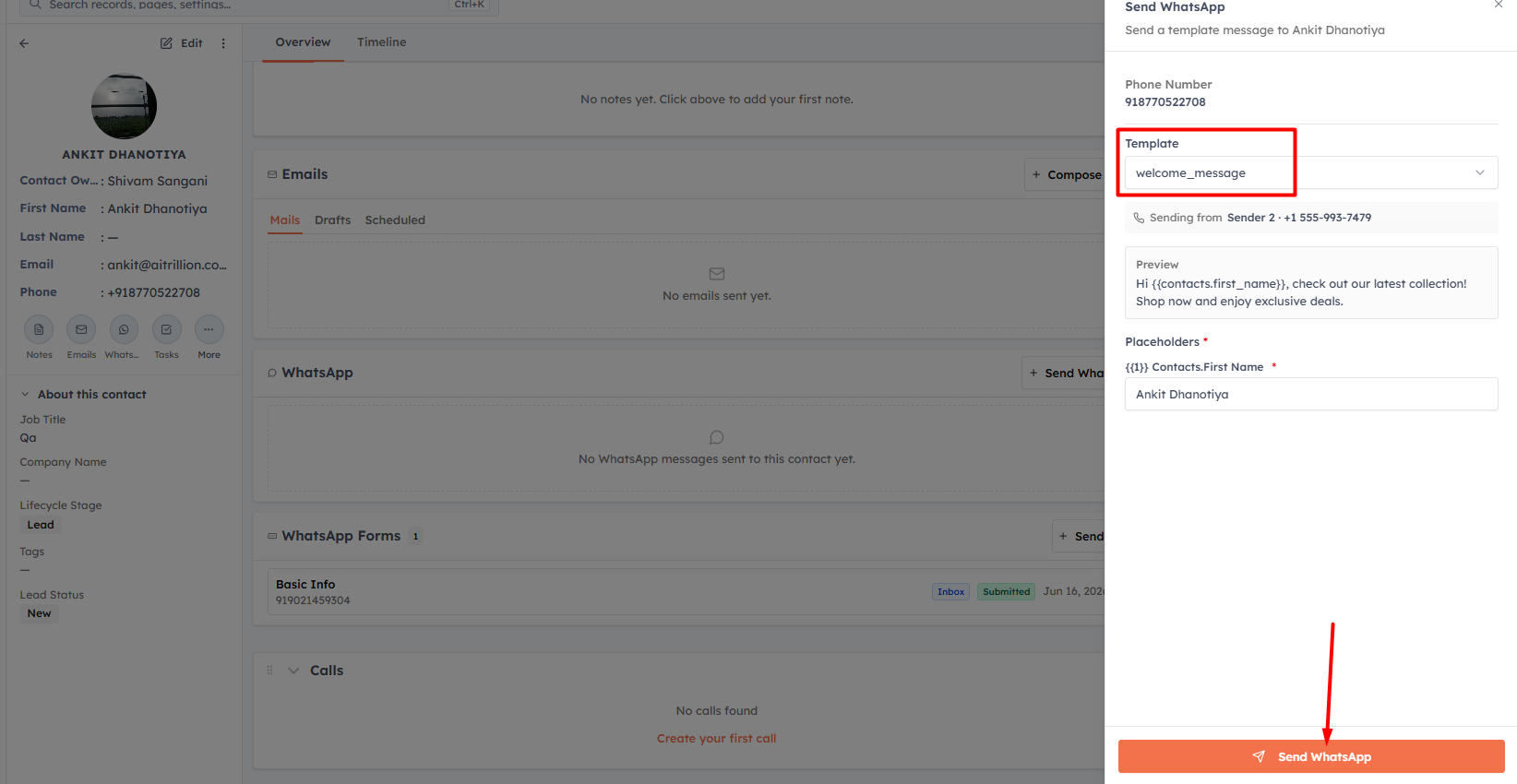
Select the approved template you want to send. The template list is filtered to show only Approved templates. If your template has personalisation placeholders, the composer shows a mapping panel — verify each placeholder is filled correctly with the contact's data before sending.
💡
You can also send a WhatsApp Form from a contact record. In the WhatsApp composer, switch to the Forms tab and select the approved form to send.
Step 3 — Send#
Review the message preview and click Send. The message is sent immediately, and the conversation appears in the WhatsApp Inbox where you can track replies.
The send activity is also logged in the contact's activity timeline so the full communication history stays in one place — alongside emails, calls, and notes.
💡
After sending, the message thread for that contact is accessible from both the contact record (activity timeline) and the WhatsApp Inbox. Any reply from the contact will appear in the inbox.
💡
The contact must have a valid phone number with country code in their record. If the phone field is empty or has an invalid format, the WhatsApp option will not be available on the record.
Sending to multiple contacts at once#
If you need to send the same WhatsApp message to a group of contacts rather than one at a time, use a Campaign instead. Campaigns let you select an audience segment and broadcast a template to all matching contacts in a single step.
💡
Related: Send a WhatsApp Campaign to broadcast to a large audience, or use the WhatsApp Inbox to manage ongoing conversations.
Was this article helpful?
Ready to implement this?
OpenAI Engage and apply what you just learned to your own workspace.
Open AI Engage CRM