Loading…


KnowledgeBase
Calls Log & Reporting
Every call is logged automatically#
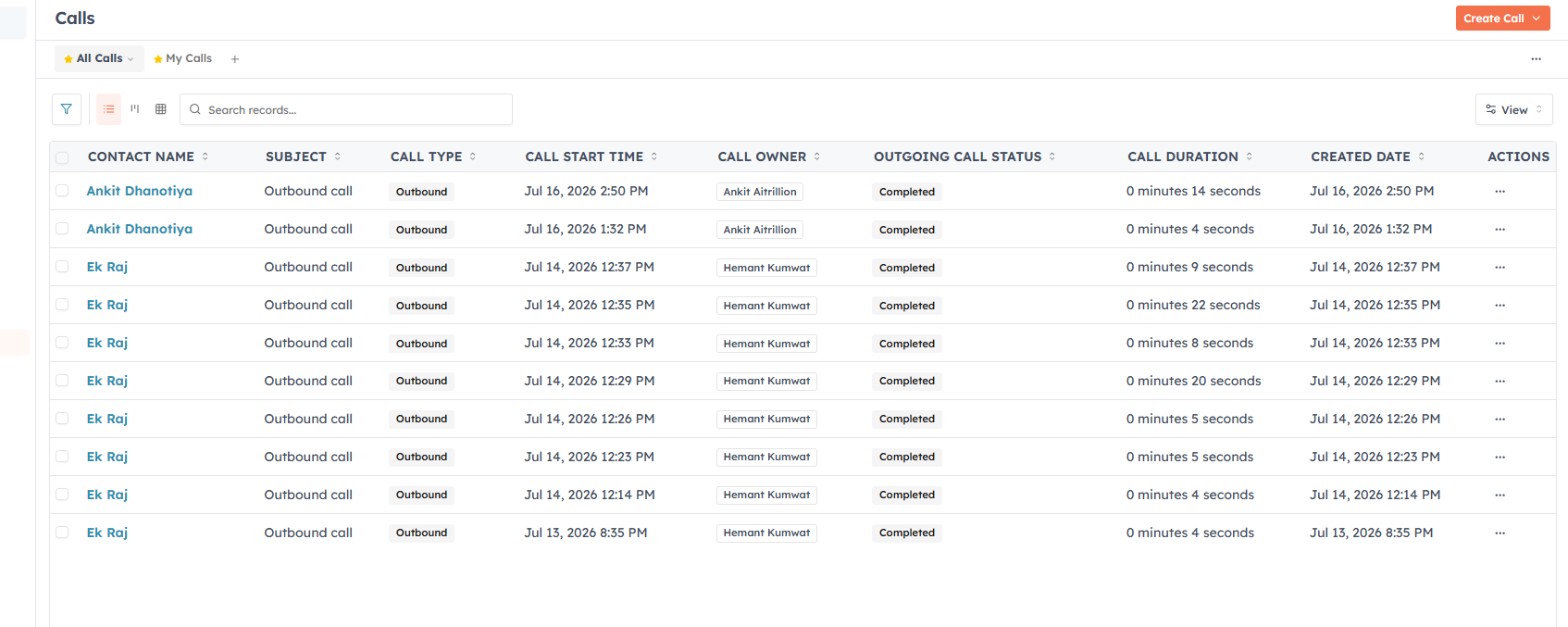
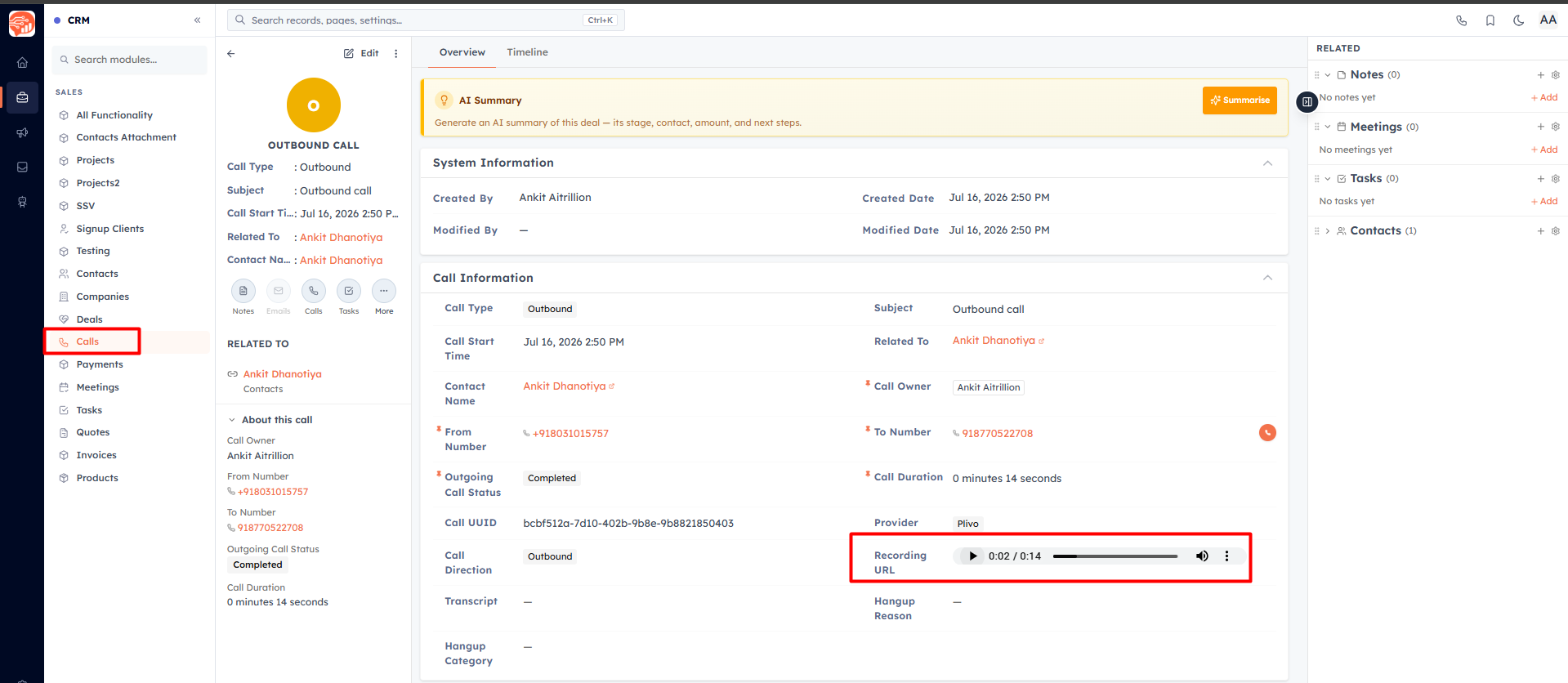
Each call you make or receive through Voice creates a Call record in the Calls module, owned by the agent on the call. The record captures the direction, the to and from numbers, the duration, and the start and end times — plus the recording and transcript when those are enabled.
Notes and follow-ups#
The call note you type in the dialer is saved into the call log’s Description (or as a note on the linked record).
Follow-up Call, Meeting, and Task records you create during a call are linked to the same contact automatically.
Open record pages refresh on their own when a call is logged, so the activity shows up without a manual reload.
Reporting on calls#
Because calls are ordinary records in the Calls module, they flow into the standard list views, filters, play and the report builder like any other module — so you can report on call volume, duration, call type (inbound / outbound / missed), and owners.
💡
Want to record a call you made outside the CRM? You can still log it manually — see Log Calls.
Was this article helpful?
Ready to implement this?
OpenAI Engage and apply what you just learned to your own workspace.
Open AI Engage CRM