Loading…


KnowledgeBase
Call Recording & Transcription
Recording outgoing calls#
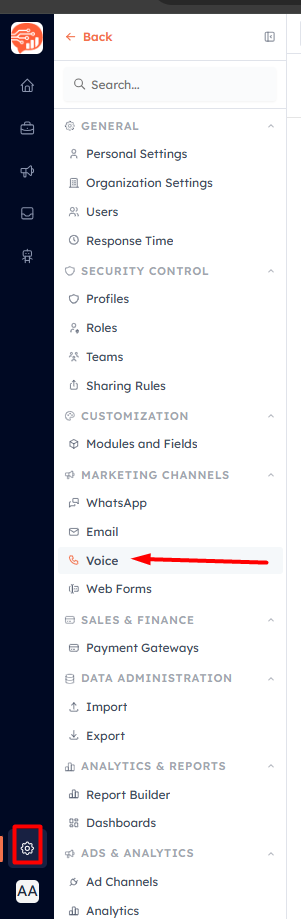
Open Settings → Voice, expand a connected account, and turn on Record outgoing calls. This applies to calls placed through that account.
Transcribing calls#
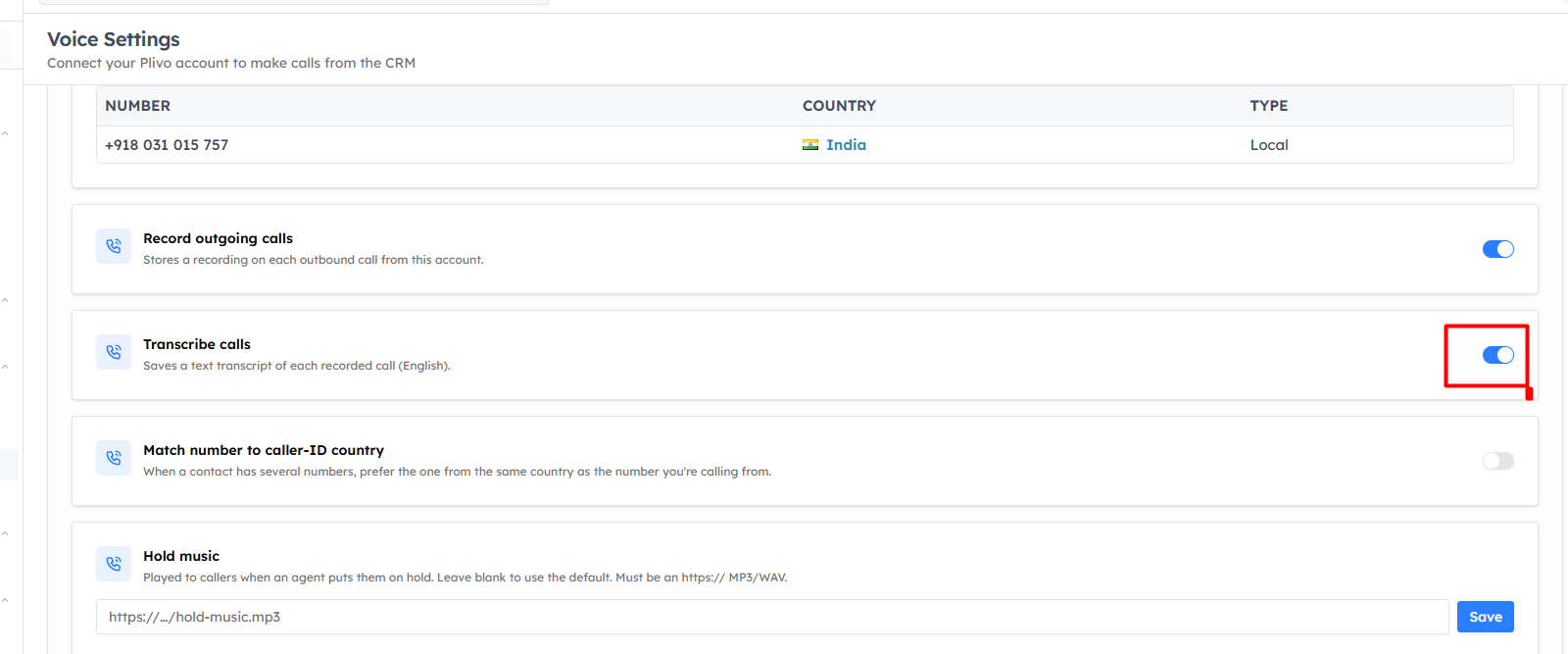
Enable Transcribe calls to get a text transcript alongside the recording.
💡
Transcription requires recording to be on for the account, is available on Plivo, and transcribes English audio.
Recording incoming calls#
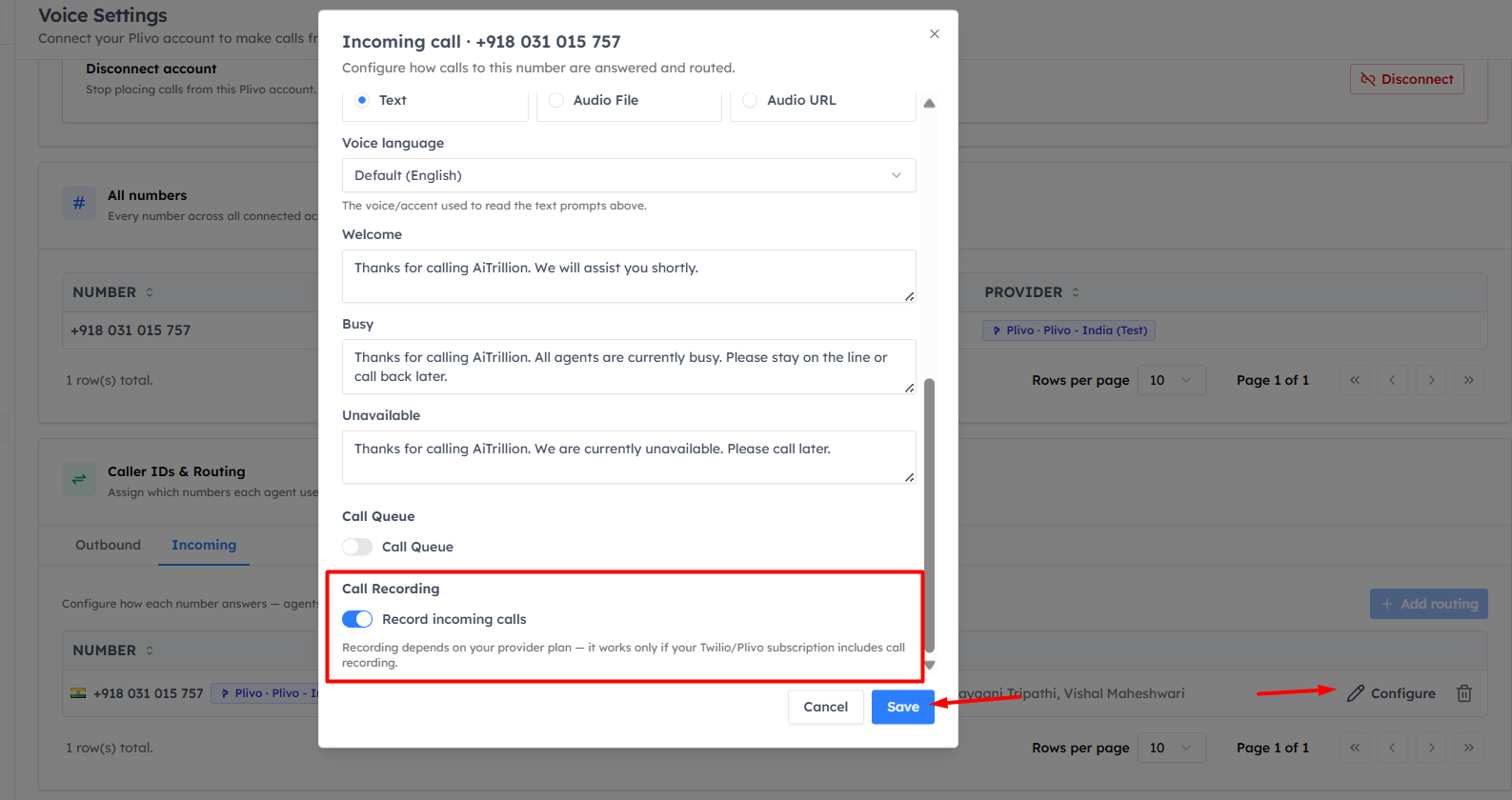
Recording for inbound calls is set per number: open its incoming configuration and turn on Record incoming calls (see Configure Incoming Call Routing).
💡
Whether a call can be recorded depends on your Plivo or Twilio plan. Also make sure recording calls complies with the laws where you and your customers are located.
Playing recordings back#
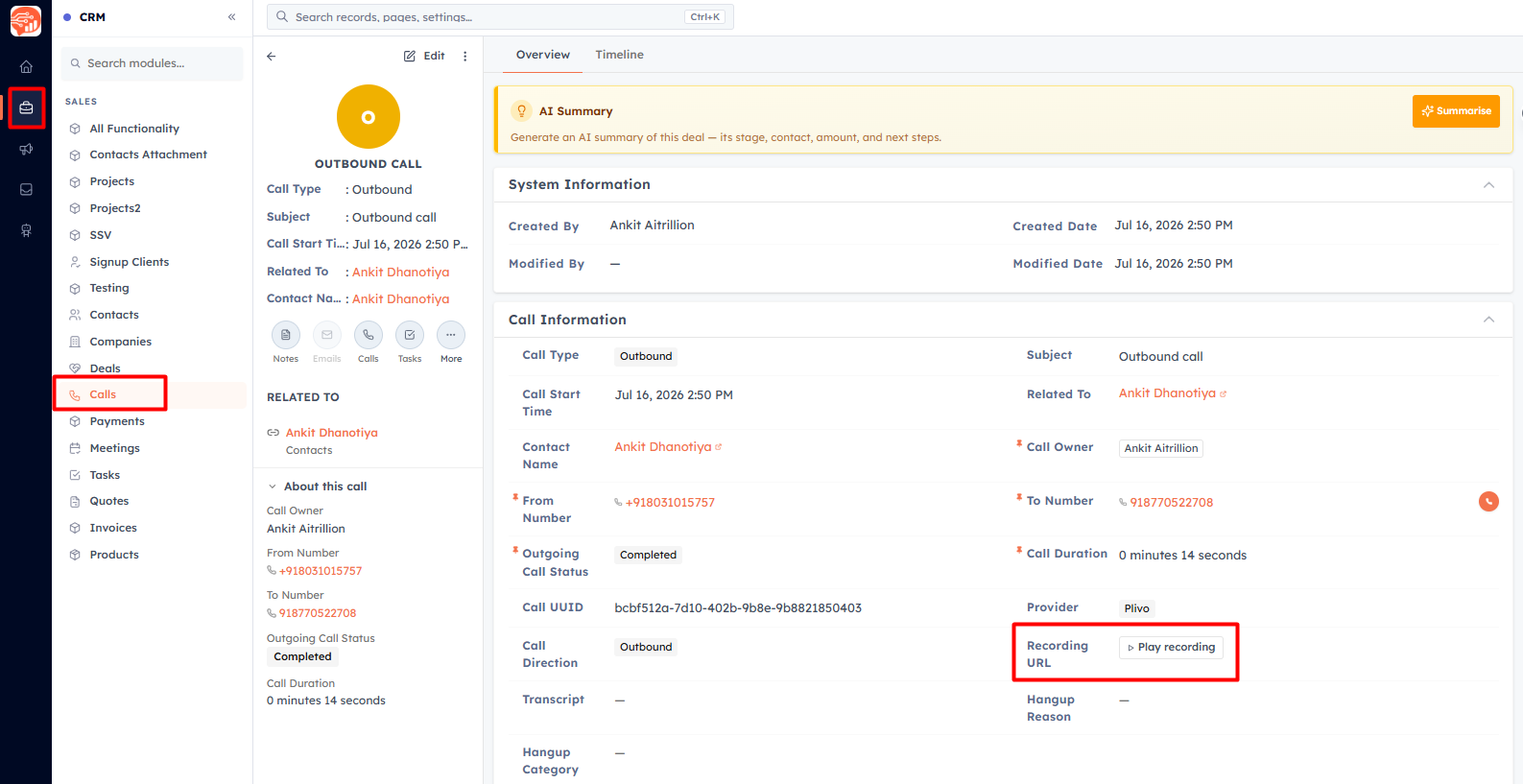
Recorded calls appear on the Call record in the Calls module with a built-in player — press play to listen. If transcription is on, the transcript is stored on the same record. See Calls Log & Reporting for where call records live.
Was this article helpful?
Ready to implement this?
OpenAI Engage and apply what you just learned to your own workspace.
Open AI Engage CRM