Loading…


KnowledgeBase
Introduction to Voice (Cloud Calling)
What is Voice?#
Voice lets your team place and receive real phone calls without leaving the CRM — from a contact's record, an in-app dialer, or an incoming-call routing menu. Every call is automatically logged against the right record.
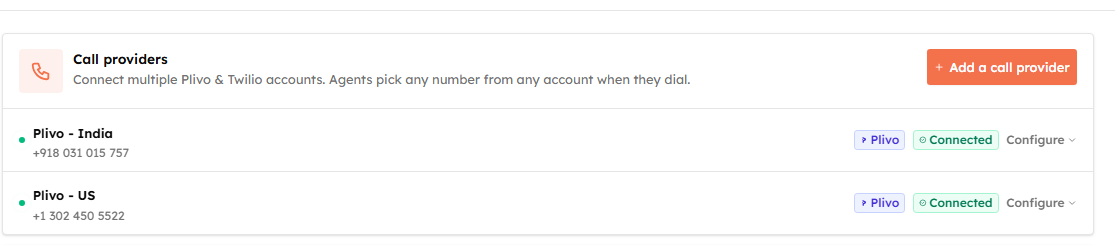
Voice uses a bring-your-own-account model: you connect your own Plivo or Twilio account, and calls are placed through it. You can connect one or both, and even multiple accounts of each.
ℹ️
Because you use your own provider, calling and numbers are billed by Plivo or Twilio directly — there are no per-call charges inside the CRM and you don’t buy numbers here. You bring the numbers your provider account already owns.
Two levels of access#
Voice is gated by two separate permissions, so admins can set it up while agents just make calls:
- Voice configuration (admin) — connect providers, manage numbers, assign caller IDs, and configure incoming-call routing. This is the Settings → Voice page.
- Voice dialer (agent) — place and receive calls, use click-to-call, and set your own availability and call preferences. This is the phone menu in the top navigation bar.
What you can do#
- Connect a call provider — link your Plivo or Twilio account.
- Manage phone numbers — choose which numbers connect and keep your accounts tidy.
- Assign caller IDs — control which numbers each agent calls from.
- Route incoming calls — ring the right people, build an IVR menu, and set up voicemail and queues.
- Make calls with the softphone dialer and click-to-call from records.
- Record and transcribe calls, set your availability, and review the calls log.
⚠️
You need an active Plivo or Twilio account with at least one phone number before you can start. If you don’t have one yet, create it first, then follow Connect a Call Provider.
Was this article helpful?
Ready to implement this?
OpenAI Engage and apply what you just learned to your own workspace.
Open AI Engage CRM