Loading…


KnowledgeBase
Log Calls
Settings first: call types & outcomes#
Calls use pick-lists you can adjust in the Module Builder (Settings → Customization → Modules and Fields → Calls → Edit Module):
- Call Type — Outbound, Inbound, Missed.
- Outgoing Call Status — Scheduled, Completed, Busy, No Answer, Wrong Number, Left Voicemail, Cancelled.
- Call Purpose — Prospecting, Follow-up, Demo, Negotiation, Support, Administrative, Other.
Log a call#
Open the Calls module and click Create Call — or use the Calls quick-action chip on a contact or deal to pre-fill their number.
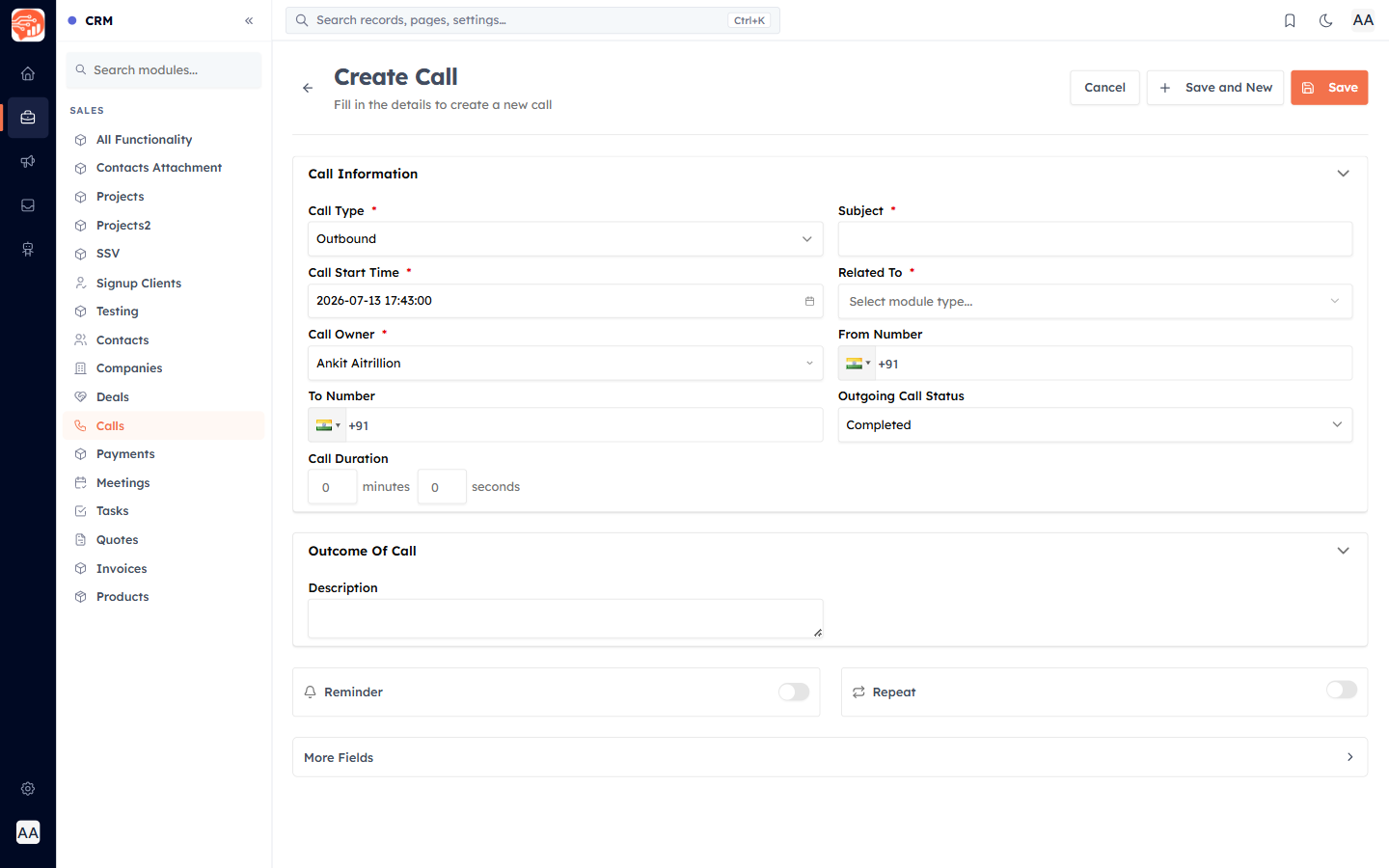
- Call Type — outbound, inbound, or missed.
- Call Start / End Time — the duration is calculated for you.
- Subject — auto-written from the type and contact (e.g. "Outbound call to Ek Raj"), editable.
- Call Status, Related To, Call Owner, and a Description for your notes.
ℹ️
An outbound call with a future start time is saved as Scheduled; a past one is Completed. This lets you plan calls ahead as well as log ones already made.
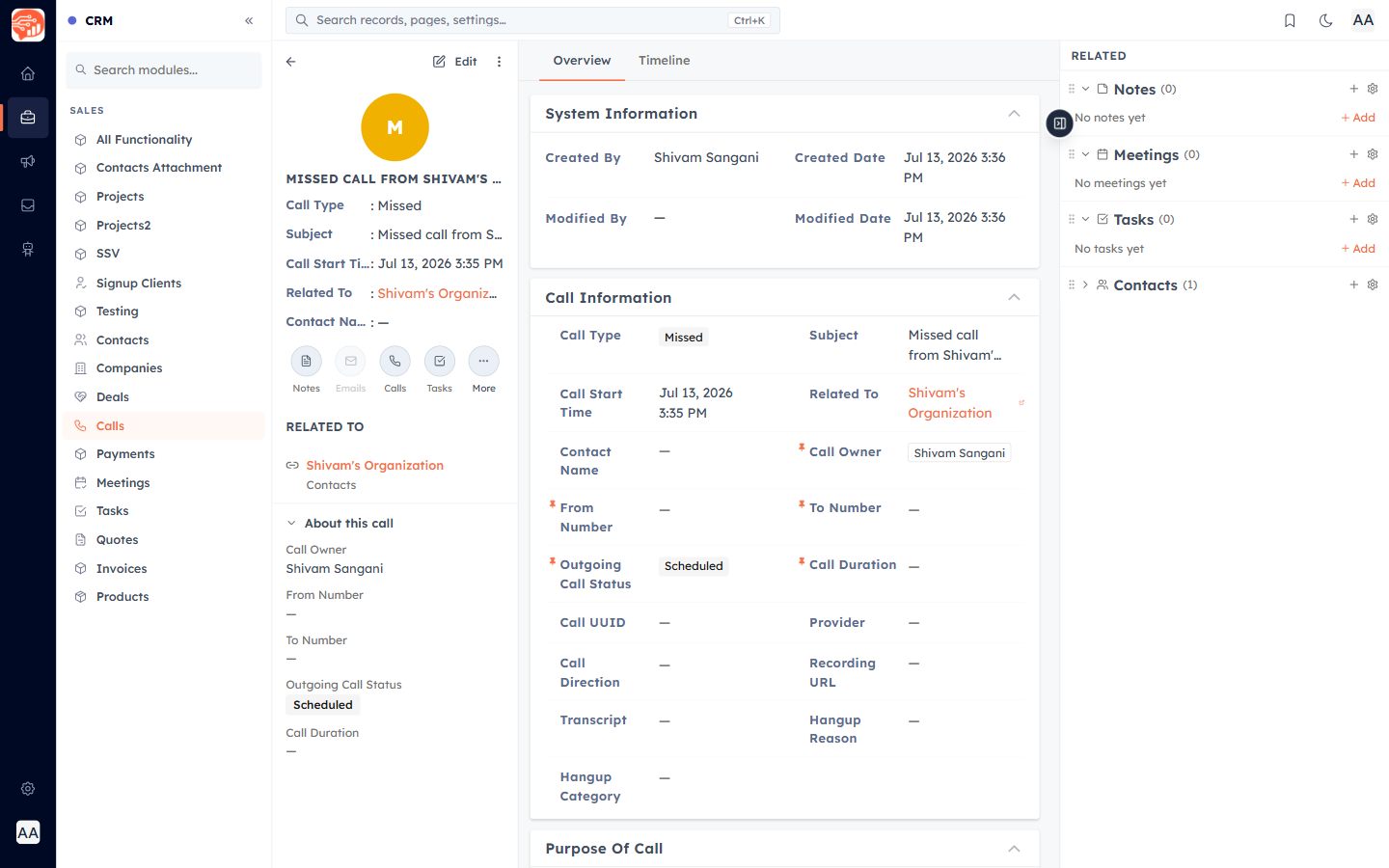
🎉 Now, your call is created — here is how it appears:
Was this article helpful?
Ready to implement this?
OpenAI Engage and apply what you just learned to your own workspace.
Open AI Engage CRM