Loading…


KnowledgeBase
Click-to-Call from Records
Calling from a record#
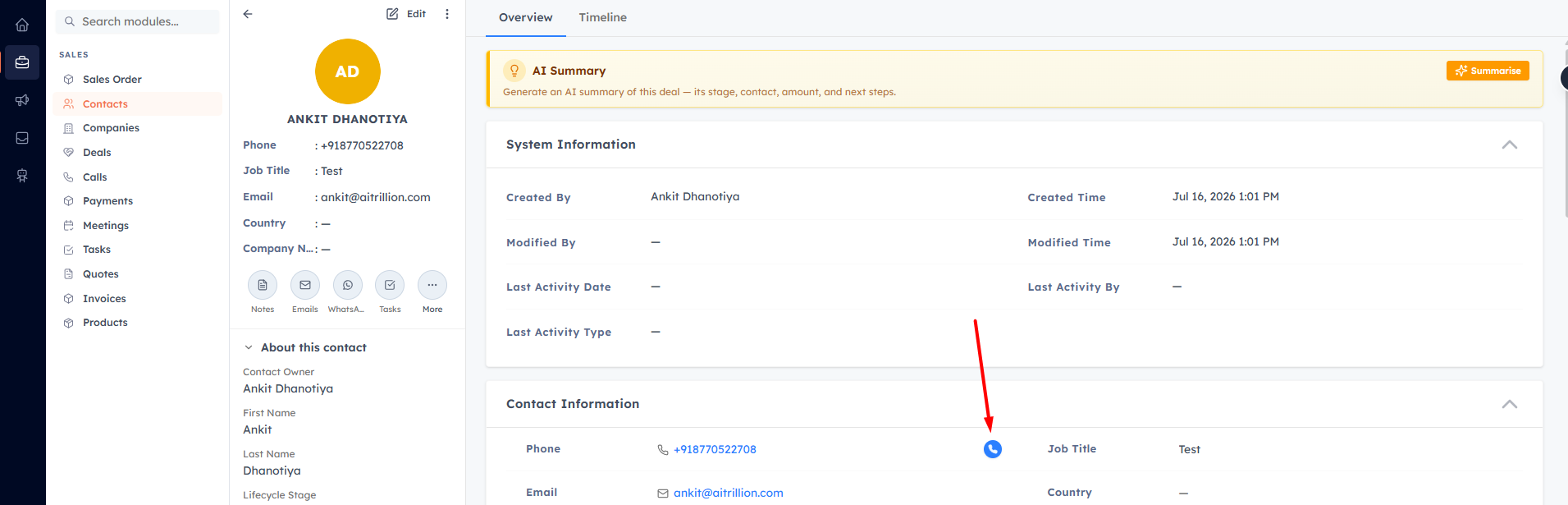
Wherever a phone number appears on a contact, lead, or company — next to phone fields, on the record summary, and in action menus — a call button lets you dial it in one click. The live call is then managed in the softphone dialer.
💡
The call button appears only when the record has a phone number, you have the Voice dialer permission, and you’ve been assigned at least one caller ID.
Which number you call from#
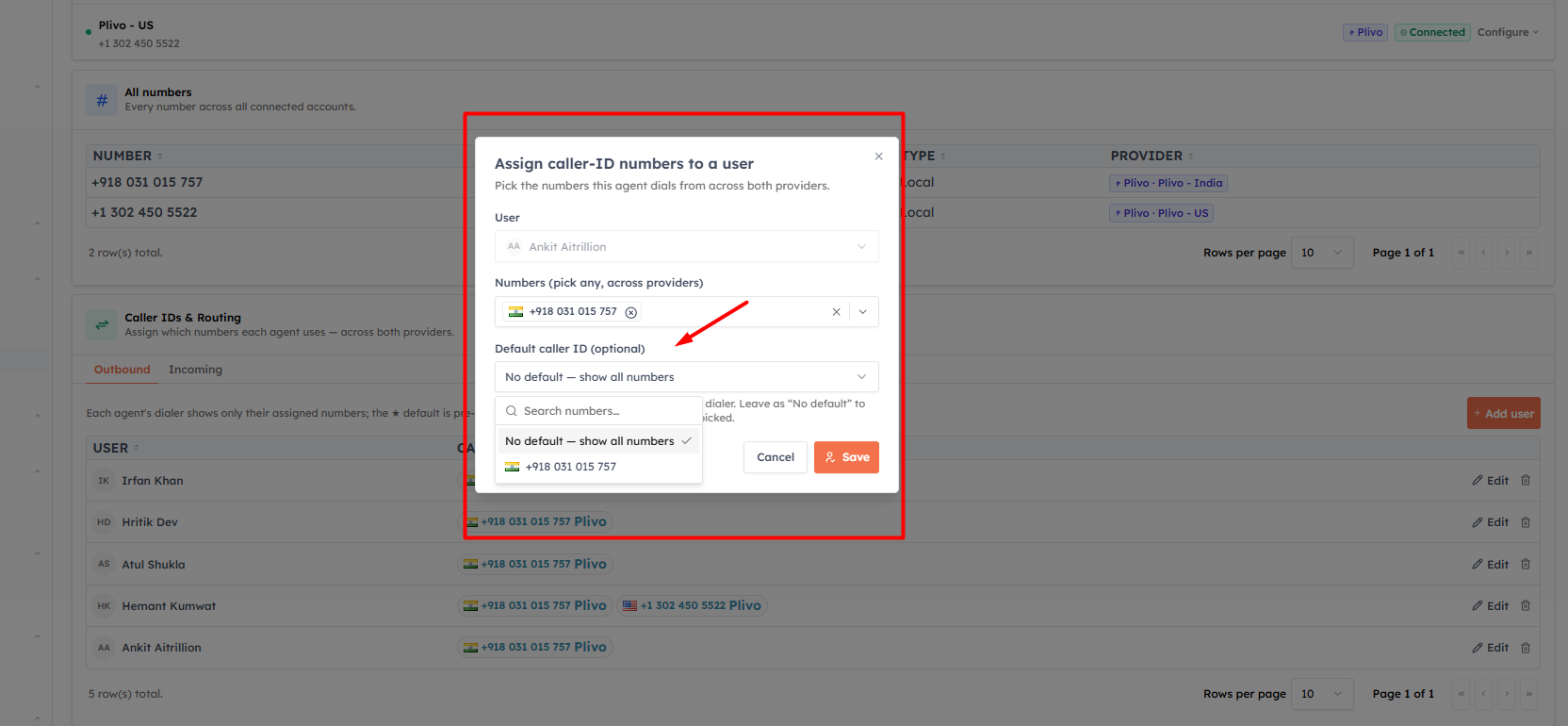
If you have a default caller ID (or just one assigned number), the call dials straight away.
If you have several numbers and no default, a “Call from…” menu lets you pick per call.
Country-match dialing#
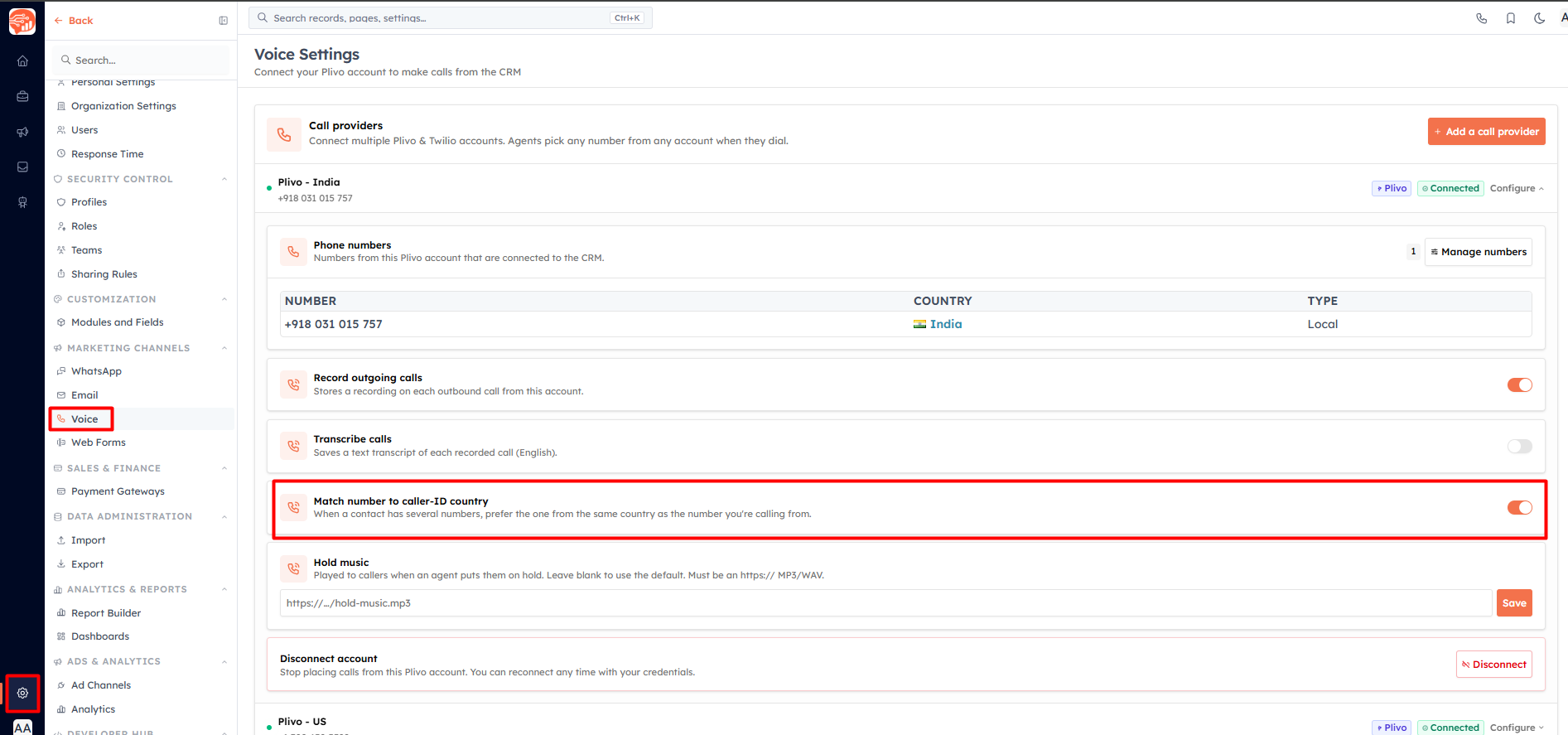
When country-match dialing is enabled on the caller ID’s account and the contact has multiple phone numbers, the CRM dials the number whose country matches your caller ID. If several match, you’re asked which to call. Turn this on per account in Settings → Voice (Match number to caller-ID country).
Was this article helpful?
Ready to implement this?
OpenAI Engage and apply what you just learned to your own workspace.
Open AI Engage CRM