Loading…


KnowledgeBase
Your Home Dashboard: Daily Activity Overview
Your daily overview#
Open Home from the top of the sidebar. It greets you with a summary of your day.
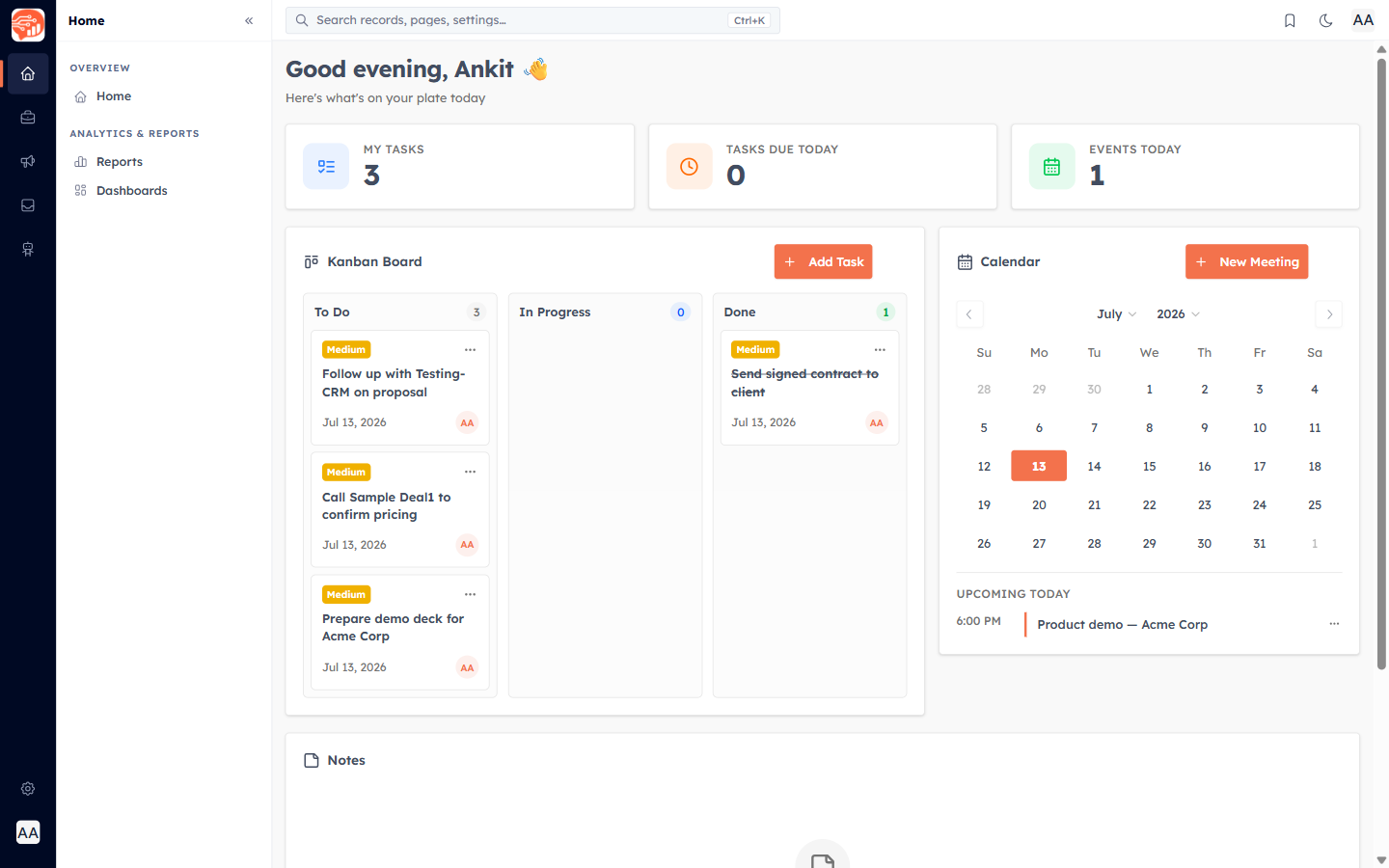
What’s on the Home dashboard#
- Three counters — My Tasks (your open tasks), Tasks Due Today (with an Urgent flag when something is overdue), and Events Today (meetings scheduled today).
- Kanban Board — your tasks across To Do, In Progress, and Done. Drag a card to change its status, or click Add Task.
- Calendar — a mini month calendar with today’s meetings, and a New Meeting button.
- Notes — quick sticky notes with pins and checklists.
💡
The Home board’s Kanban Board tracks your tasks — it’s different from the deal pipeline Kanban board, which tracks deals by stage.
ℹ️
Home is a customizable dashboard canvas — use Add Component to drop on more widgets, or build analytics dashboards with KPI and chart components (see the Analytics & Reports collection).
Was this article helpful?
Ready to implement this?
OpenAI Engage and apply what you just learned to your own workspace.
Open AI Engage CRM