Loading…


KnowledgeBase
Track Activity with the Record Timeline
Open the Timeline#
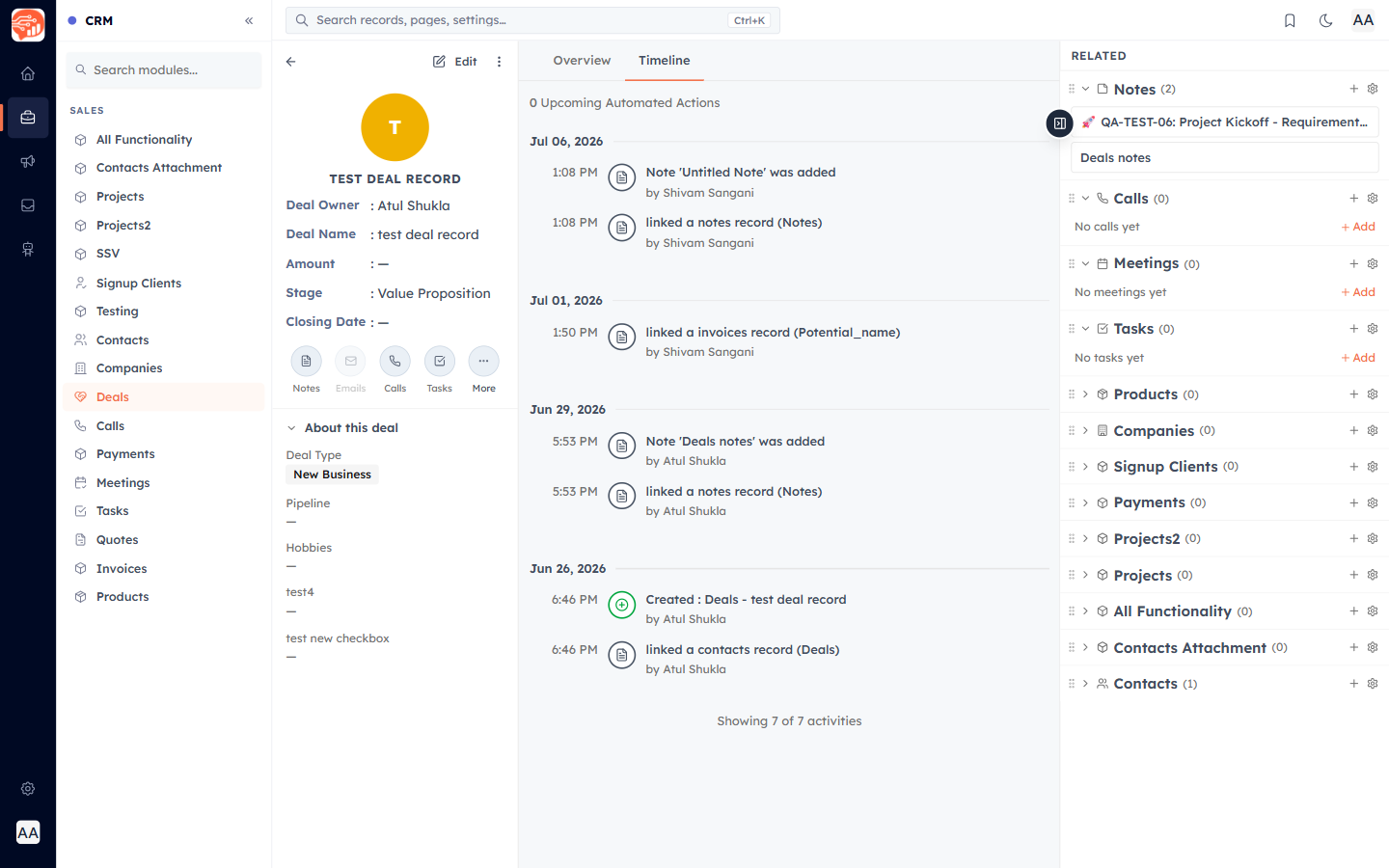
Every record has two tabs at the top: Overview and Timeline. Open any deal or contact and click Timeline to see its full history, newest first, grouped by date.
What the timeline records#
The timeline is a single, automatic feed of everything that happens on the record — you don’t add to it manually. Each entry shows the time, an icon for the activity, what happened, and who did it:
- Notes added, and Tasks, Calls, and Meetings created or completed.
- Field changes and stage/status changes (shown as old → new).
- Record created, with a "Created from" badge (Web Form, WhatsApp, Import, API, Meta/Google Lead Ad, Workflow, or manual entry).
- Assignments, emails sent, and WhatsApp messages.
ℹ️
A record’s Related sidebar complements the timeline — it groups linked Tasks, Meetings, and Call Logs so you can add or open them directly.
Was this article helpful?
Ready to implement this?
OpenAI Engage and apply what you just learned to your own workspace.
Open AI Engage CRM