Loading…


KnowledgeBase
Saving, Sharing & Managing Reports
Saving a report#
In the builder, click Save. Give the report a Name (required) and an optional Description, then choose who it is shared with.
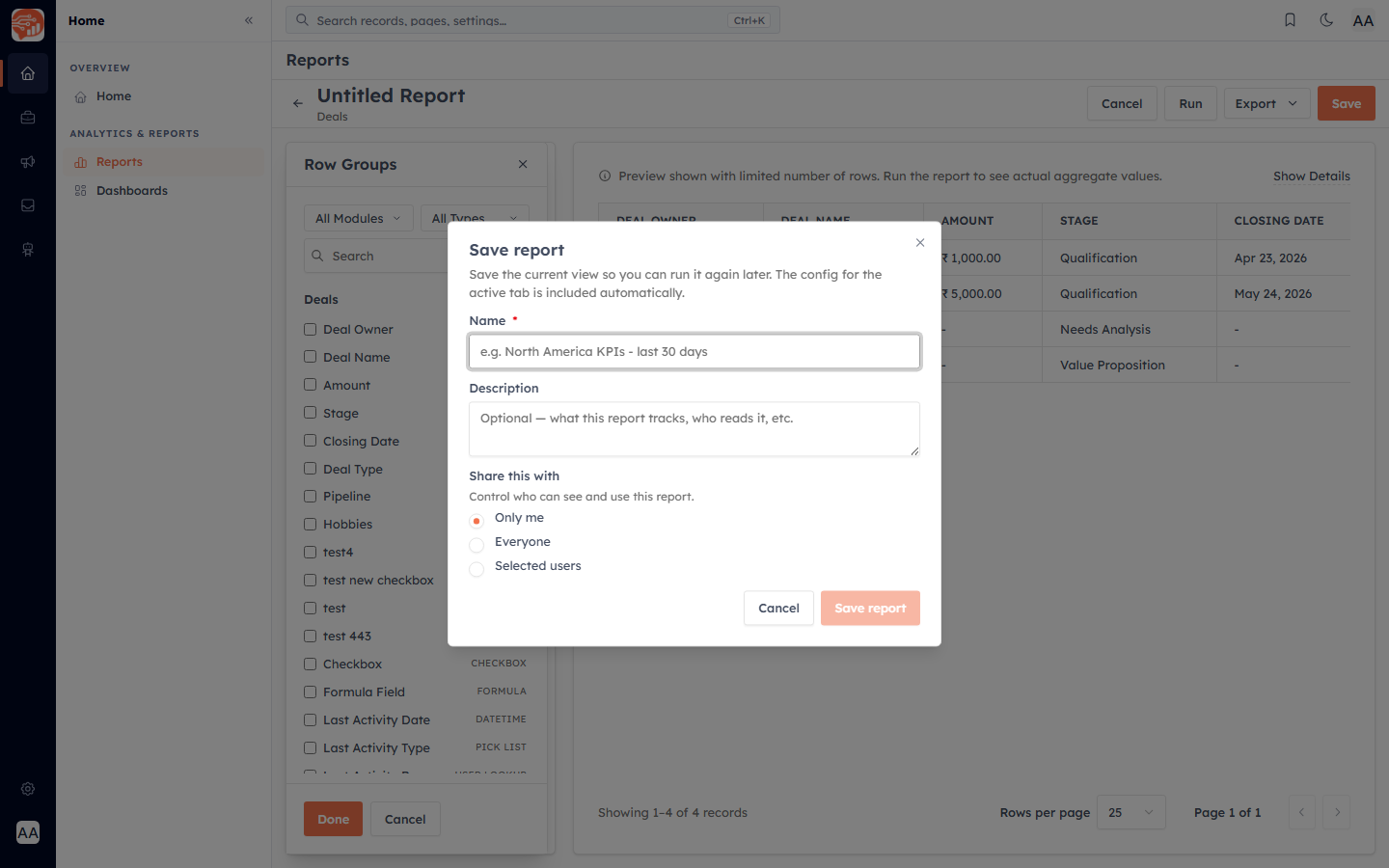
Who can see it — the three sharing levels#
Only me — a private report only you can see.
Everyone — anyone with report access in your organisation can view it (but not edit it).
Selected users — you plus the specific people you pick; those people can edit it too.
💡
"Everyone" grants view-only access. Only you (the creator) and any Selected users you add can edit, re-share, or delete the report. Changing a report to a shared level requires the share permission.
Favourites#
Click the star next to any report in the list to mark it a favourite, so it is quick to find later.
Managing reports from the list#
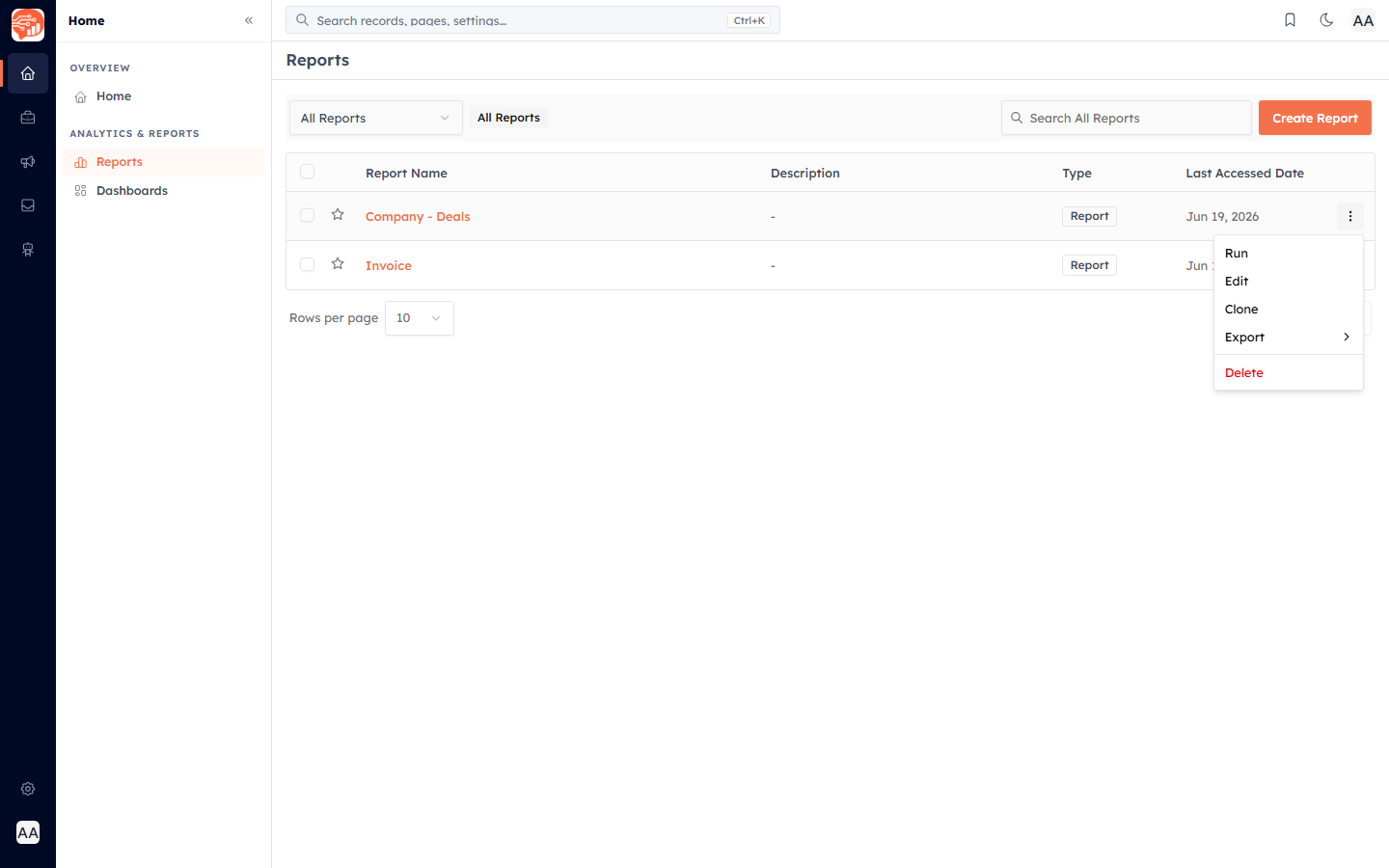
Each report row has a menu (the three dots) with the everyday actions:
Run — open and execute the report
Edit — reopen it in the builder
Clone — duplicate it as a starting point for a new report
Export — download it as CSV or Excel
Delete — remove it
Finding reports#
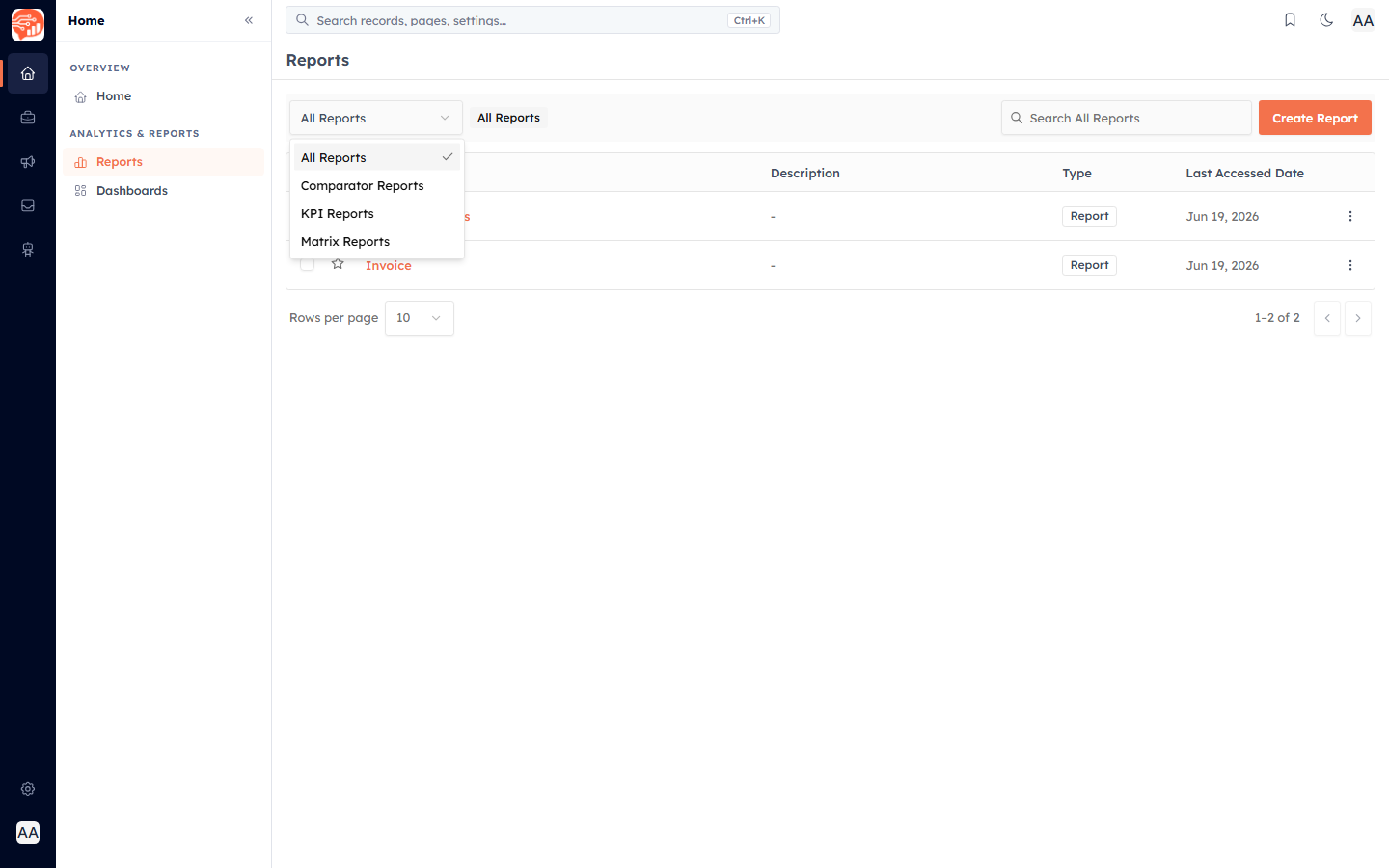
Use the search box to find a report by name, and the folder dropdown at the top left to filter the list by type — All Reports, Comparator, KPI, or Matrix.
💡
You can always edit or delete your own reports. For a report shared with "Everyone", editing and deleting are limited to the creator and its selected users.
Plan limits#
Your plan sets how many saved reports each user can keep. If you reach the limit when saving, you'll be prompted to remove an old report or upgrade your plan.
Was this article helpful?
Ready to implement this?
OpenAI Engage and apply what you just learned to your own workspace.
Open AI Engage CRM