Loading…


KnowledgeBase
Managing Leads: Lifecycle Stage, Lead Status & Source
How leads work in AI Engage CRM#
There is no separate "Leads" list to manage — a lead is a contact. Every contact has a Lead Information section with three fields that let you track and qualify them as a lead.
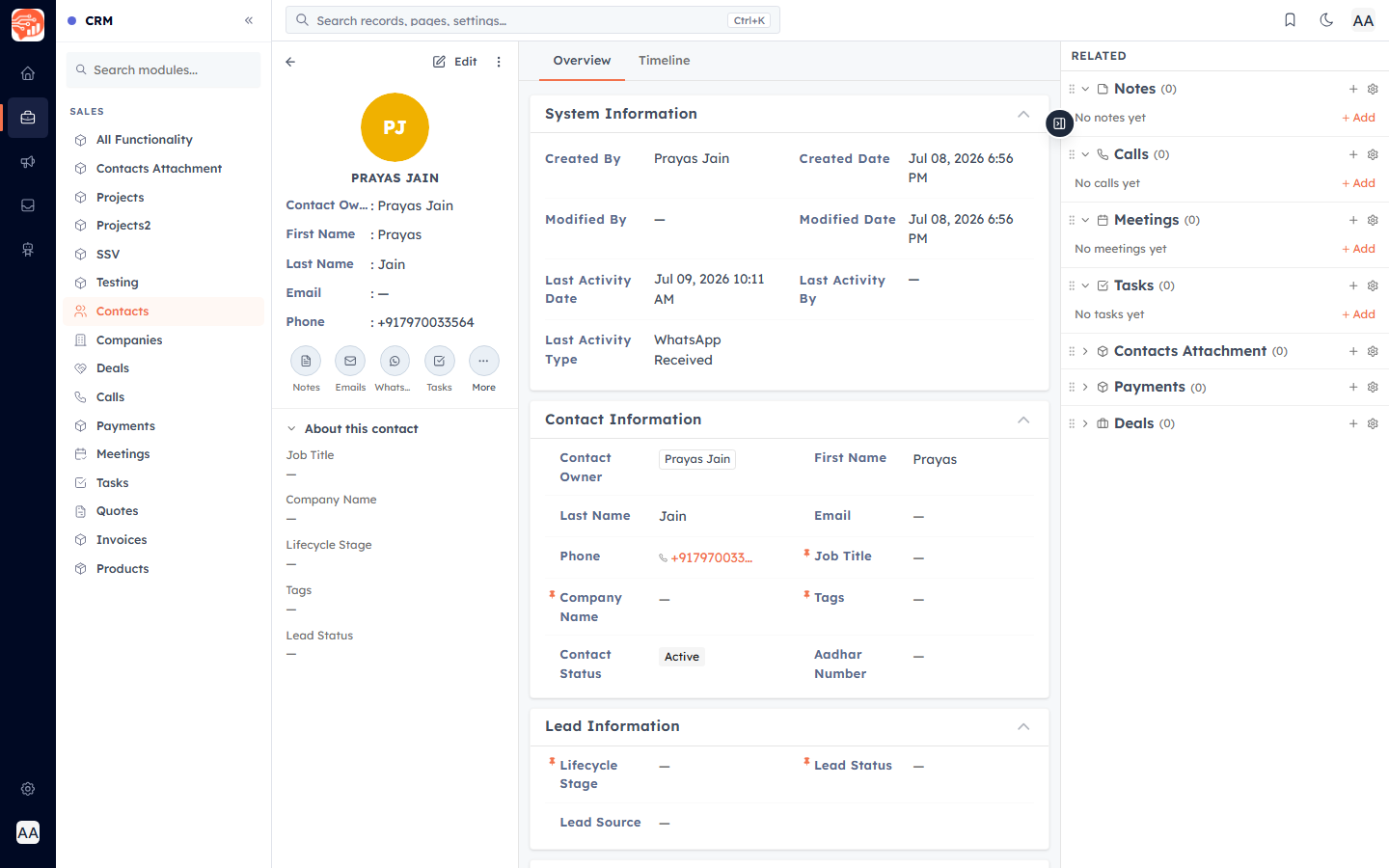
Lifecycle Stage — where they are in the journey#
Lifecycle Stage tracks how far a person has progressed: Subscriber → Lead → Marketing Qualified Lead → Sales Qualified Lead → Opportunity → Customer → Evangelist. Update it as the relationship matures so everyone knows the stage at a glance.
Lead Status — the working state#
Lead Status is the day-to-day state your sales team works from: New, Open, In Progress, Attempted to Contact, Connected, Open Deal, Bad Timing, Qualified, Unqualified, Lost, Not Interested.
Lead Source — where they came from#
Lead Source records how the lead reached you: Advertisement, Cold Call, Employee/External Referral, Online Store, Partner, Public Relations, Sales Email, Seminar, Trade Show, Web Form, Chat, or Other. It is set automatically when leads arrive from web forms, and you can set it by hand for manual entries. Great for reporting on which sources bring the best leads.
How leads enter the CRM#
Manually — create a contact (see Create a Contact).
Web Forms & WhatsApp Forms — submissions create a contact with the Lead Source set.
Integrations — Meta Lead Ads and Google Contacts.
Import — bring a spreadsheet of leads in at once (see Import Contacts).
Rating & Cost Per Lead#
A few more lead fields help you prioritise:
Rating — a simple Hot / Warm / Cold pick-list you set by hand.
Cost Per Lead — filled in automatically from your ad analytics (read-only) when a lead comes from a paid source.
💡
The Lifecycle Stage, Lead Status and Lead Source options above are yours to edit — change them in the Contacts Module Builder (Settings → Customization → Modules and Fields → Contacts).
Turning a lead into a deal#
When a lead is ready to buy, create a Deal linked to the contact (from the contact record’s related Deals section). The contact stays as the person; the Deal tracks the opportunity, its amount, stage, and closing date.
💡
Want qualification to happen automatically? An AI Agent can read your WhatsApp chats and set a contact’s Lead Status to Qualified for you — see Automatically Detect & Qualify Leads with Your AI Agent. (There’s still no numeric auto-scoring engine; Lead Score stays manual.)
Was this article helpful?
Ready to implement this?
OpenAI Engage and apply what you just learned to your own workspace.
Open AI Engage CRM