Loading…


KnowledgeBase
Introduction to Contacts & Lead Management
What is Contacts & Lead Management?#
Contacts is where you keep every person your business talks to — customers, leads, partners, anyone. In AI Engage CRM your leads are contacts too: a contact simply carries extra lead details (which stage they are at, their status, and where they came from). So there is one place to manage the whole journey, from first enquiry to closed customer.
What a contact record holds#
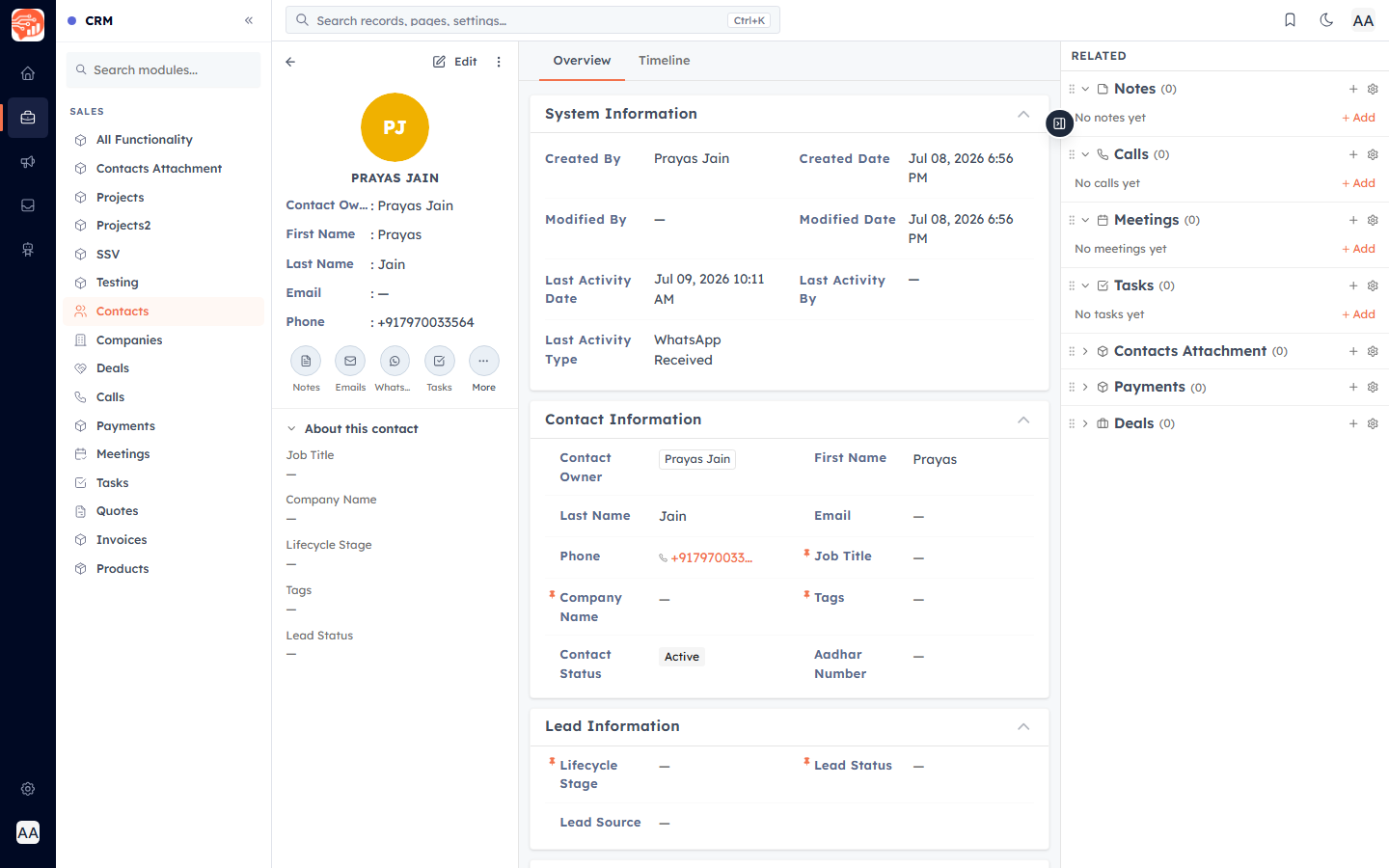
Each contact has their own page, organised into sections:
Contact Information — name, email, phone, company, job title, and status.
Lead Information — Lifecycle Stage, Lead Status, and Lead Source (how you manage them as a lead).
Marketing Information — email and WhatsApp subscription status.
Address Information — country, state, city, street, postal code.
Related records & timeline — every call, email, meeting, note, task, and deal linked to them.
💡
Your admin can add custom fields to contacts (for example "Budget" or "Industry"). If you see fields not listed here, that is why.
Where to find it#
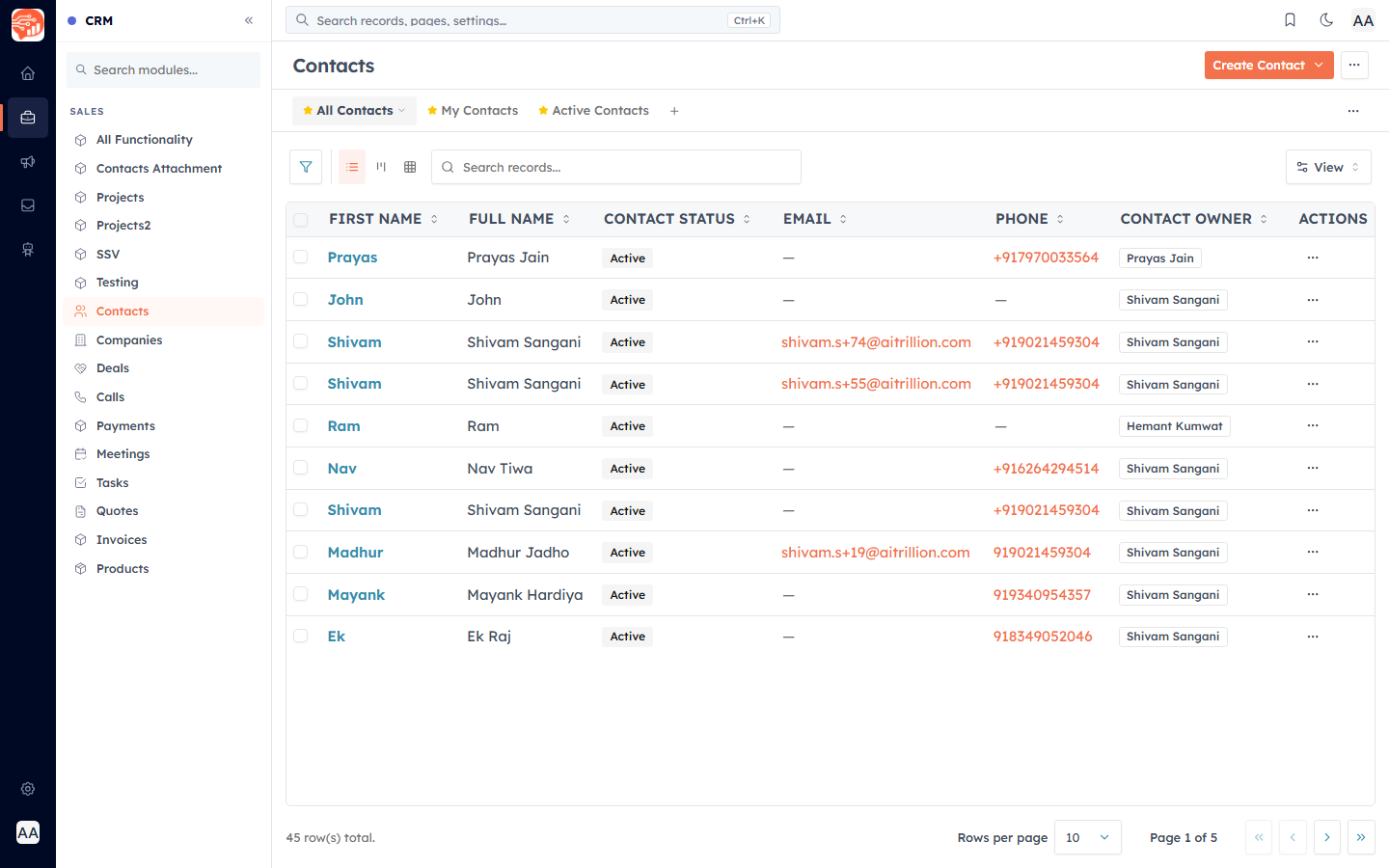
Open the CRM (briefcase) icon in the far-left rail, then click Contacts. You will see a table of everyone in your CRM, with saved views along the top — All Contacts, My Contacts, and Active Contacts.
💡
If you cannot see Contacts, you may not have permission — ask your admin to check your profile.
Was this article helpful?
Ready to implement this?
OpenAI Engage and apply what you just learned to your own workspace.
Open AI Engage CRM