Loading…


KnowledgeBase
Set Your Home Currency
What is the home currency?#
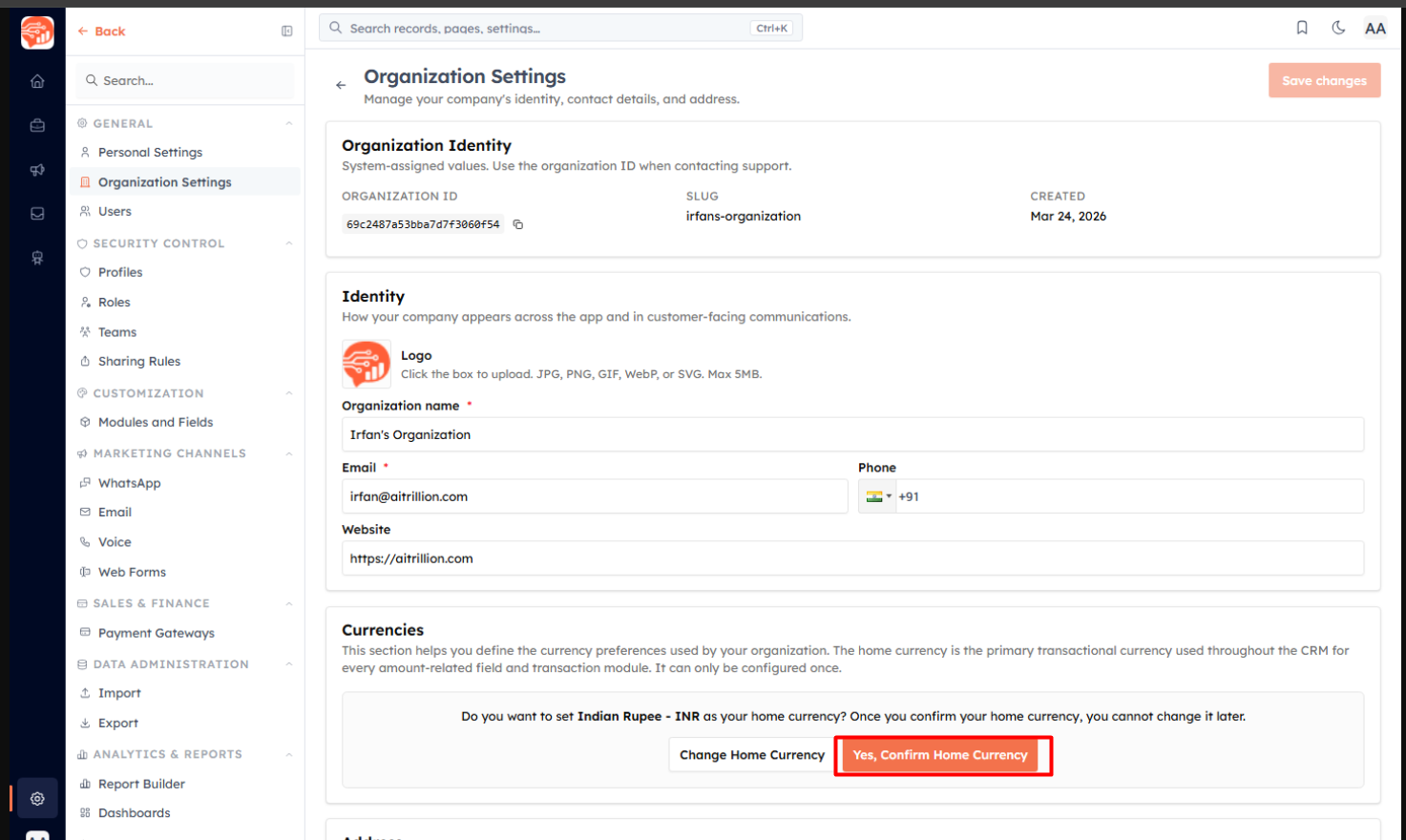
The home currency is your organization's primary currency. It's used everywhere money appears in the CRM — every amount field, Products, Quotes, Invoices, Payments, Reports, and PDFs — and payment gateways charge in it. You set it in Settings → Organization, in the Currencies section.
💡
The home currency can be configured only once. Once you confirm it, it cannot be changed — so choose carefully before confirming.
Choose your currency and format#
Click Change Home Currency to open the setup dialog. Pick the currency and how amounts should display:
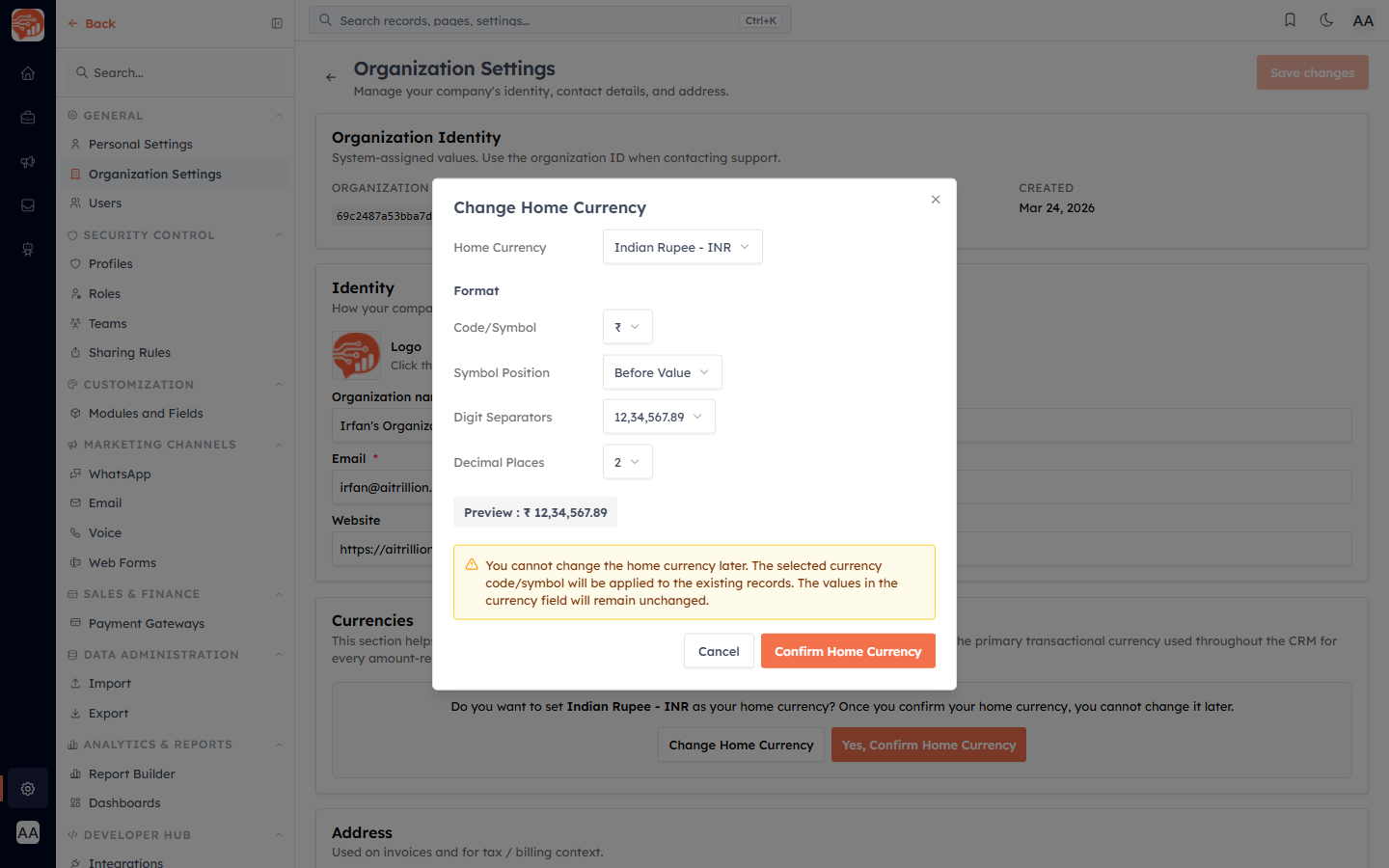
Home Currency — e.g. Indian Rupee (INR), US Dollar (USD).
Code/Symbol — show the symbol (₹) or the code (INR).
Symbol Position — before or after the amount.
Digit Separators — the grouping style (e.g. Indian 12,34,567.89 or 1,234,567.89).
Decimal Places — how many decimals to show.
The Preview shows exactly how amounts will look. When it's right, click Confirm Home Currency.
What happens when you confirm#
The currency and format are locked — the option to change them is disabled from then on.
The chosen symbol/format is applied to how amounts display on existing records; the underlying stored values are not altered.
💡
Set your home currency early — before creating products, quotes, or invoices, and before connecting a payment gateway (gateways charge in this currency).
Was this article helpful?
Ready to implement this?
OpenAI Engage and apply what you just learned to your own workspace.
Open AI Engage CRM