Loading…


KnowledgeBase
Managing Your Products Catalogue
What is the Products catalogue?#
The Products catalogue is your price list — everything you sell. When you build a quote or invoice you pick products from this list instead of retyping names and prices, which keeps pricing consistent and saves time. Open it from Products under Sales.
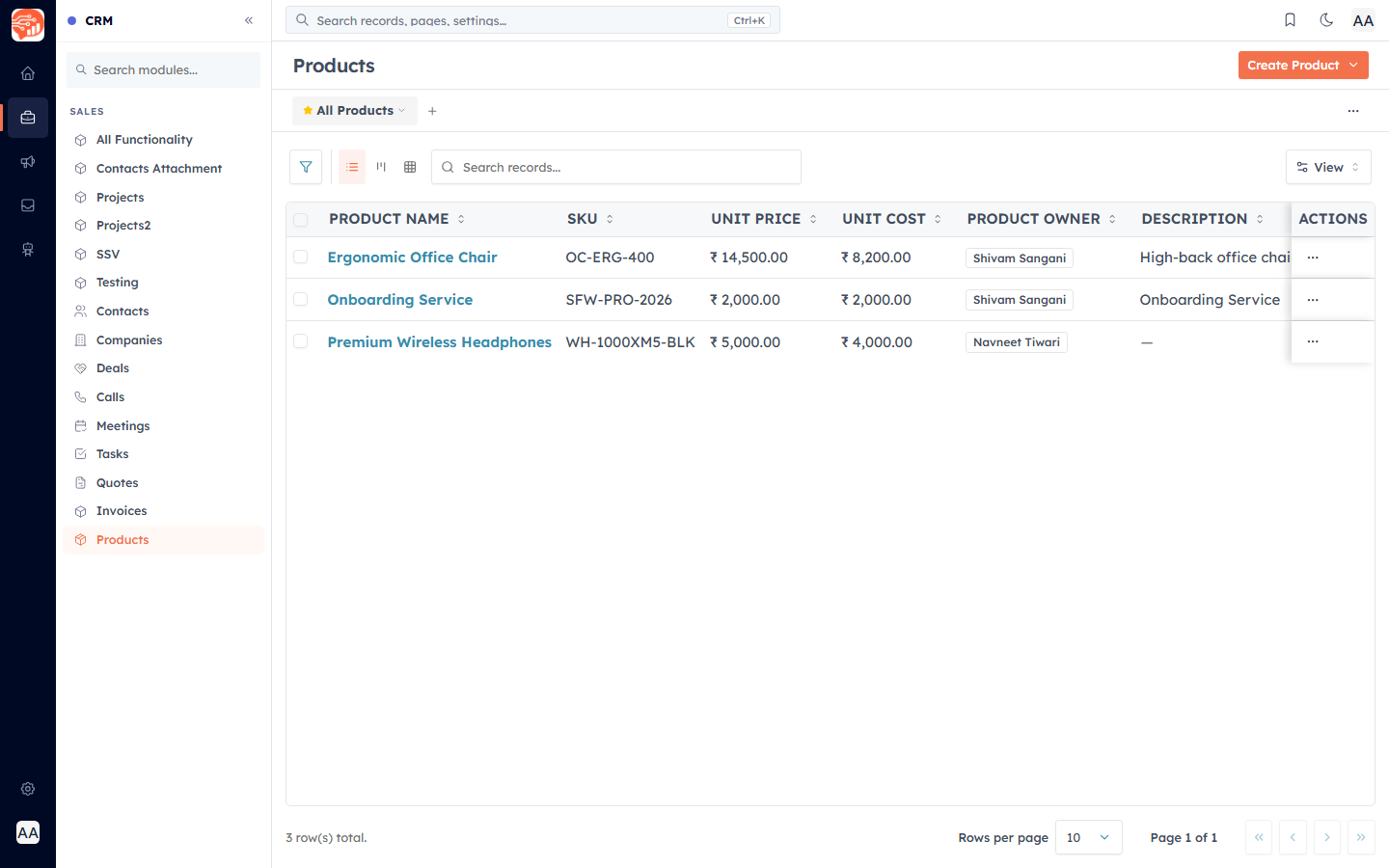
Add a product#
Click Create Product and fill in the form.
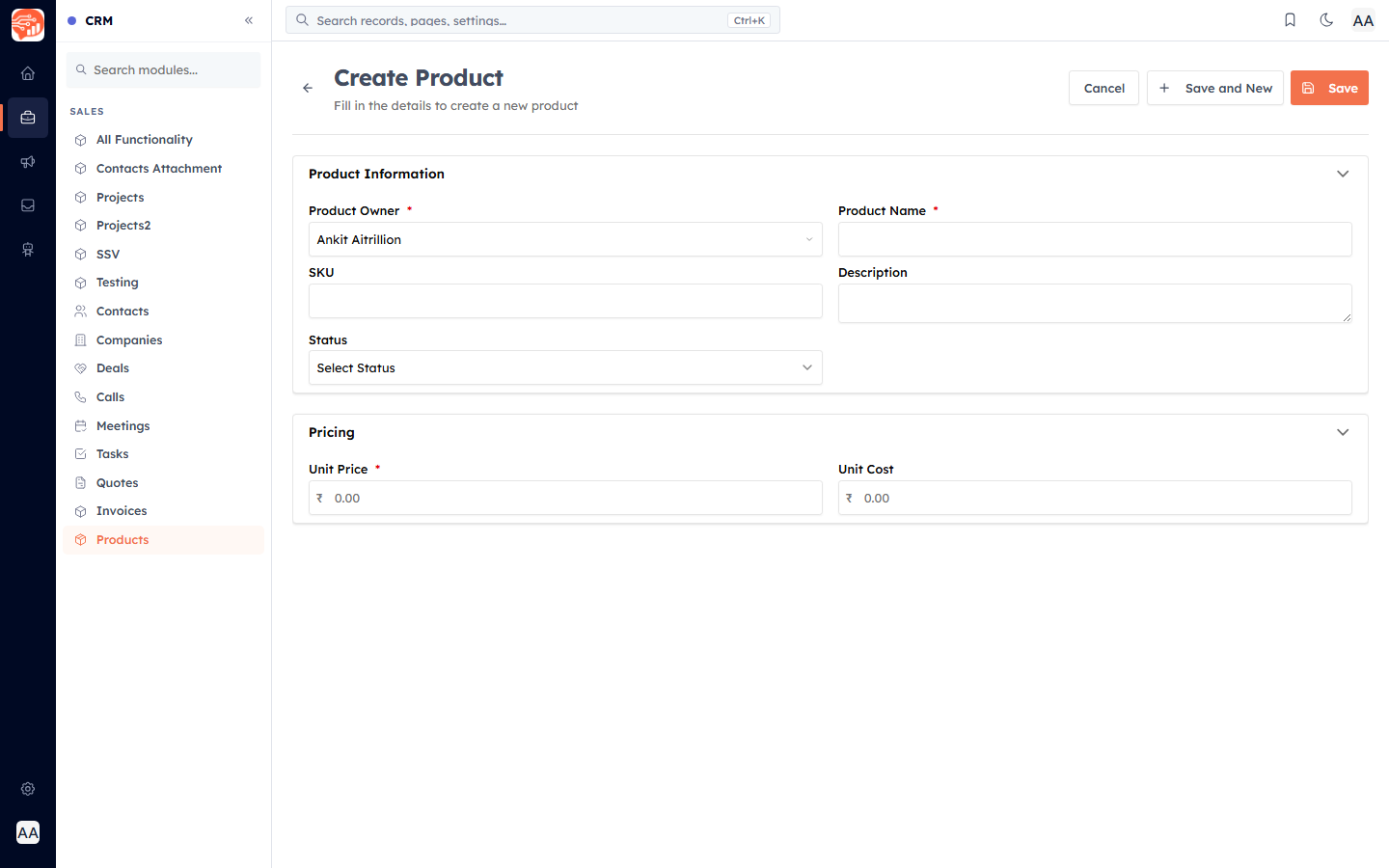
Product Name (required) — what customers see on quotes and invoices. Must be unique.
SKU — a unique code for the product. Optional, but useful for larger catalogues.
Description — a short line shown under the product name on the document.
Status — Active or Inactive.
Unit Price (required) — the standard selling price. It auto-fills when you add the product to a quote (and can be overridden per line).
Unit Cost — what the product costs you. Used for margin reporting and never shown to customers.
Default Tax (%) — a default tax rate that auto-fills the line's Tax % when the product is added.
💡
Selecting a product on a quote auto-fills its List Price, Tax %, and Description from the catalogue — set them once here and reuse them everywhere.
💡
Updating a product's price later does not change quotes or invoices you already created — it only affects new ones.
Was this article helpful?
Ready to implement this?
OpenAI Engage and apply what you just learned to your own workspace.
Open AI Engage CRM