Loading…


KnowledgeBase
Convert a Quote to an Invoice
Turn an accepted quote into an invoice#
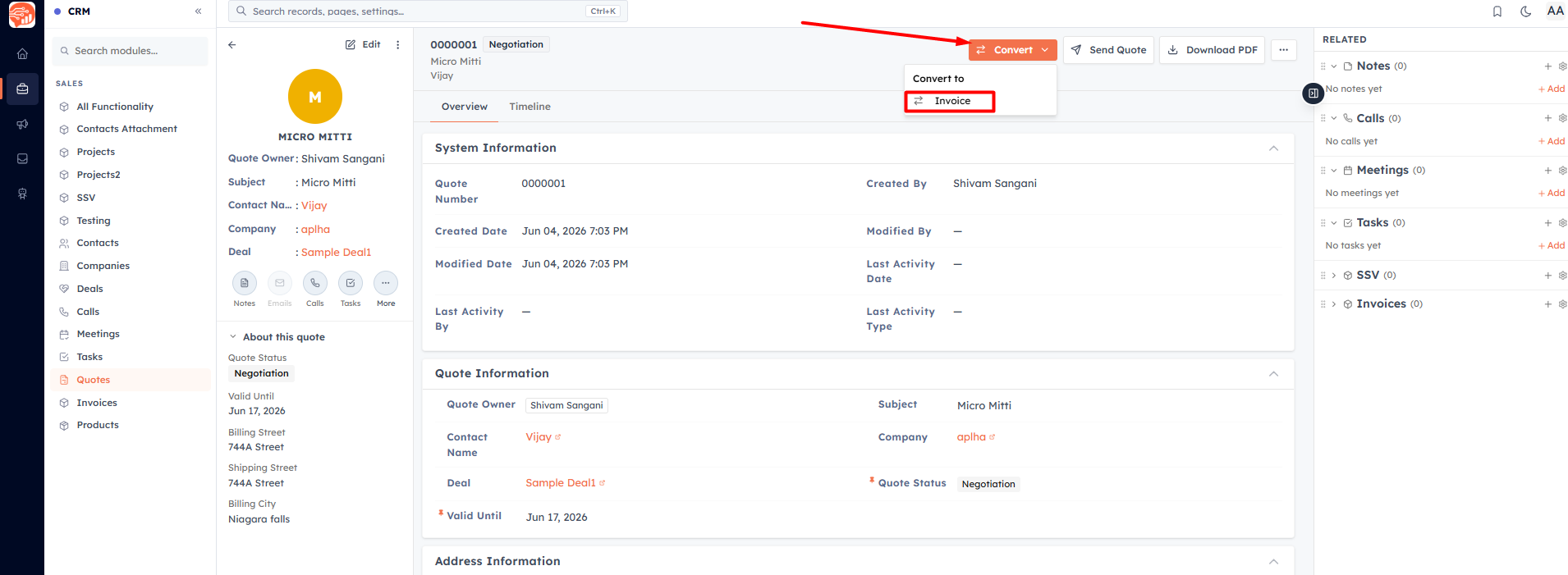
Once a customer has agreed, you don't re-key anything. Open the quote and click Convert → Invoice.
What carries over#
Conversion creates a new invoice and copies across:
The linked Contact, Company, and Deal.
All line items — products, quantities, prices, discounts, and taxes.
The billing/shipping address, terms & conditions, and totals.
The new invoice starts as Draft, with the Invoice Date set to today and the Due Date defaulted to 30 days out (you can change it). The quote and invoice are linked to each other, and a note is added to both timelines.
💡
A quote can be converted to an invoice once. After that, the quote shows a link to the invoice it created instead of the Convert button.
💡
Converting requires permission to edit Quotes and create Invoices, and it counts toward your plan's monthly invoice limit.
Was this article helpful?
Ready to implement this?
OpenAI Engage and apply what you just learned to your own workspace.
Open AI Engage CRM