Loading…


KnowledgeBase
Dynamic vs Static Segments: Which to Use
The two segment types#
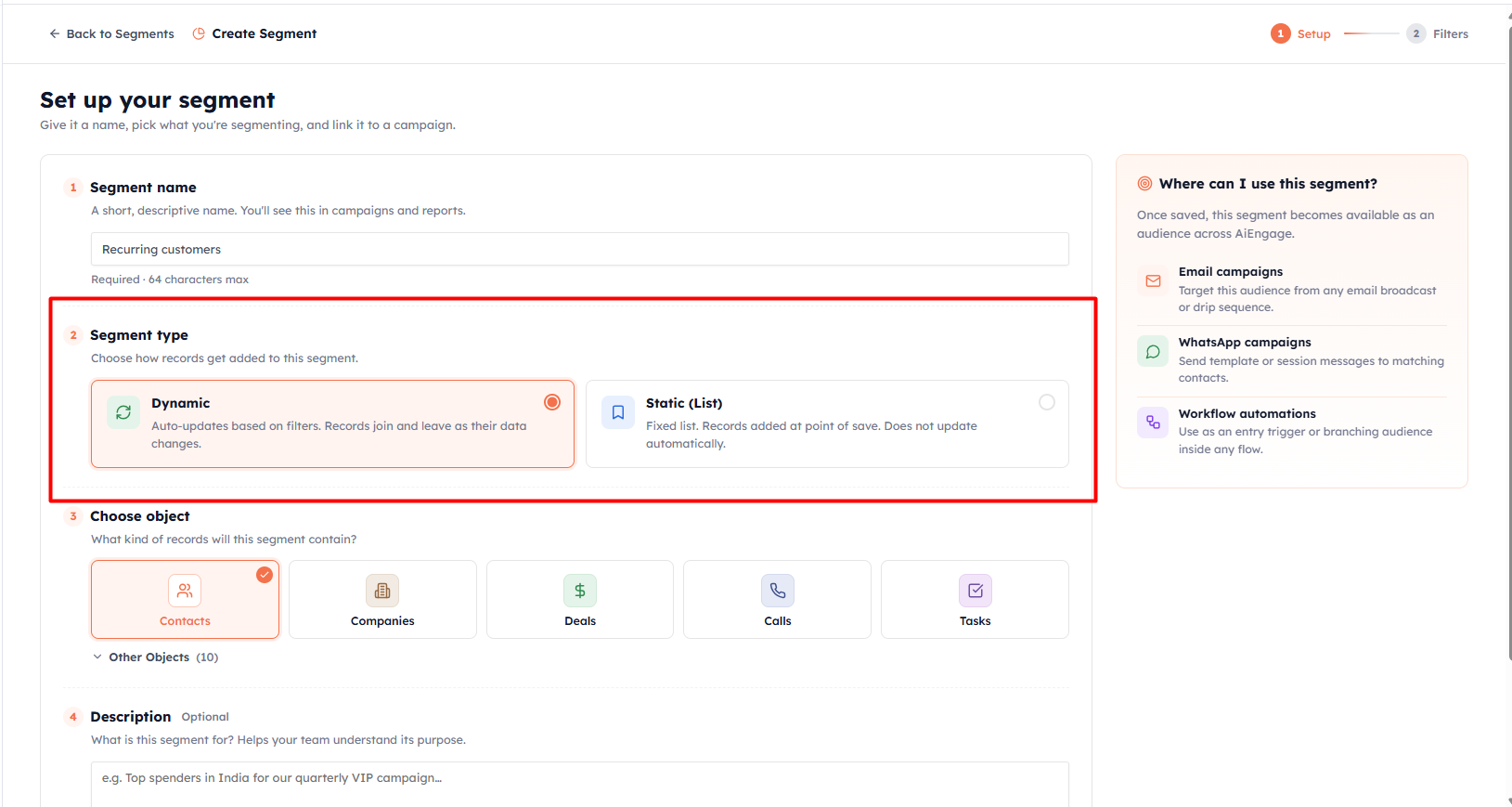
When you create a segment, the very first choice after naming it is the type. This decides how records get added — and whether the audience keeps itself up to date.
Dynamic segments#
"Auto-updates based on filters. Records join and leave as their data changes."
A dynamic segment stores a set of filters, not a fixed list of people. Every time you use it, the CRM runs those filters fresh and returns whoever matches at that moment.
A contact who starts matching your rules is added automatically.
A contact who stops matching is removed automatically.
Use dynamic segments for any audience that should always reflect current data:
"Active customers" — someone becomes active, they are in; they churn, they drop out
"Inactive for 30 days" — the list refreshes itself every single day
"Leads from this month" — rolls forward on its own
💡
Dynamic segments are the right default for almost every marketing use case. You build the rules once and never have to touch them again.
💡
Dynamic segments count toward your plan's active-segment limit. If you hit it, you will see "You've reached your plan limit of active segments" — delete unused segments or upgrade your plan to create more.
Static segments (Lists)#
"Fixed list. Records added at point of save. Does not update automatically."
A static segment captures a snapshot of records at the moment you save it. From then on the membership is frozen — new records that would match the same rules are not added, and existing members stay in even if their data changes.
Use static segments when you need a fixed, unchanging group:
"Trade show booth visitors — March 2026"
"Beta program invitees" — a hand-picked list that should never shift
A one-off audience you assembled manually or imported from a CSV
You can build a static segment three ways:
From filters — run a filter once and freeze whoever matches right now
By adding contacts manually — hand-pick contacts from your CRM
By importing a CSV — bulk-add contacts from a file
💡
A static segment is labelled "Static (List)" throughout the CRM. It behaves like a saved list of specific people rather than a live query.
Side-by-side comparison#
Updates automatically? — Dynamic: yes, on every use. Static: no, frozen at save.
Membership based on? — Dynamic: live filters. Static: a fixed roster of records.
Best for? — Dynamic: "always current" audiences. Static: fixed, point-in-time groups.
Can add contacts manually / via CSV? — Dynamic: no. Static: yes.
Counts toward plan limit? — Dynamic: yes. Static: no.
💡
Rule of thumb: if the audience should keep itself current, go Dynamic. If you need a fixed snapshot of specific records, go Static.
💡
Next: How to Create a Segment — walk through the full creation flow step by step.
Was this article helpful?
Ready to implement this?
OpenAI Engage and apply what you just learned to your own workspace.
Open AI Engage CRM