Loading…


KnowledgeBase
Link Contacts, Deals & Records to a Company
How companies connect to other records#
A company becomes the hub for everything you do with an organization. On the company’s detail page, each related module — Deals, Payments, and others your organization uses — appears as a card in the Related panel, and as a section on the Overview tab.
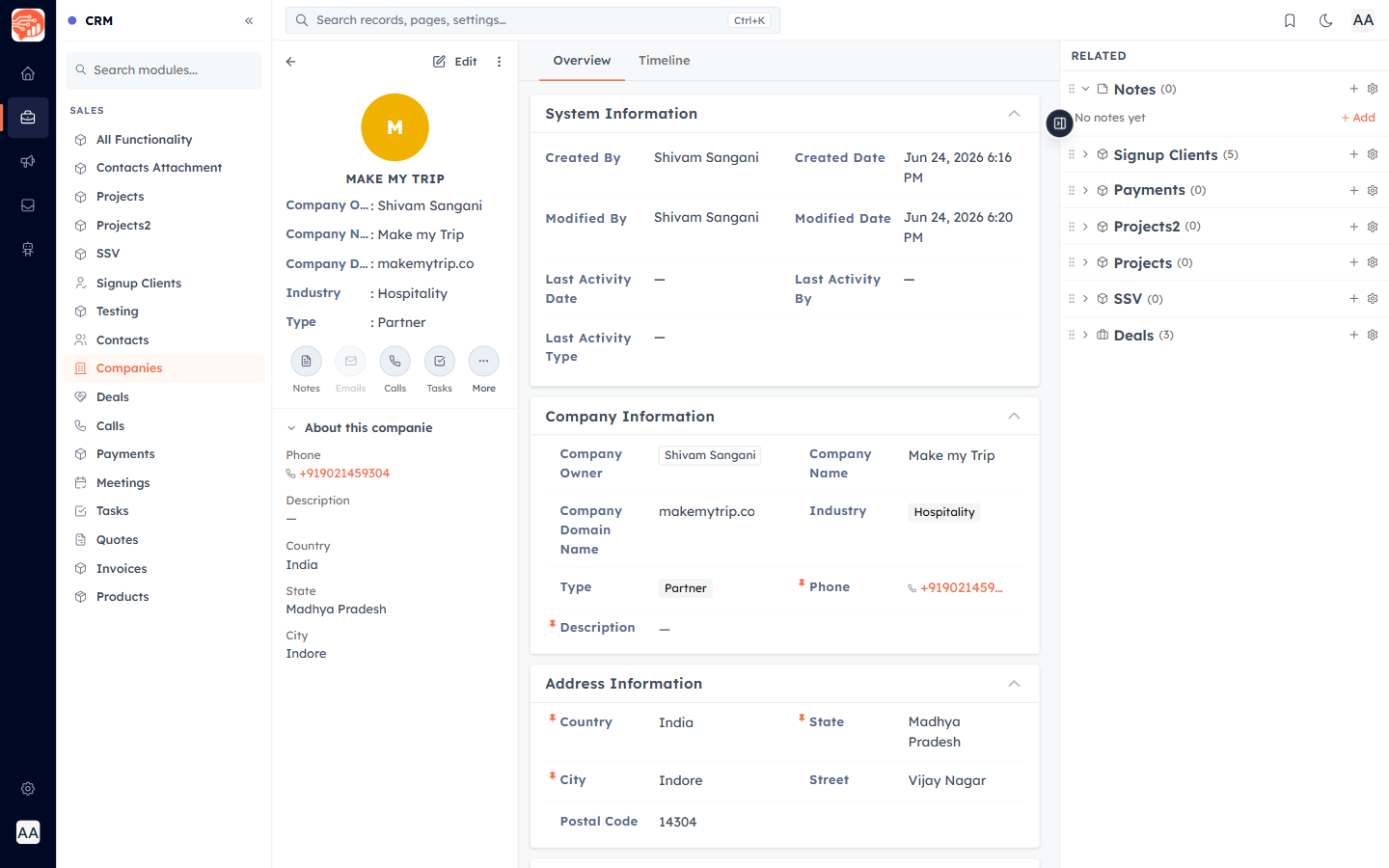
Link an existing record — Assign#
In a related section (for example Deals), click Assign. A panel opens listing records you can link — search, tick the ones you want, and click Assign Selected. Records already linked are shown as disabled so you never double-link.
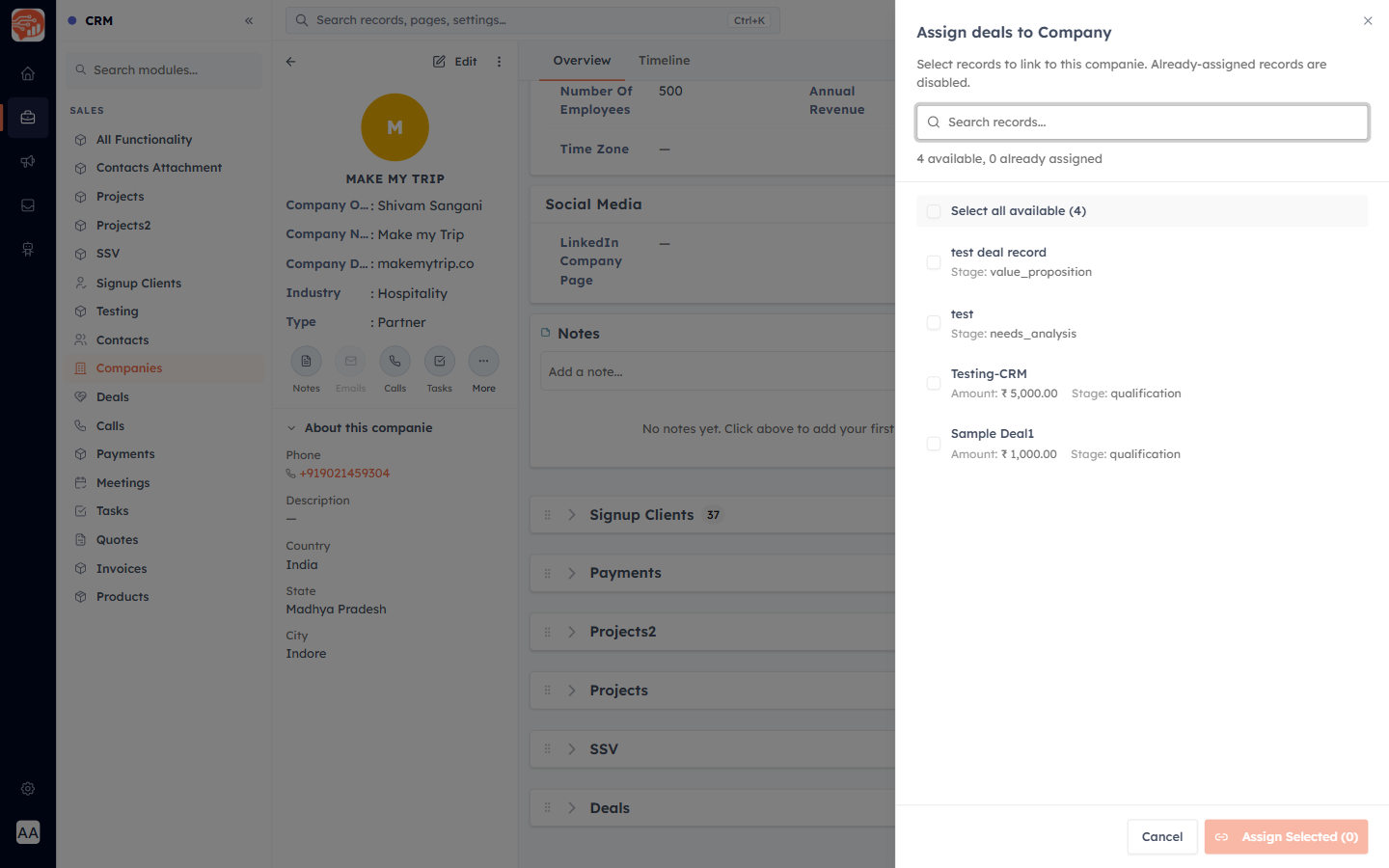
Create a new linked record — + New / + Add#
Use + New (or + Add in the sidebar) to create a brand-new record that is already linked to this company — handy when a new deal comes in for an existing account.
Unlink#
To remove a connection, use the unlink icon on a related row and confirm "Remove from this record?". This only removes the link — it never deletes the record itself.
ℹ️
Contacts also carry a Company Name field, and Quotes, Invoices, and Payments each have a built-in Company lookup — so those records tie back to the organization directly, in addition to the related-records panel shown here.
Was this article helpful?
Ready to implement this?
OpenAI Engage and apply what you just learned to your own workspace.
Open AI Engage CRM