Loading…


KnowledgeBase
Find, Filter & Manage Companies
Views, search & filters#
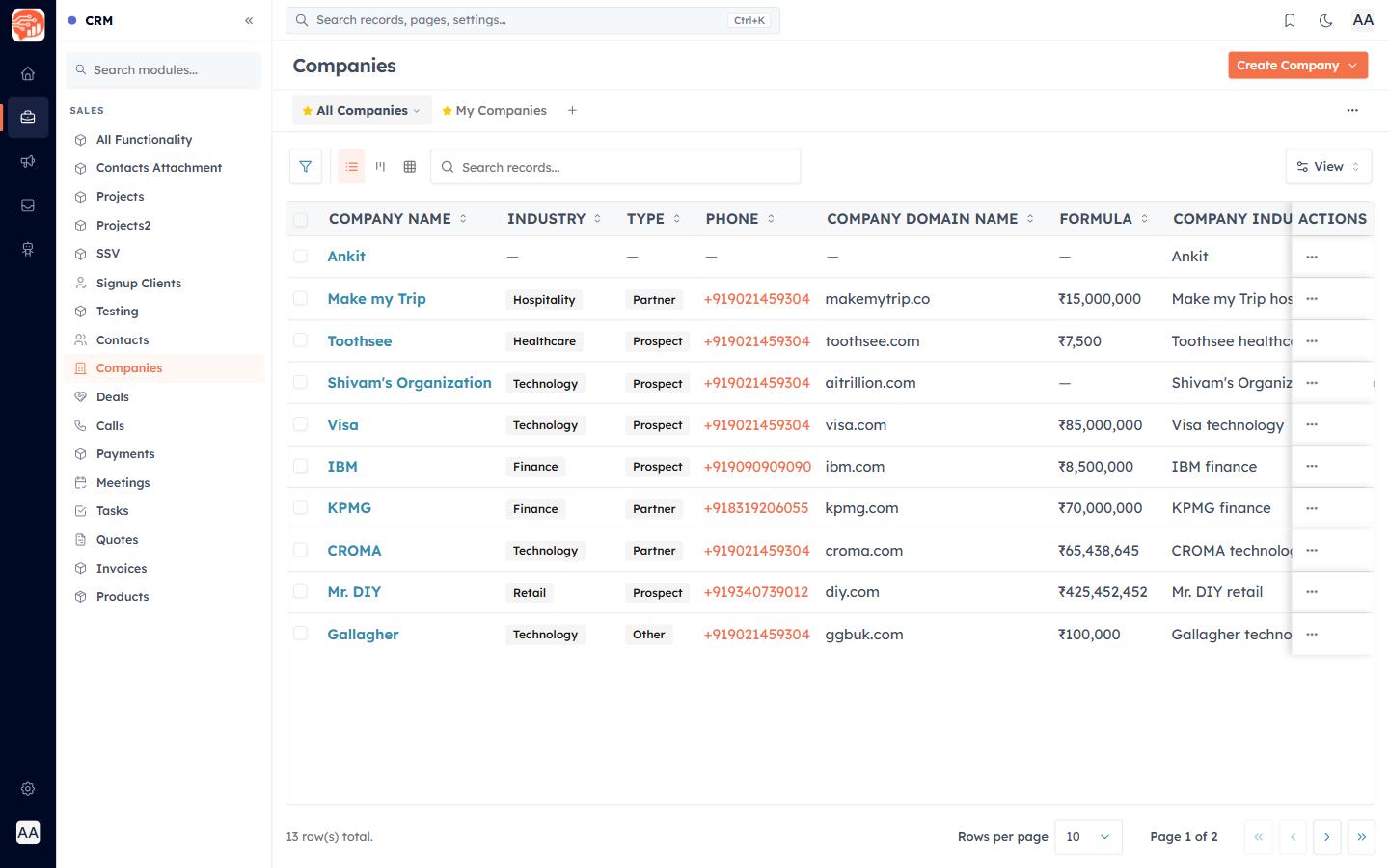
Open the Companies module. Switch between the built-in All Companies and My Companies views, use the search box to find a company by name, domain, phone, or industry, and open the Filter panel to narrow the list (for example, all Customer companies in Technology).
List, Board & Grid layouts#
The three view icons in the toolbar switch between List (the table), Kanban (a board grouped by a pick-list such as Industry, Type, or Owner), and Grid. You can save your own views with the columns and filters you want.
Import, export & bulk actions#
- Create Company ▸ Import Companies — bring in a spreadsheet of companies.
- Create Company ▸ Export Companies — download your list.
- Select rows with the checkboxes for bulk actions, or use a row’s menu to view, edit, clone, or delete.
💡
Deleting a company removes the record but keeps the contacts, deals, and other records that were linked to it — only the connection is removed.
Was this article helpful?
Ready to implement this?
OpenAI Engage and apply what you just learned to your own workspace.
Open AI Engage CRM