Loading…


KnowledgeBase
Create a Company Record
Create a company#
Open the Companies module and click Create Company. Fill in the form:
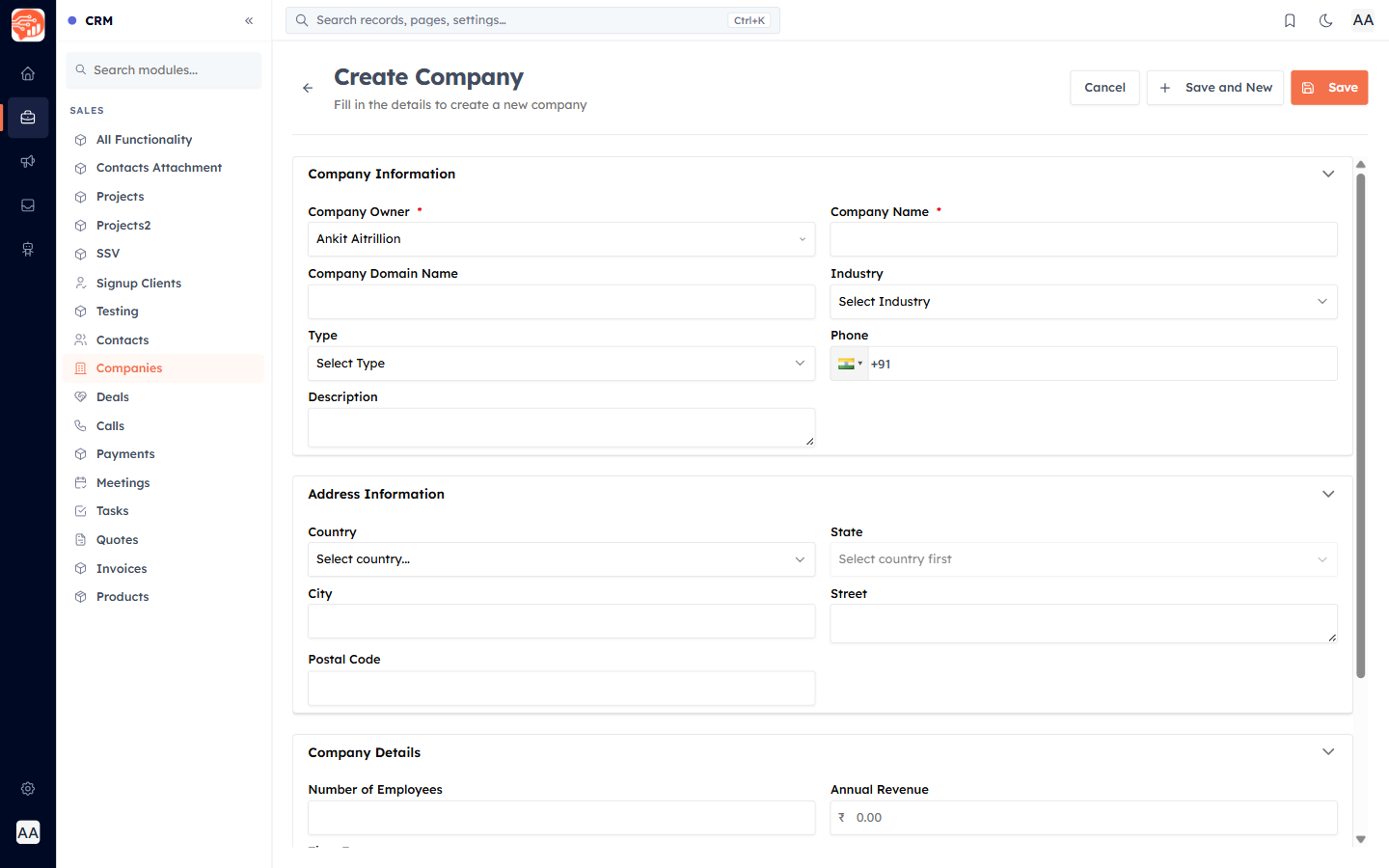
- Company Owner (required) — defaults to you; reassign it to a teammate if needed.
- Company Name (required, must be unique — you cannot create two companies with the same name).
- Company Domain Name — the website domain (also unique).
- Industry and Type — the pick-lists you set up in Set Up Company Fields.
- Phone, Description, and the Address and Company Details (Number of Employees, Annual Revenue) sections.
Click Save (or Save and New to add another).
🎉 Now, your company is created — here is how it appears:
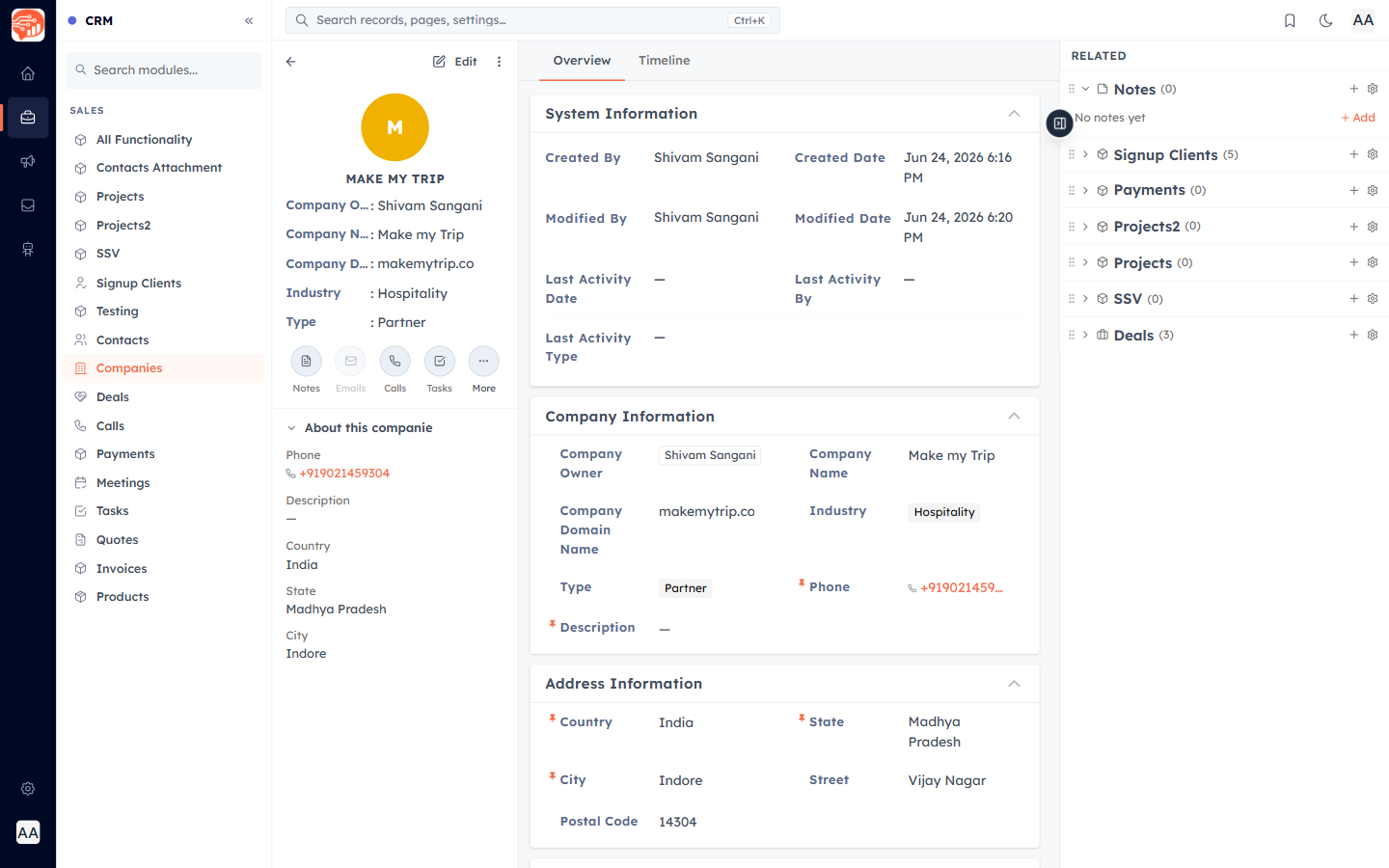
From here you can edit the record, add activities, and link related deals and records.
Was this article helpful?
Ready to implement this?
OpenAI Engage and apply what you just learned to your own workspace.
Open AI Engage CRM